Word of the Day: Perseverance

Synopsis Some words describe effort over time rather than moments of intensity. Perseverance is one of them. It speaks to the ability to continue steadily, even when progress feels slow, uncertain, or unrewarding. This word is often used to describe long journeys, sustained work, and quiet determination that doesn’t rely on motivation alone. Word of the Day Perseverance Word of the Day Meaning Perseverance refers to the continued effort to do or achieve something despite difficulties, delays, or repeated setbacks. It emphasizes consistency and endurance rather than speed or enthusiasm. There are words that describe moments. And then there are words that describe journeys. Perseverance belongs to the second category. It does not describe a sudden burst of motivation or a dramatic breakthrough. Instead, perseverance refers to something quieter and more steady. It is the willingness to continue even when progress feels slow, when recognition is absent, or when results take longer than expected. In everyday language, perseverance simply means continuing effort despite difficulty. But in practice, it represents something deeper. It reflects patience, discipline, and the ability to stay engaged with work that unfolds gradually. Many professions depend on this quality. Researchers spend years refining ideas before publishing results. Entrepreneurs navigate multiple setbacks before a business stabilizes. Writers draft, revise, and rewrite before a piece finally reaches clarity. In these situations, perseverance is rarely visible from the outside. The finished work may appear effortless, but behind it often lies a long period of persistence. For writers in particular, perseverance is not optional. Writing involves uncertainty. Some drafts resist completion. Some ideas take time to mature. Feedback can challenge initial assumptions. Yet the work moves forward through revision rather than sudden inspiration. Perseverance also shapes learning. Skills rarely develop through intensity alone. They grow through repeated practice, reflection, and adjustment. Over time, the steady rhythm of effort begins to produce visible progress. In a culture that celebrates quick outcomes and immediate recognition, perseverance can seem unfashionable. Yet many meaningful achievements still depend on it. Long-term work requires patience with slow improvement and trust in gradual development. That may be why the word continues to resonate across different fields. Whether applied to creative work, education, research, or personal goals, perseverance describes a form of strength that unfolds quietly. It is not dramatic. It is not loud. But it is often what carries an idea from intention to completion. Word of the Day Pronunciation Guide pur-suh-VEER-uhns Preseverance: Origin and Etymology The word perseverance comes from the Latin perseverantia, meaning “steadfastness” or “continuance.” Its root verb perseverare means “to persist” or “to continue firmly.” The original sense of the word highlights staying the course rather than forcing outcomes. When the word entered English, it retained this emphasis on steady continuation. Over time, perseverance became closely associated with moral strength, long-term effort, and the ability to withstand discouragement. Preseverance: Synonyms and Antonyms Synonyms:Persistence, endurance, tenacity, determination, resolve Antonyms:Abandonment, surrender, resignation, inconsistency, quitting Word of the Day Usage in Sentences: Across Genres In Journalism:Her perseverance brought long-overdue attention to the issue. In Political Analysis:Policy reform required perseverance over several election cycles. In Academic Writing:The study reflects years of perseverance in data collection. In Literature:Perseverance, not luck, carried the character through hardship. In Travel Writing:The trek demanded perseverance more than physical strength. In Legal Commentary:The case moved forward through perseverance rather than swift victories. Why “Preseverance” Is Worth Knowing Perseverance is useful because it names effort that unfolds slowly. It avoids the drama of sudden breakthroughs and focuses instead on sustained action. For writers, this word is especially relevant. Writing often involves drafts that don’t work, ideas that take time to mature, and feedback that requires careful revision. Perseverance describes the discipline to stay engaged through all of that. In professional and personal contexts, perseverance also signals reliability. It shows a willingness to continue even when recognition or results are delayed. This makes the word valuable in reflective writing, biographies, and long-form narratives. Perseverance in Modern Context In modern usage, perseverance appears frequently in discussions around education, careers, entrepreneurship, and personal development. It is often contrasted with short-term motivation, highlighting the difference between starting strong and staying consistent. In today’s fast-paced environment, perseverance can feel undervalued. Yet many meaningful outcomes still depend on it. Long-term learning, creative work, and institutional change rarely happen quickly. Perseverance acknowledges this reality without romanticizing struggle. In creative and editorial spaces, perseverance often looks quiet. It shows up as routine, revision, and return. Over time, that steadiness becomes visible in the work itself. FAQs Is perseverance the same as tenacity?They are related, but not identical. Perseverance emphasizes sustained effort over time, while tenacity highlights firmness and determination. Can perseverance be learned?Yes. Perseverance develops through habit, structure, and experience rather than personality alone. Is perseverance always a positive trait?Generally, yes, but it should be balanced with reflection. Continuing blindly without adjustment can be counterproductive.
Best Editorial Calendar Tools for a Small Blog Team
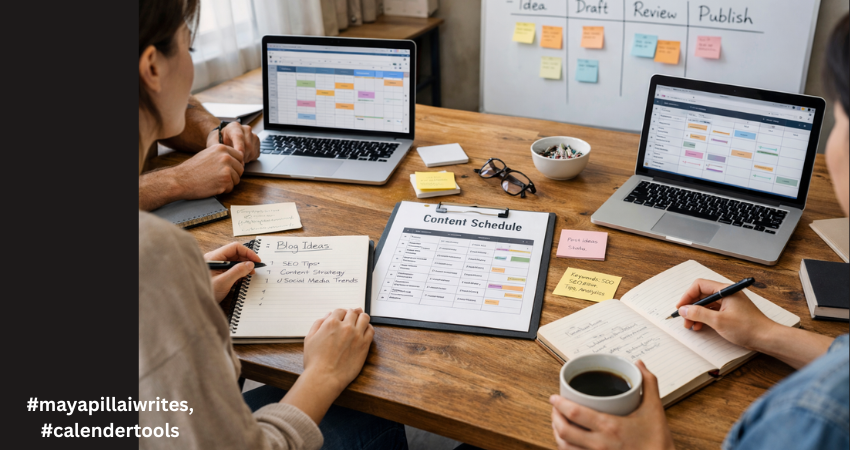
In the early days of running a blog, everything feels under control. There are only a few posts in the pipeline. A shared document seems enough. A quick WhatsApp message replaces a status update. Someone says, “I’ll publish it tomorrow,” and everyone trusts that it will happen. Then consistency kicks in. You start publishing regularly. Ideas multiply. Drafts pile up. One post is waiting for edits, another is missing keywords, and someone realizes two writers are working on almost the same topic. Deadlines begin to blur. SEO details get added at the last minute. And suddenly, what once felt simple starts feeling chaotic. This is the point where blogging shifts from a creative hobby to an operational system. And that shift is uncomfortable if you’re not prepared for it. For a blog team of 1 to 10 members, structure isn’t about bureaucracy. It’s about clarity. You don’t need complicated software. You need a tool that keeps everyone aligned without slowing them down. A system that shows what’s planned, what’s in progress, and what’s ready to go live. Before choosing any tool, it’s important to understand why having one changes everything. TL;DR If your blog team is growing and publishing consistently, managing content through chats and shared documents won’t work for long. An editorial calendar tool brings structure, visibility, and accountability to your workflow. It helps track deadlines, avoid duplicate topics, manage SEO details, and keep everyone aligned. The right tool doesn’t need to be complex, it just needs to support consistent publishing without confusion. Why a Tool Is Important for Editorial Calendar Management An editorial calendar tool brings structure to your content process. Without one, planning often lives in scattered emails, chat messages, and memory. That works for a short time. But once publishing becomes consistent, confusion follows. A tool centralizes everything in one place, including topics, deadlines, ownership, and status. Everyone can see what’s being written, what’s under review, and what’s ready to publish. That visibility reduces delays and prevents duplicated effort. It also strengthens accountability. When each post has a clear owner and a defined deadline, responsibility becomes visible. A proper tool makes it easier to track progress, manage revisions, and avoid last-minute stress. For blog teams that care about SEO, it helps ensure keywords, metadata, and internal links aren’t forgotten. Over time, this consistency improves quality and builds authority. A tool doesn’t replace discipline, but it supports it. And for any team that wants reliable publishing, that structure makes a real difference. A proper tool gives you: A centralized publishing schedule Clear ownership of each blog post Visibility into draft, edit, and publish stages Keyword and SEO tracking Better deadline discipline Reduced communication gaps In small teams, confusion spreads quickly because everyone handles multiple roles. A writer may also edit. An editor may also upload to WordPress. Without a structured system, small misses turn into bigger delays. Now let’s look at the top tools for blog-only teams and break down detailed advantages and disadvantages. 1. Notion Notion works well for blog teams that want flexibility and control. You can build a custom editorial calendar with fields for keywords, publish dates, authors, and status updates. It allows you to keep briefs, outlines, and drafts in one place. For small teams that like organizing content their own way, it offers a clean and adaptable structure. It does require discipline to keep everything organized. Advantages Fully customizable databases for blog posts Multiple views including calendar, Kanban, and list Can store content briefs, outlines, and drafts in one place Custom SEO fields such as focus keyword, meta title, internal links Easy collaboration with comments and mentions Affordable for small teams Works well for both planning and documentation Clean interface once structured properly Disadvantages Requires careful setup at the beginning No built-in advanced analytics for performance tracking Can become cluttered if naming conventions are inconsistent Large databases may slow down Limited automation compared to advanced project tools Notion works best when someone on the team maintains structure. 2. Trello Trello uses a simple board system.Trello is ideal for blog teams that prefer a visual workflow. Each blog post moves across columns such as Idea, Draft, Review, and Published. It’s simple to learn and easy to maintain. For teams that don’t want complex dashboards or setup time, Trello keeps things straightforward. However, it may feel limited if you need detailed SEO tracking. Advantages Extremely easy to learn Visual workflow using drag-and-drop cards Quick onboarding for new team members Clear status tracking at a glance Lightweight and not overwhelming Integration options through Power-Ups Good for teams that prefer visual progress tracking Disadvantages Limited SEO field customization unless upgraded No deep reporting or performance dashboards Can feel cluttered as blog volume increases Less suitable for detailed documentation storage Not ideal for managing multiple content categories at scale Trello is strong for straightforward blog workflows without complex requirements. 3. ClickUp ClickUp suits blog teams that are growing and need more structure. It allows custom fields for SEO, clear task ownership, and timeline views. If your blog involves multiple writers, editors, and strict deadlines, ClickUp gives stronger workflow control. It can feel complex at first, but it offers scalability if your content operation expands. Advantages Multiple views including calendar, list, and timeline Custom fields for SEO tracking Task dependencies for structured workflows Built-in documentation Automation options for reminders and status changes Strong reporting dashboards Scales well as blog output increases Workload view for managing writer capacity Disadvantages Steeper learning curve Interface can feel overwhelming for small teams Setup takes time and planning Too many features for very simple blog workflows Paid plans required for advanced features ClickUp suits blog teams closer to 8–10 members who need more control. 4. Asana Asana is helpful when deadlines and accountability are priorities. It clearly assigns tasks and tracks progress through timelines and milestones. For blog teams that follow structured approval processes, it keeps responsibilities visible. While it isn’t built specifically for long-form draft storage, it works well for managing
A Monday Morning Orange Cake

For weeks, the thought of baking an orange cake stayed with me like a small promise I kept postponing. I had already done the practical parts more than once. The flour was measured and kept aside, the other ingredients laid out on the counter, and then, without any clear reason, everything would go back into its place. It wasn’t about time or effort. It was more about a certain reluctance that settles in when you do not feel fully present. Some days, even gentle plans feel heavier than they should, and it is easier to delay them than to question why you are hesitating. This Monday morning, however, felt quieter and more forgiving. The house was still wrapped in early light, and there was no urgency pressing against the walls. I found myself in the kitchen before the day had a chance to become noisy. There was a calmness in moving slowly, in not rushing through familiar steps. I cut the orange into two-halves horizontally carefully, removed the seeds, gently extracted the white pith and cut them into small, bite-sized pieces. Instead of just using the juice, I decided to blend the whole orange with the peel. There was something comforting about not stripping the fruit down to only what was “necessary,” but allowing its bitterness and fragrance to become part of the cake. I am not a great baker, and I have never claimed to be one. I am comfortable with simple cakes and familiar recipes, and this orange cake was one of them. Still, I kept putting it off. Not because it was difficult, but because I tend to overthink even small things when I step into the kitchen. This time, I chose to stop waiting for the perfect mood and just begin. Recipe: Whole Orange Cake (With Peel) Ingredients 1½ cups all-purpose flour ¾ cup sugar 2 eggs ½ cup oil or melted butter 1 whole orange, seeds removed and cut into small pieces (use the peel) 1 tsp baking powder ½ tsp baking soda 1 tsp vanilla extract A pinch of salt Method Preheat the oven to 180°C (350°F) and grease a small baking tin. Add the orange pieces with peel, eggs, sugar, oil or melted butter, and vanilla extract to a blender. Blend until smooth. In a separate bowl, combine the flour, baking powder, baking soda, and salt. Gently fold the blended orange mixture into the dry ingredients until just combined. Do not overmix. Pour the batter into the prepared loaf tin and smooth the top lightly. Bake for 30 to 35 minutes, or until a toothpick inserted into the center comes out clean. Let the cake cool slightly before slicing. I set the timer and stepped away from the oven, telling myself I would not hover over it the way I usually do. The quiet ticking in the background became a soft reminder that something was in progress, even when I wasn’t actively doing anything. There was comfort in letting time do its work, in trusting that the cake would be ready when it was ready, without me checking every few minutes.Once the kitchen began to fill with a warm, citrus scent, the space felt different. The smell was not sharp or overpowering, but soft and steady, the kind that makes a home feel lived in, even on an ordinary weekday morning. I stood there for a while, not out of impatience, but because it felt good to be in that moment without rushing toward the next thing.When the cake was finally done, it came out with gentle cracks on the top and a softness that showed when I pressed lightly against it. It was not perfect, but it was honest, and that felt right for the morning I was having. Cutting into it while it was still warm, I felt a small but real sense of happiness. Not the kind that comes with big achievements, but the quieter kind that follows through on a small intention you had been carrying for a while.There are days when we wait for the right mood to arrive before we begin anything. We tell ourselves we will bake when we feel inspired, write when we feel motivated, and rest when we feel less guilty about resting.But this morning reminded me that the mood often follows the action, not the other way around. I did not wake up feeling especially enthusiastic about baking. I simply started. Somewhere between washing the orange and watching the cake rise in the oven, the heaviness eased. It did not fix everything, but it made the morning gentler. Sometimes, that small shift is all we need. FAQs Is this orange cake recipe beginner-friendly?Yes. The recipe is simple and works well even if you are not an experienced baker. It uses basic ingredients and does not require any advanced techniques.Can I make this orange cake without a blender?You can. If you do not have a blender, you can use fresh orange juice and finely grated zest instead of blending the whole orange. The texture will be slightly different, but the cake will still turn out soft and fragrant.Does using the orange peel make the cake bitter?Using the peel adds a gentle depth of flavor. If your oranges are very thick-skinned or bitter, you can remove part of the white pith to keep the taste balanced.What tin works best for this orange cake?A loaf tin works well for this recipe, but you can also use a small round cake tin. Baking time may vary slightly depending on the size and depth of the pan.How should I store the orange cake?Once cooled, you can store the cake in an airtight container at room temperature for a day or two. If you want it to last longer, keep it refrigerated and warm a slice before eating.
Word of the Day: Nuance
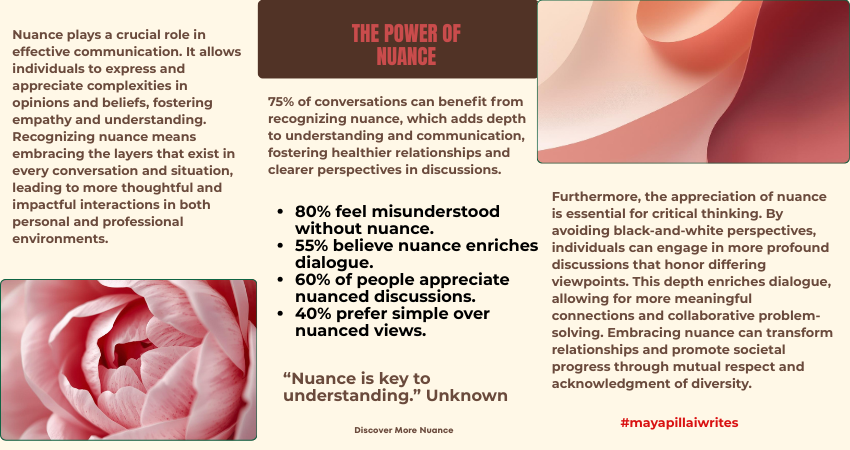
Synopsis Some words live in the margins. Nuance is one of them. It captures the small distinctions that prevent ideas from collapsing into oversimplified binaries. In writing and thinking, nuance allows complexity to exist without confusion. It invites attention, patience, and care. Word of the Day Nuance Word of the Day Meaning Nuance refers to a subtle difference or distinction in meaning, expression, or feeling. It describes the fine shades that separate similar ideas, words, or perspectives. Word of the Day Pronunciation NOO-ahns Word of the Day: Origin and Etymology The word nuance comes from the French nuance, meaning “shade” or “slight variation,” which itself is derived from nuer, meaning “to shade.” Its origins are visual, rooted in the idea of gradual variation rather than sharp contrast. When the word entered English, it retained this sense of subtle differentiation. Over time, nuance became central to language, criticism, and analysis, especially in fields that resist absolute interpretations. Nuance: Synonyms and Antonyms Synonyms:Subtlety, distinction, shade, refinement, variation Antonyms:Simplicity, bluntness, obviousness, uniformity, generalization Nuance Usage in Sentences: Across Genres In Journalism:The article captured the nuance of public opinion rather than reducing it to extremes. In Political Analysis:The debate lacked nuance and ignored regional differences. In Academic Writing:The author examines the nuance between closely related theories. In Literature:Her writing was rich with emotional nuance. In Travel Writing:The guide explained the cultural nuance behind local customs. In Legal Commentary:Legal arguments often turn on nuance rather than broad principles. Why “Word of the Day” Is Worth Knowing Nuance is essential for precise communication. It allows writers to acknowledge complexity without losing clarity. Instead of flattening ideas into simple categories, nuance makes space for difference, contradiction, and context. For writers, nuance separates competent writing from thoughtful writing. It shows respect for the reader’s intelligence and for the subject itself. Whether you are analyzing events, crafting essays, or telling stories, nuance helps avoid overstatement and distortion. In editorial work, nuance often determines credibility. Readers trust writing that recognizes shades of meaning rather than forcing certainty where none exists. Nuance in Modern Context In today’s fast-paced information environment, nuance is often overlooked. Short formats and rapid opinions favor clarity, but not always accuracy. As a result, nuanced positions can be mistaken for indecision or weakness. Yet, nuance remains critical in discussions around culture, politics, technology, and identity. It allows conversations to move beyond extremes and encourages deeper understanding. In creative work, nuance gives texture to characters, emotions, and ideas, making them feel real rather than symbolic. For professionals and writers alike, holding space for nuance is increasingly a skill, not a luxury. FAQs Is nuance the same as detail?Not exactly. Detail refers to specific information, while nuance refers to subtle differences in meaning or interpretation. Can nuance make writing unclear?Only if overused. When balanced well, nuance adds clarity rather than confusion. Why is nuance important in serious writing?Because complex topics rarely fit into simple explanations. Nuance helps preserve accuracy and fairness. If you need help with long-form writing, blog content, or editorial pieces, I write at a pace that values thought over haste. Connect with me.
A Work Trip, a Broken Washing Machine, and a Borrowed Iron

In early 2018, I was in Chennai for a client visit and a short training program. It was one of those trips that looked neat on paper. Flights booked. Stay arranged. Schedule packed. Everything sorted.At least, that’s what I thought.I was put up in a service apartment close to the office. It felt like a sensible choice. More space than a hotel. A kitchen I didn’t use. Meals were made in the common kitchen and served upstairs in the apartment, or you could have it in the dining room. A sense of routine, even when you’re away from home. The apartment had a common washing machine, which sounded reassuring. I packed light weight shirts, trousers and salwar suits, assuming I could manage laundry easily.Little did I know that the washing machine didn’t work.Not temporarily. Not “we’ll fix it tomorrow.” It just didn’t work. After a long day of training sessions and client meetings, I found myself standing in the bathroom, staring at a bucket. I soaked my clothes before leaving for the office, scrubbed them by hand at night, and tried to convince myself that this was fine. That it was just one of those things. That I could manage.Eventually, I hired one of the cleaning staff to wash my clothes. It felt awkward. Not because they were unwilling, but because it wasn’t what I had signed up for. I wasn’t looking for a favor. I just wanted a working washing machine.The clothes came back clean enough. But then came the next problem. The cotton clothes needed to be starched and ironed to remove the wrinkles.There was no iron wala nearby.No corner shop. No roadside ironing setup. Nothing within walking distance. I asked around and was told I could borrow an iron box from one of the residents. So I did. I stood in the apartment, pressing my own clothes, hoping I wouldn’t burn a shirt I needed the next morning. None of this was dramatic. Nothing went terribly wrong. And yet, the experience stayed with me.Because travel discomforts are rarely about big failures. They’re about small frictions. The kind you don’t plan for. The kind that slowly chip away at your energy. Washing clothes in a bucket after a full workday. Borrowing an iron from a stranger. Feeling mildly frustrated but telling yourself to “adjust.”At the time, I didn’t have a name for what bothered me. I just knew I was unhappy with the whole thing. Not angry. Just tired.Looking back, I realize how much we normalize inconvenience, especially when we’re away from home. We accept broken systems because they’re “temporary.” We solve problems ourselves because it feels easier than complaining. We move on.But these small moments matter. They shape how we experience a place. How rested or drained we feel. How much mental space we have for the work we’re actually there to do.That Chennai trip taught me something simple. Comfort isn’t about luxury. It’s about things working the way they’re supposed to. Clean clothes without negotiation. Pressed clothes without favors. Systems that don’t make you improvise at the end of a long day.I didn’t write about this experience back then. It felt too ordinary. Too small.But years later, it stands out. Not because it was difficult, but because it wouldn’t happen the same way today.Now, laundry services are available at your fingertips. A few taps on your phone, and someone picks up your clothes, cleans them properly, irons them, and sends them back. No buckets. No borrowed irons. No awkward workarounds at the end of a long day.It’s easy to take that convenience for granted. But when I think back to that Chennai trip, I realize how much these small services quietly change how we travel, work, and rest.We may not remember every meeting we attend.But we surely remember the nights we stood in bathrooms with a bucket, wishing things were just a little easier.
Word of the Day: Credible
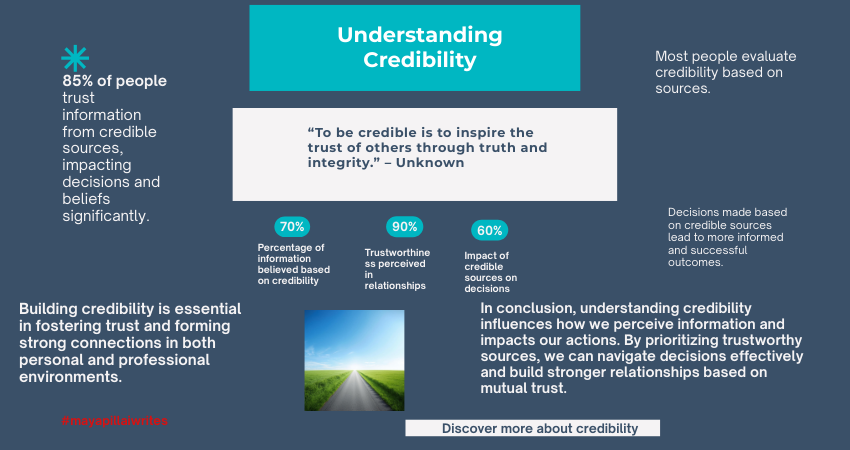
Synopsis Some words quietly carry trust. Credible is one of them. It doesn’t promise perfection or certainty, but it signals that something is believable, reliable, and worthy of attention. In writing, journalism, and everyday communication, credibility often determines whether a message is accepted or ignored. Word of the Day Credible Word of the Day Meaning Credible means able to be believed or trusted. It describes information, sources, arguments, or people that appear reliable because they are supported by evidence, consistency, or expertise. Word of the Day Pronunciation Guide KRED-uh-buhl Word of the Day: Origin and Etymology The word credible comes from the Latin credibilis, meaning “worthy of belief,” which itself comes from credere, meaning “to believe” or “to trust.” This root is shared with words such as credit and creed, all connected to belief and trust. Historically, credible was used to describe testimony or claims that deserved acceptance. Over time, its usage expanded to include people, institutions, media sources, and even ideas that demonstrate reliability through consistency and evidence. Credible: Synonyms and Antonyms Synonyms:Believable, trustworthy, reliable, convincing, dependable Antonyms:Unreliable, doubtful, implausible, questionable, untrustworthy Word of the Day Usage in Sentences: Across Genres In Journalism:The report relied on credible sources and verified data. In Political Analysis:The opposition failed to present a credible alternative policy. In Academic Writing:Only credible studies were included in the literature review. In Literature:Her fear felt credible, grounded in the reality she knew. In Travel Writing:A credible local guide made the experience safer and richer. In Legal Commentary:The court found the witness to be credible based on consistent testimony. Why “Credible” Is Worth Knowing Credible is a practical word because it helps distinguish between information that deserves attention and information that does not. Instead of dismissing something as wrong or misleading, calling it not credible points to a lack of trustworthiness without exaggeration. For writers, credibility is foundational. Style and voice matter, but credibility determines whether readers stay. Claims supported by evidence, clear sourcing, and consistent reasoning help establish a credible tone. Without it, even well-written content can fall flat. In editorial and professional writing, credible is often preferred over stronger terms because it allows space for evaluation rather than judgment. Credible in Modern Context In the modern information landscape, credible has gained renewed importance. With the volume of content available online, readers constantly assess whether information can be trusted. Credibility is now linked not only to authority, but also to transparency, accountability, and consistency. In professional spaces, being credible often means showing your work, acknowledging limitations, and avoiding overstatement. In creative and personal writing, credibility comes from emotional honesty and coherence rather than facts alone. As audiences become more discerning, credibility is no longer assumed. It is built gradually, through repetition, clarity, and care. FAQs Is credible the same as true?Not exactly. Credible means believable or trustworthy, while true means factually correct. Something can appear credible and still be proven wrong later. Can credible describe people as well as information?Yes. People are often described as credible when they are seen as reliable and consistent. What is the difference between credible and reliable?Credible focuses on believability and trust, while reliable emphasizes consistency over time. If you need help with long-form writing, blog content, or editorial pieces, I write at a pace that values thought over haste. Connect with me.
Word of the Day: Resilient
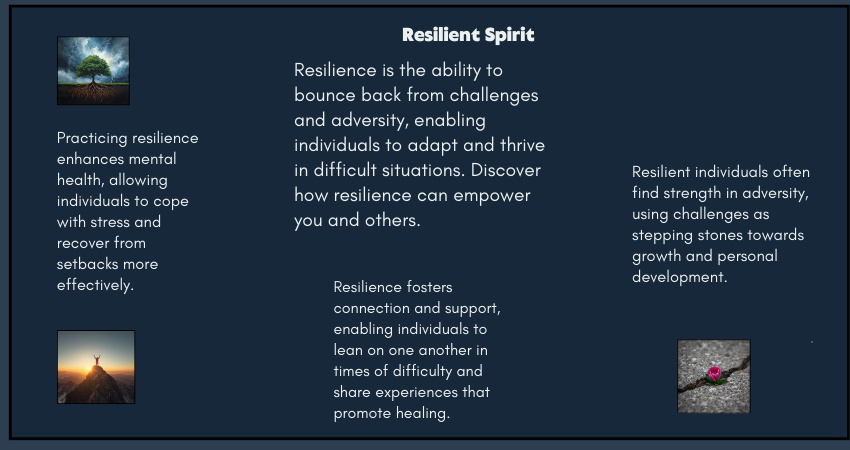
Synopsis Some words describe strength in motion. Resilient is one of them. It doesn’t imply the absence of difficulty. Instead, it acknowledges strain, disruption, and pressure, and then focuses on the ability to return, adapt, and continue. This word is often used to describe people, systems, and communities that bend without breaking. Word of the Day Resilient Resilient Meaning Resilient describes the ability to recover quickly from difficulties or adjust well to change. It refers to emotional strength, structural flexibility, or systemic endurance in the face of stress or disruption. Word of the Day Pronunciation Guide ri-ZIL-yuhnt Word of the Day: Origin and Etymology The word resilient comes from the Latin resilire, meaning “to spring back” or “to rebound.” Early usage referred to physical objects that could return to their original shape after pressure. Over time, the word expanded to describe human behavior, psychological strength, and later, organizational and societal systems. Today, resilient is commonly used in professional, academic, and policy-related contexts to describe adaptability rather than invulnerability. Resilient: Synonyms and Antonyms Synonyms:Adaptable, strong, flexible, durable, hardy Antonyms:Fragile, vulnerable, brittle, weak, rigid Resilient Usage in Sentences: Across Genres In Journalism:The city proved resilient after repeated infrastructure failures. In Political Analysis:A resilient economy can absorb shocks without long-term damage. In Academic Writing:The study highlights the importance of resilient systems in uncertain environments. In Literature:She was resilient, shaped by loss but not defined by it. In Travel Writing:The resilient coastal villages rebuilt themselves after every storm. In Legal Commentary:The court emphasized the need for resilient legal frameworks during crises. Why Resilient Is Worth Knowing Resilient is valuable because it shifts focus from resistance to recovery. It allows writers to acknowledge difficulty without framing it as defeat. In writing, this word is especially useful when describing long-term processes, whether personal, professional, or institutional. It avoids exaggeration while still conveying strength. For writers, resilient also applies to the creative process itself. Drafts fail. Ideas stall. Feedback can unsettle confidence. Resilience is what allows a writer to revise, rethink, and return to the page without losing direction. Resilient in Modern Context In recent years, resilient has become central to conversations around mental health, workplaces, climate change, education, and technology. It is often used to describe people navigating uncertainty, businesses adapting to market shifts, and communities responding to crises. In professional settings, resilience is no longer framed as silent endurance. Instead, it includes adaptability, support systems, and the ability to evolve. In digital and creative work, being resilient often means continuing steadily, even when outcomes are delayed or uncertain. The word has gained relevance because it reflects real-world conditions. Progress today is rarely linear. Resilience recognizes that reality. FAQs Is resilient always used in a positive sense?Yes, resilient generally carries a positive meaning. It emphasizes strength, adaptability, and the ability to recover after challenges. Can resilient describe systems and organizations, not just people?Yes. The word is commonly used for economies, institutions, infrastructure, and digital systems that can withstand disruption. What is the difference between resilient and strong?Strong suggests resistance to pressure, while resilient emphasizes recovery and adaptability after pressure has been applied. If you need help with long-form writing, blog content, or editorial pieces, I write at a pace that values thought over haste.
Word of the Day: Tenacity
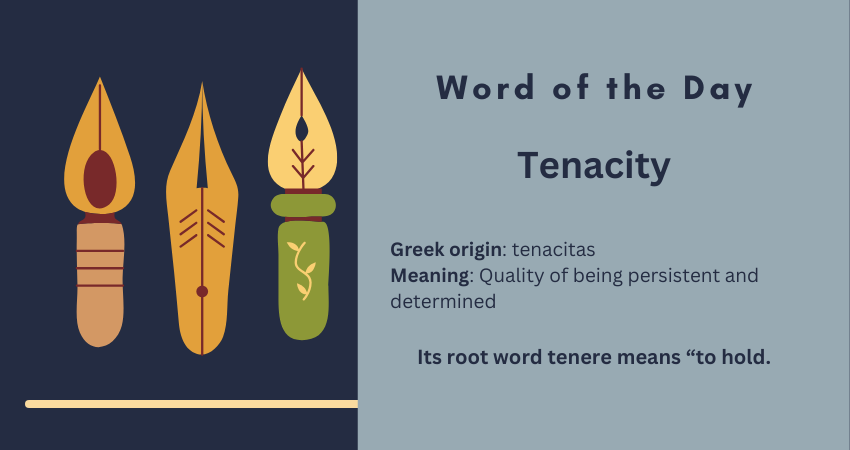
Synopsis Some qualities announce themselves loudly. Tenacity does not. It stays quiet, steady, and firm, even when progress feels slow or invisible. This word is often used to describe people who keep going long after enthusiasm fades and external motivation runs out. In writing, work, learning, and life, tenacity is what bridges intention and outcome. Word of the Day Tenacity Word of the Day Meaning Tenacity refers to the quality of being persistent and determined, especially in the face of difficulty, resistance, or delay. It is the ability to hold on, mentally or emotionally, when giving up would be easier. Word of the Day Pronunciation tuh-NASS-uh-tee Tenacity: Origin and Etymology The word tenacity comes from the Latin tenacitas, meaning firmness or the act of holding fast. Its root word tenere means “to hold.” In its earliest usage, tenacity described physical grip or adhesion. Over time, its meaning evolved to represent mental strength and emotional endurance, which is how the word is commonly used today. Tenacity: Synonyms and Antonyms Synonyms:Perseverance, grit, determination, resilience, persistence Antonyms:Apathy, indifference, surrender, weakness, passivity Tenacity Usage in Sentences: Across Genres In Journalism:Her tenacity turned a small local issue into a national conversation. In Political Analysis:The leader’s tenacity helped sustain reforms despite internal opposition. In Academic Writing:The researcher’s tenacity was evident in years of fieldwork and multiple revisions. In Literature:It was her quiet tenacity, not dramatic courage, that carried her forward. In Travel Writing:Tenacity mattered more than strength while crossing the rugged terrain. In Legal Commentary:The lawyer’s tenacity led to the reopening of a long-dismissed case. Why Tenacity Is Worth Knowing Tenacity is a useful word because it captures effort without exaggeration. It avoids drama while still acknowledging sustained work. For writers, this word holds particular relevance. Writing is rarely about sudden inspiration. It is about showing up repeatedly, revising patiently, and staying with an idea until it becomes clear. Tenacity names that process honestly. Tenacity in Modern Context In modern usage, tenacity often appears in discussions around careers, entrepreneurship, education, and personal growth. It describes freelancers building momentum slowly, students navigating long academic paths, and professionals adapting to changing industries. In a culture that celebrates quick wins, tenacity quietly reminds us that progress often comes from staying consistent.In digital spaces, tenacity is visible in long-term content creation, steady learning, and audience-building efforts that take time to mature. It is less visible than talent, but far more reliable. FAQs Is tenacity a positive trait?Yes. Tenacity is generally viewed as a positive quality because it reflects persistence, commitment, and the ability to continue despite obstacles.Can tenacity be used in professional or academic writing?Yes. Tenacity fits naturally in journalism, academic writing, leadership analysis, and workplace communication.Is tenacity the same as resilience?Not exactly. Tenacity focuses on persistence and staying the course, while resilience emphasizes recovery after setbacks. The two often work together. If you’re refining ideas where clarity, nuance, and tone matter, I work on long-form writing and editorial content that balances precision with intent.
What is Image Alt Text and Why It Matters
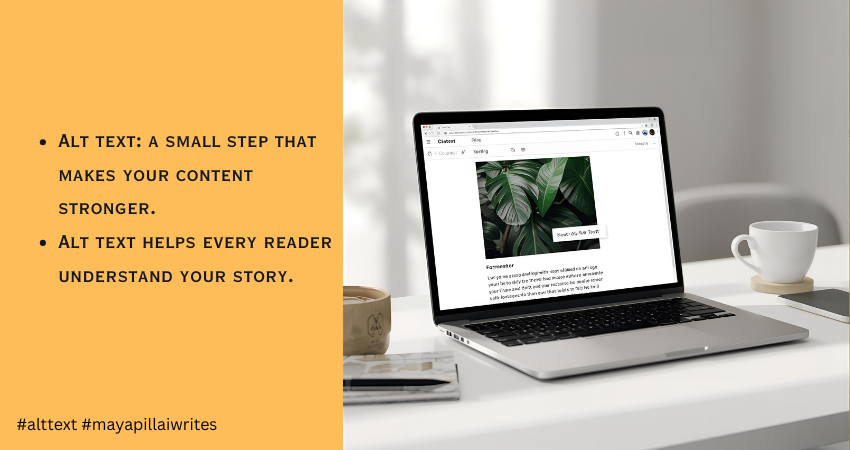
When you upload an image to your blog, you’re adding more than a visual break. You’re adding something that readers and search engines depend on to understand your content. Every image carries meaning, and when that meaning isn’t described properly, part of your message gets lost. This is where alt text becomes essential. It gives context to people who rely on screen readers and helps them follow your content without missing anything. It also helps search engines understand what the image shows, which improves your SEO. I didn’t pay much attention to alt text when I first started writing. I learned its importance much later, and it changed the way I publish my work. That’s why I want to share this with other writers, so they don’t overlook something so simple yet so helpful. Many bloggers skip alt text or add something vague, but good alt text for images makes your blog more accessible, more readable, and far more search-friendly. This article is for bloggers, writers, content creators, and website owners who want to make their content accessible, readable, and search-friendly through better alt text. TL;DR Alt text is a short description that explains what an image shows. It helps people using screen readers and improves SEO by giving search engines the context they need. Keep it short, clear, and natural. Avoid keyword stuffing. Skip decorative images. Good alt text makes your blog accessible and easy to understand. What Is Alt Text Alt text is a brief description added to an image. It appears when the image doesn’t load and is read aloud by screen readers. Search engines also use it to understand what the image contains. So alt text supports two important things at once: accessibility and SEO. Since search engines cannot interpret visuals the way humans do, they depend on image alt text to understand context. This helps your images rank better and increases the chances of appearing in Google Image Search. That’s why alt text is important. It links directly to visibility and inclusivity. How Alt Text Improves Accessibility Alt text plays a big role in accessibility because people with visual impairments or low vision rely on screen readers to browse the web. When a screen reader reaches an image, it reads the alt text aloud. If the alt text is missing, the tool either skips the image or reads a file name like “IMG_0243.jpg”, which offers nothing useful. Clear alt text accessibility helps these readers follow your content without missing any context. It gives them the same understanding that sighted users get at a glance. The description doesn’t need to be long. It only needs to explain the one thing that matters about the image. Good alt text creates a smoother reading experience. It fills the gaps when users can’t see the visuals and keeps your content inclusive for everyone. The SEO Benefits of Alt Text Search engines depend heavily on alt text to understand what an image shows. They can’t interpret visuals the way people do, so a clear description helps Google match your image with the right searches. When your alt text is accurate, Google gets a better sense of what the page is about. This makes your content easier to index and increases the chances of your images appearing in search results, which can bring in steady, organic traffic over time. Websites often see a noticeable improvement in search visibility when they use descriptive and consistent alt text. It gives Google the context it needs and helps the algorithm understand how each image supports the main topic of the page. Two main SEO benefits of alt text stand out: Better indexing and stronger page relevance Higher visibility in Google Image Search, which can attract new readers Good alt text works quietly in the background, but it strengthens your overall SEO more than most people realize. What Makes Good Alt Text Good alt text is clear, short, and meaningful. Follow these basics: Describe the main idea of the image Keep it under 125 characters because many screen readers stop reading after that Avoid phrases like “image of” or “picture of” Add purpose only if the image supports the point you’re making Use keywords only if they feel natural Make sure the alt text matches the context of the article, not just the image alone Example: If your article is about phishing, and you have an image of a laptop, you can adjust the description to match the topic. General alt text: “A person using a laptop at a desk” Contextual alt text: “A person checking a phishing alert on a laptop screen” Context improves relevance and SEO. Common Mistakes to Avoid 1. Skipping Alt Text Completely Screen readers can’t describe the image, and Google gets no information. It harms accessibility and SEO together. 2. Keyword Stuffing Forcing keywords into alt text makes it sound unnatural and confusing. It also weakens search relevance. 3. Writing Vague or Useless Descriptions “Nice picture” or “photo” adds nothing. Alt text should explain the purpose of the image. 4. Describing Decorative Images If the image is decorative or adds no meaning, leave the alt attribute empty (alt=””). This helps screen readers skip it. 5. Over-Describing the Image Long, detailed explanations interrupt readability. Alt text should offer only what the user must know. 6. Using File Names or Auto-Generated Text Never use “IMG_1543.jpg” or “screenshot_01.png”. Replace it with a real description. 7. Adding Alt Text When the Image Is Already Fully Described Nearby If your paragraph already explains what the image shows, adding the same text again in alt text becomes redundant. Screen reader users end up hearing it twice. How to Write Alt Text for Different Types of Images Photos Describe the main subject. Example: “A woman reading a book at a desk.” Infographics Share the key message. Example: “Infographic showing phishing attacks rising from 2023 to 2025.” Screenshots Explain what the screen displays. Example: “Screenshot of Gmail showing a security alert message.” Charts and Graphs
Finish vs Complete: What’s the Difference?
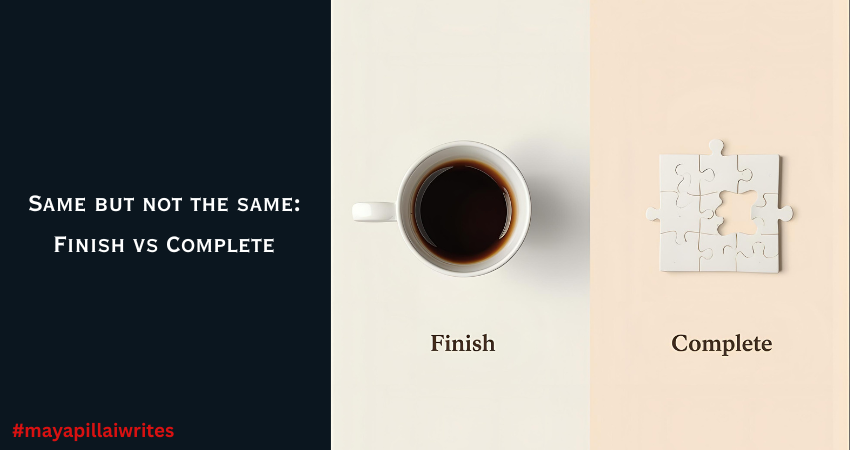
Riya, a school student, was writing her English assignment. She wrote, “I have to finish the form before tomorrow.” Her teacher circled the word finish and wrote in red, “Not correct here. Use complete.” Confused, Riya asked, “But aren’t they the same?” The professor explained, “You finish a meal or a movie. But you complete a form or an assignment. One is about reaching the end, the other is about fulfilling every requirement.” That small correction stuck with Riya. She realized that while finish and complete look similar, they aren’t always interchangeable. When learning English, some words look like twins. Finish and complete often confuse learners because they both suggest something has ended. But they’re not always interchangeable. The difference lies in the focus—finish highlights the act of ending, while complete stresses wholeness. Let’s break it down. TL;DR Finish means bringing an activity to an end. Complete means making something whole by doing all parts. Use finish for actions, and complete for tasks or requirements. What Does Finish Mean? Finish is about reaching the end of an activity. The focus is on stopping or wrapping up, not on covering every detail. Examples: I need to finish my lunch before the call. She finished the book last night. When will you finish painting the wall? In all these cases, the idea is that the action came to an end. What Does Complete Mean? Complete is about wholeness. It’s used when every part of something is done. It’s also more formal, often used in school, office, or official contexts. Examples: Please complete the form. (fill in all details) The project was completed on time. The puzzle is finally complete. Here, the focus is on nothing being missing. A Quick Comparison Table Aspect Finish Complete Meaning To bring something to an end To make something whole Focus Ending an action Fulfilling requirements Tone Informal, daily use More formal Example I need to finish my coffee I need to complete my homework Phrases with Finish Finish up – wrap something quickly. Finish off – bring to a definite end. Cross the finish line – reach the end of a race. Finish strong – end with energy or success. Example: She wants to finish strong in her exams. Phrases with Complete Complete set – all items included. Complete stranger – someone you don’t know at all. Complete control – full power or authority. Complete silence – absolute quiet. Example: There was complete silence in the hall. Practice Time Try filling in the blanks: She couldn’t __________ her essay because she ran out of time. I’ll call you after I __________ my work. Please __________ the registration form. He didn’t __________ the exam; he left two answers blank. Key Takeaway Use finish when you’re talking about ending an action. Use complete when you’re talking about fulfilling all parts of a task. Both words mean something is “done,” but the perspective matters. If you’re just stopping, use finish. If you’re making something whole, use complete. To Sum Up The words finish and complete may look alike, but they carry different shades of meaning. Finish is about bringing something to an end, while complete is about making sure every part is done. Understanding this difference can help you write and speak with more accuracy. Next time you pause before choosing between the two, ask yourself: Am I simply ending an action, or am I making something whole? The answer will guide you to the right word. 👉 Now it’s your turn: try writing two sentences of your own, one with finish and one with complete.