Why Long-Tail Keywords Matter in Voice Search SEO

I first noticed this change when I watched my daughter use voice search. She didn’t type a few keywords into Google. Instead, she picked up my phone and asked a complete question, just as she would ask another person. That’s when I realized that that people no longer search the way they used to. With voice assistants like Alexa, Siri, and Google Assistant becoming part of everyday life, the way people search has changed. Instead of typing a few words into a search engine, people ask complete questions and expect quick, accurate answers. This shift has made long-tail keywords in voice search SEO more important than ever. Think about the last time you used voice search. You probably didn’t say, “content writing” or “voice search SEO.” Instead, you asked something like, “How do I optimize my blog for voice search?” or “What are the best content writing tips for beginners?” People don’t speak in keywords. They speak naturally. Search engines have adapted to that behavior, and your content needs to do the same. Long-tail keywords help search engines understand user intent and connect your content with the questions people actually ask. If you want your content to appear in voice search results, AI-powered search, and featured snippets, long-tail keywords should become a key part of your SEO strategy. Therefore, you should be familiar with writing in conversational style so you rank in voice search What Are Long-Tail Keywords? Long-tail keywords are search phrases that contain three or more words. They are more specific than broad keywords and usually reflect a clear question, need, or intention. Although they may receive fewer searches than popular one or two-word keywords, they often attract people who are looking for a particular answer. Take the keyword voice search as an example. It tells you very little about what the user wants. They could be looking for a definition, examples, tools, or optimization techniques. Now compare it with a search such as How do I optimize my website for voice search? The second query leaves little room for guesswork. It tells search engines exactly what information the user expects to find. Short-Tail Keyword Long-Tail Keyword Voice search How do I optimize my website for voice search? Content writing How can I become a freelance content writer? SEO tools What are the best SEO tools for beginners? Antivirus Which antivirus software is best for small businesses? Long-tail keywords give search engines more context. They also help writers create focused content that answers a specific question instead of covering a broad topic without direction. Why Content Writers Should Focus on Long-Tail Keywords Many writers begin keyword research by looking for the highest search volume. While search volume is important, it should never be the only factor when choosing a topic. A better approach is to identify the questions your audience asks most often and build content around those questions. Each question can become a separate article that supports a broader pillar page. Over time, these articles create topical authority and strengthen your website’s overall SEO. For example, a pillar article about voice search optimization could link to supporting articles on conversational content, FAQ optimization, schema markup, voice search mistakes, and long-tail keywords. Each article answers one topic thoroughly while strengthening the others through internal links. This strategy benefits both readers and search engines. Readers find related information more easily, and search engines gain a better understanding of your website’s expertise. Why Voice Search Relies on Long-Tail Keywords Voice search has changed the way people interact with search engines. When people type, they often shorten their searches to save time. A typed search might look like voice search SEO or best laptop. The same person is more likely to ask, How do I improve my website for voice search? or Which laptop is best for graphic designers? when using a voice assistant. This difference matters because voice assistants are designed to understand natural conversations. They don’t simply match individual keywords. They analyze the complete question, understand the context, and identify the user’s intent before providing an answer. As a content writer, your goal should be to match the way people speak rather than the way they type. That doesn’t mean filling your article with random questions. It means anticipating the questions your audience is likely to ask and answering them clearly. When your content reflects natural speech, search engines can understand its relevance more easily, and voice assistants have a better chance of selecting it as a response. Long-Tail Keywords Reveal User Intent Understanding user intent is one of the most important parts of modern SEO. Search engines no longer rank pages simply because they contain a keyword. They want to know whether the page satisfies the reason behind the search. Imagine someone searches for content writing. That search could mean almost anything. The person might be looking for writing services, freelance jobs, online courses, salary information, or examples of good content. Now consider a search such as How do I start content writing with no experience? The intention is obvious. The user wants practical advice for beginners. The same principle applies across every industry. A search for cybersecurity is broad and open to interpretation. A search like How can a small business protect itself from phishing attacks? tells you exactly what the reader wants. Long-tail keywords reduce ambiguity. They help writers create content with a clear purpose, and they help search engines deliver results that closely match the user’s expectations. Long-Tail Keywords Are Easier to Rank For Every website wants to rank for broad keywords such as SEO, marketing, or content writing. Unfortunately, those keywords are also the most competitive. Large websites with years of authority, thousands of backlinks, and extensive content libraries often dominate those search results. Long-tail keywords offer a more realistic opportunity, especially for newer websites and independent bloggers. Instead of competing for voice search, you could target phrases such as How to write conversational content for voice search or Voice search SEO tips
What He Meant
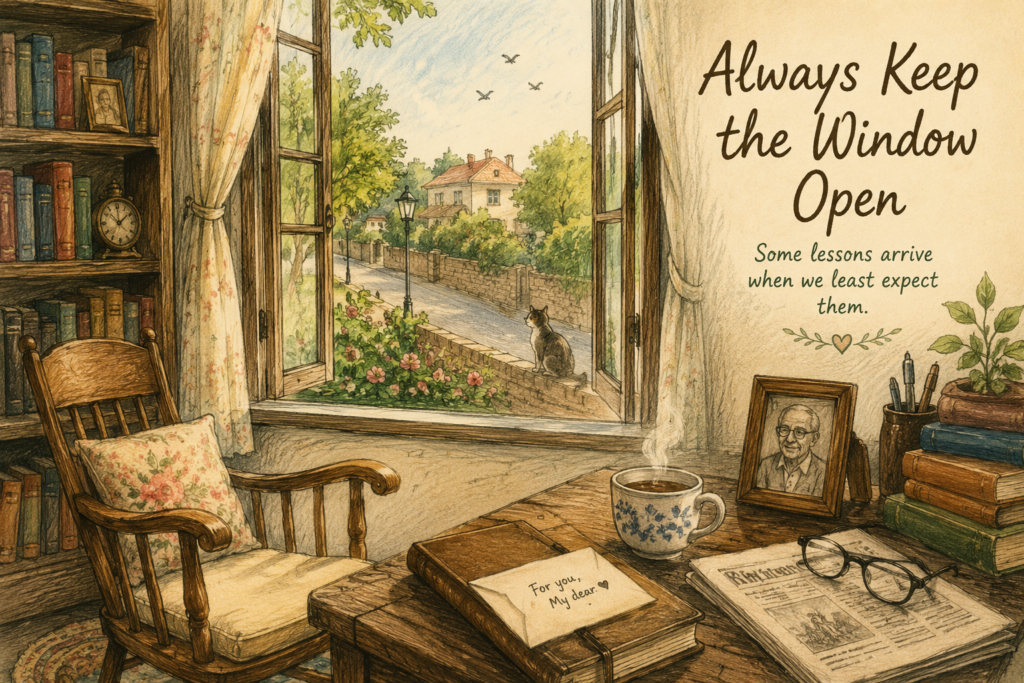
“I don’t know what he meant when he said, ‘Keep the window open.’”My grandfather said those words often.Whenever I visited him during my school holidays, I would find him in his study, sitting beside the large window. It was the brightest spot in the room and his favorite place during winter, when the afternoon sun warmed the wooden floor. But during the windy monsoon days, it was the coldest corner of the house. He never liked curtains on that window.His old wooden rocking chair sat beside it, with a soft cotton cushion that had taken the shape of his back over the years. A short carpet lay beneath his feet to keep them warm on chilly mornings.From there, he could watch people pass by on the road. Sometimes, he would have a one-sided conversation with the neighborhood cat that lazed on the compound wall. On other days, he would fill the little birdbath with water and scatter a few grains beside it. Every now and then, a few sparrows would land on the window rail, stay for a while, and fly away.It was his favorite place in the house.“Why don’t you close it when it gets windy?” I once asked.He looked at me over his glasses.“Because a closed window keeps everything out.”I thought he was talking about fresh air.I was twelve then. I didn’t think much about what he said.Years passed.I grew up, moved to another city, got a job, and became busy with my own life. My visits to my grandparents became less frequent. Phone calls replaced long afternoons at their house.Grandfather never complained.Whenever I called, he would ask about my work, my friends, and whether I was eating properly.Then one summer, I had a silly argument with Anu, my closest friend since school. We had grown up together, shared secrets, celebrated birthdays, and stayed in touch even after I moved to another city.The argument was over something so small that I can’t remember what it was now. What I remember is that neither of us wanted to be the first to say sorry. A few days later, Anu called. I saw her name on my phone but let the call go unanswered. I thought about calling her back that evening. I didn’t. A week later, I typed a message, read it twice, and deleted it. Neither of us called again. I told myself that if she really cared, she would call again. She didn’t.Around the same time, Grandfather called one evening. We hadn’t spoken in a few weeks, so I was happy to hear his voice.“When are you coming home?”“Soon,” I said.“You’ve been saying that for months.”I laughed. “I’ll come next month. I have a few days off for Diwali.”“Good. I’ll hold you to that.”We spoke about a few things after that. He asked about my work, reminded me to take care of myself, and told me about the new plants he had put in the backyard.Just before we ended the call, he said, “And keep the window open.”I laughed.“You still say that?”“Always.”I didn’t ask what he meant. I had heard him say it so many times that I had stopped wondering about it.A few months later, Grandfather passed away.After the funeral, I stood outside his study for a long time. I had walked past that door several times, but I couldn’t bring myself to go in. It felt strange to think that he would never be sitting in that rocking chair again, calling me over to show me something he had found in the newspaper.Finally, I placed my hand on the doorknob and turned it. I pushed the door open slowly.Everything inside looked just as I remembered it. His books were still arranged on the shelves, their spines worn from years of use. His reading glasses rested on the desk beside the newspaper he had been reading that morning. His wooden rocking chair stood beside the window, the cotton cushion still holding its familiar shape, with the little carpet beneath it. For a moment, the room felt as though he had only stepped away and would return any minute. But the window was closed. I walked over and opened it. The room filled with a gentle breeze that carried the fragrance of the roses in full bloom outside. I stood there for a moment, taking in the familiar scent and looking out at the road where Grandfather had spent so many hours watching people pass by. I curled up in his rocking chair for a while, running my fingers over the worn cotton cushion. I remembered the many afternoons he had spent there, reading the newspaper, watching people pass by, or simply sitting quietly with his tea.Then I noticed that the drawer of the small table opposite the chair was slightly open. I pulled it out and found a small envelope tucked beneath his diary. My name was written on it in his familiar handwriting.I held the envelope in my hands for a moment. Somehow, I knew there was something inside that I wasn’t quite ready to read.Reluctantly, I opened it.My dear Maya,You once asked me why I always kept this window open. I gave you an answer, but I never told you the whole story.When I was young, your grand-uncle and I had a terrible argument. Neither of us was willing to apologize. I waited for him to come to me, and he waited for me to go to him. We let our pride get in the way. One year became five. Five became ten. Before we knew it, twenty years had passed.When we finally met again to put away our differences, we were happy to see each other, but we couldn’t get back those twenty years.I often wondered what might have happened if one of us had simply taken the first step.That is why I keep this window open. Not just for the breeze or the birds. It reminds me to leave a little space for people. People will disappoint us. We will disappoint them too.
Before You Write That Raksha Bandhan Story, Read This

Every year, as Raksha Bandhan approaches, writing communities begin sharing story prompts. Anthology announcements appear on social media, writers start discussing ideas, and before long, the same themes begin to surface. A loving brother. A caring sister. A beautifully decorated thali. A heartfelt promise of protection. While there’s nothing wrong with these stories, many of them end up sounding alike because they begin with the festival instead of the people. Over the years, I’ve realized that festivals don’t create memorable stories. Relationships do. I don’t have a brother, so I don’t have childhood memories of tying a Rakhi or waiting excitedly for a gift. In Kerala, Raksha Bandhan is not celebrated. Yet I’ve always been drawn to stories about siblings. Perhaps that’s because affection between siblings has very little to do with rituals. It’s found in everyday moments that most people hardly notice. A sister quietly packs an extra snack because she knows her brother will forget his lunch. A brother pretending not to care, yet waiting outside his sister’s examination hall until she finishes. The teasing, the arguments, the unspoken understanding, and the comfort of knowing someone has known you since childhood. Those are the moments that stay with us. And that’s exactly where a good Raksha Bandhan story begins. When I read stories written around festivals, I rarely remember how beautifully the rituals were described. What I remember are the characters. I remember the elderly brother who travelled overnight just to spend a few hours with his sister. I remember the woman who found an old Rakhi while cleaning a cupboard after her mother’s passing. I remember the child who carefully saved pocket money for weeks to buy the simplest gift. None of these memories stayed with me because of the festival. They stayed because they felt like they could have belonged to someone I knew. As writers, I think we sometimes put too much pressure on ourselves to come up with an unusual plot. We spend hours wondering what unexpected twist we can add, when perhaps we should be asking a different question altogether. What relationship am I trying to capture? Once you answer that honestly, the story usually finds its own direction. One thing I’ve noticed while observing families is that siblings rarely express affection in obvious ways. They interrupt each other, argue over the smallest things, borrow belongings without permission, and somehow still become each other’s strongest support during difficult times. That contradiction is what makes sibling relationships interesting. If every conversation between your characters is warm and affectionate, readers may admire them, but they probably won’t believe them. The stories that touch us are usually the ones that allow their characters to be imperfect. A brother may forget an important date but remember exactly how his sister likes her tea. A sister may spend half the day complaining about her brother, yet be the first person he calls when life falls apart. These little contradictions make characters feel human because that’s how most of us are. I’ve also learned that ordinary objects often carry more emotion than dramatic scenes. Whenever I’m searching for the heart of a story, I find myself thinking about things people hold on to rather than the events themselves. An old greeting card. A faded photograph. A train ticket. A lunch box. Even a pencil box with a forgotten Rakhi tucked inside. Objects quietly collect memories over the years. They become witnesses to lives being lived, and sometimes they tell a story without a single line of dialogue. Readers notice these details because they’ve experienced something similar in their own lives. Most of us have opened an old drawer looking for one thing and unexpectedly found another that transported us back in time. That feeling is difficult to manufacture, but when it appears naturally in a story, it creates an instant connection. Another mistake I often see is giving too much importance to the festival itself. We don’t need several paragraphs explaining how the thali was decorated or how every ritual was performed unless those details move the story forward. Your readers already know what Raksha Bandhan looks like. What they don’t know is how your characters will change because of that day. Perhaps a brother returns home after years of working abroad. Perhaps two siblings meet after an argument that lasted longer than either of them expected. Perhaps an elderly woman ties a Rakhi to an old photograph because the brother she misses is no longer there. The festival becomes meaningful because of what it awakens in the characters, not because of the rituals themselves. If there’s one piece of advice I’d offer any writer working on a Raksha Bandhan story, it’s this. Spend less time thinking about the festival and more time observing people. Listen to conversations at family gatherings. Watch how siblings tease each other across a dining table. Notice the little gestures that often go unnoticed. Someone serving food before being asked. Someone carrying an extra umbrella because they know the other person never remembers one. These moments may seem ordinary, but they often become the foundation of unforgettable stories. I also believe we don’t talk enough about the many forms sibling relationships can take today. Not every Raksha Bandhan story has to revolve around a biological brother and sister. Some cousins grow up like siblings. Some sisters become each other’s greatest protectors. Some people celebrate the festival with friends who have become family over the years. And there are those who celebrate quietly through memories because the person they once tied a Rakhi to is no longer with them. These stories deserve to be told because they reflect the world we live in today. Whenever I finish writing a story, I don’t ask myself whether readers will cry. Instead, I ask whether they’ll remember it. Those are two very different things. A story doesn’t have to be heartbreaking to stay with someone. Sometimes it only needs one honest moment, one familiar memory, or one
The Reader-First Blog Framework: Start With the End to Write Better Blog Posts
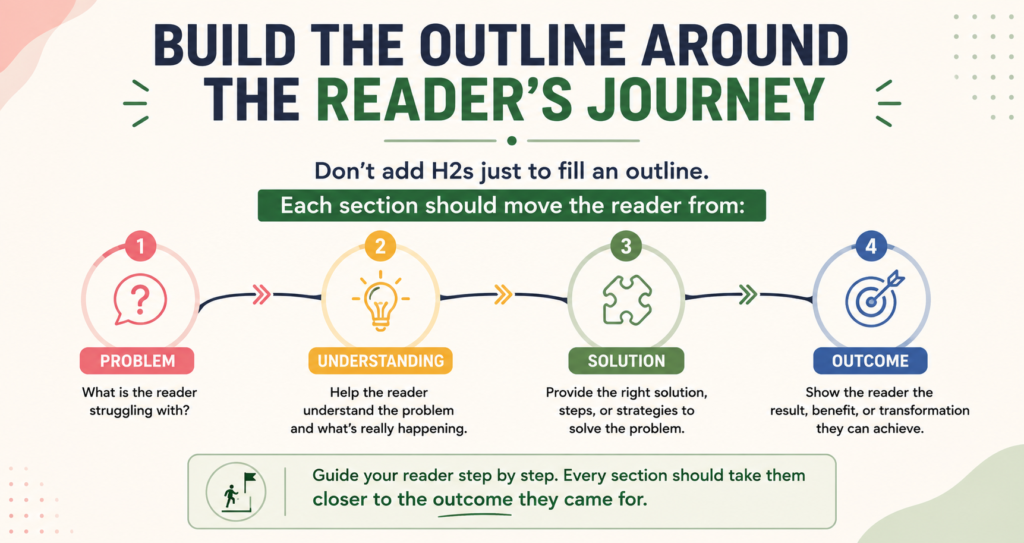
How do you usually begin writing a blog post? You choose a topic, check the keyword, do your research, prepare an outline, and then face the blank document. Yet, despite all that preparation, there are days when the opening just doesn’t come together. I’ve been there. The research is done and I know what I want to say, but I write a few lines, delete them, and start again. Recently, an Instagram post by copywriter Kristin made me look at this differently. Her advice was meant for social media: start with the CTA and reverse engineer the content from there. That got me thinking about blog writing. I wouldn’t start every blog with a sales CTA, but the idea of working backward made sense. Instead of asking, “What should I write?” what if we asked, “What should my reader get from this article?” That’s the thinking behind my Reader-First Blog Framework. Why a Topic Alone Doesn’t Give Your Article Direction Suppose you’ve decided to write an article about Meta Descriptions. You have your keyword, you’ve checked what people are searching for, and you’ve decided the article will be around 1,500 words. Technically, you’re ready to write. But what exactly are those 1,500 words supposed to accomplish? This is where writers, particularly those still learning how to structure long-form content, can get caught in the research trap. You begin reading about meta descriptions and soon have tabs open about character limits, click-through rates, Google’s guidelines, keywords, search results, SEO plugins, and whether Google rewrites descriptions. I’ve done this myself. Research has a strange way of convincing us that because something is related to our topic, it deserves a place in the article. Actually, it doesn’t. A reader searching for “how to write a meta description” probably isn’t asking us to tell them everything we know about meta descriptions. They want to know how to write one. They may want examples. They may want to know how long it should be or whether they should include their keyword. That difference may sound small, but it changes the direction of the article. Instead of telling myself, “I’m writing 1,500 words about meta descriptions,” I could decide: By the end of this article, my reader should be able to write a clear and useful meta description for their next blog post. Now I know where I’m going. More importantly, I know where I need to take the reader. That’s the starting point of the Reader-First Blog Framework. What Is the Reader-First Blog Framework The Reader-First Blog Framework has five parts: Outcome → Problem → Intent → Journey → Action I don’t see these as five boxes that must appear in the finished article. They’re questions I would answer before creating the outline. The idea is to understand the reader first and structure the article around what that person needs. Once you know that, it becomes much easier to decide what belongs in the article, what needs more explanation, and what can safely be left out. 1. Outcome: What Should the Reader Leave With Before worrying about your introduction, ask yourself what the reader should know, understand, or be able to do when they reach the end of the article. Try not to settle for a broad answer. If I’m writing about meta descriptions, saying “the reader should understand meta descriptions” doesn’t help me much. But saying “the reader should be able to write a meta description for their next article” gives me something concrete to work toward. The outcome will naturally change depending on what you’re writing. A how-to guide should help someone complete a task. A comparison article should give them enough information to make a choice. An explanatory article may help them understand a subject that previously confused them. A thought piece is different again. You may not be teaching the reader to do anything. Perhaps you want them to consider a familiar subject from another point of view. And this is worth remembering, particularly when you’re writing for a business website: not every reader outcome has to be a conversion. Sometimes a reader comes looking for an answer. Giving them a good answer is a perfectly valid outcome. 2. Problem: Why Did This Person Come Looking for an Answer? Once I know the outcome, I want to understand what happened before the reader arrived at my article. Why did they search for this? A person looking for help with meta descriptions might be confused about what to write. Someone else may be wondering why their SEO plugin keeps flagging the description. Another writer may have heard that Google sometimes rewrites meta descriptions and is questioning whether writing one is worth the effort. Those readers have arrived at the same broad topic from slightly different places. When we understand the problem, writing the introduction often becomes easier too. We no longer have to manufacture an opening simply because every article needs one. We can begin with a situation the reader recognizes. I find that far more natural than trying too hard to create a clever hook. Think about the articles you’ve continued reading because the first few paragraphs described exactly what you were dealing with. There’s a small moment of recognition: Yes, this is what I came here to find out. As writers, that’s a useful connection to create. 3. Intent: What Does the Reader Really Want? Writers who work with SEO hear about search intent all the time. But I think we sometimes treat it as another SEO item to tick off before writing. I prefer to think of it more simply: What does this person actually want from me? Someone who searches “how to write a meta description” is likely to have practical questions. How long should it be? Should the keyword be included? What should the description say? What makes one description better than another? Can they see a few examples? They probably don’t need a lengthy history of the meta tag before you answer those questions. This is something I’ve learned to remind myself while writing. Research can make you want to include
You Are My Princess by Tanushree Das
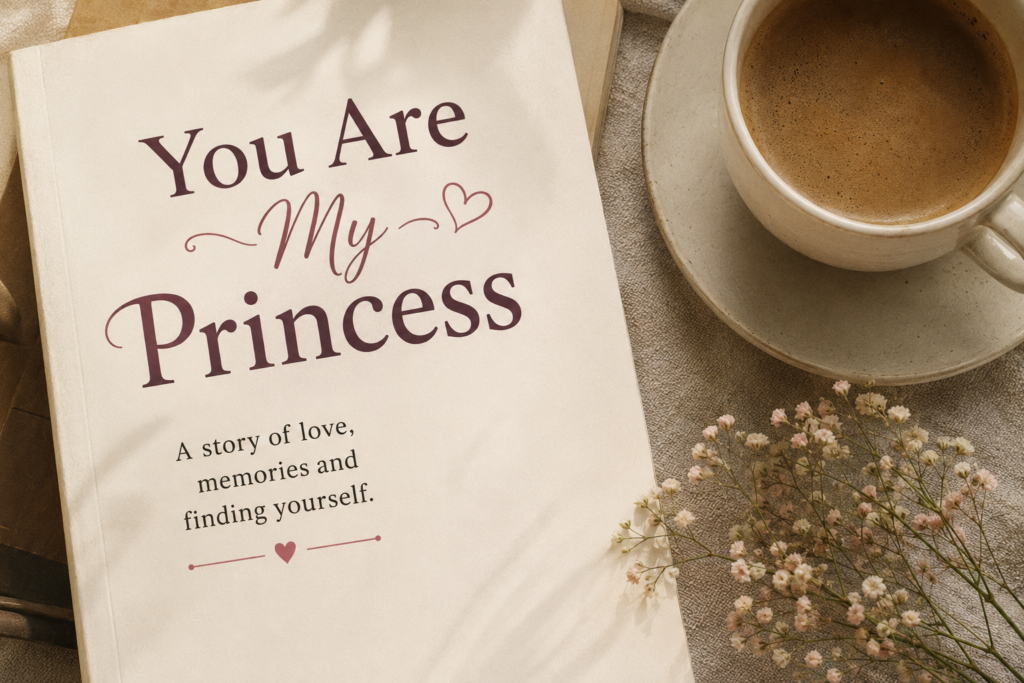
Not every train journey is about reaching a place. Sometimes, it quietly reminds us of how far we have come. That was the thought I was left with after reading You Are My Princess by Tanushree Das, one of the stories in Stories from Trains. The story follows Tanushree, or Tanu, who is traveling alone to Kolkata after a long gap. Somewhere along the journey, she hears two familiar voices calling out to her. They belong to Joshua and Arjun, children she had taught earlier. They are delighted to see her, and very soon, the train compartment fills with the kind of easy affection children bring with them. There are nursery rhymes, laughter, dancing, and conversations that take Tanu back to a part of her life she clearly holds close to her heart. Then comes an encounter she wasn’t expecting. Tanu sees Hemant, a man she had once quietly loved. There was a time when she had hoped he would notice her the way she noticed him. That never happened. Now, years later, she meets him again, this time with his wife and child. This was the point where I wanted the story to slow down. What happens inside you when you unexpectedly meet someone who once occupied so much space in your heart? Do you remember the person you were then? Does something still hurt? Or do you look at that person and wonder why you once wanted their attention so badly? I wanted to know what went through Tanu’s mind in those few seconds. Instead, the story moves past the encounter rather quickly and tells us about her earlier feelings for Hemant. I felt this was a missed opportunity. A small hesitation, an awkward exchange, a memory that surfaced without warning, or even Tanu’s surprise at realizing that she felt nothing anymore could have said far more than an explanation of their past. Hemant doesn’t need to become a major character, but his presence matters because he represents something Tanu once wanted very badly. The children, on the other hand, represent a very different kind of love. One of the sweetest moments in the story comes when Joshua looks at Tanu and says, “You are my princess Tanu.” His mother immediately corrects him and asks him to call her “Ma’am,” while Arjun joins in and calls her their princess. It is such an innocent exchange, but there is something deeper sitting beneath it. Tanu had once imagined herself as a princess. Perhaps, when she was younger, being someone’s princess meant being chosen, loved, and made to feel special. Yet here are two children offering her that affection without knowing anything about the disappointments she has carried. This was one of those moments where I wished the author had simply allowed the scene to breathe. I also wanted to know a little more about Joshua and Arjun. We know Tanu taught them and that they remember her fondly, but why do they share such a warm bond with her? Was there something she did as their teacher that stayed with them? Did Tanu remember something about them from their preschool days? Even one small shared memory could have made their reunion warmer and helped us understand why their affection touches her so deeply. There are also places where the dialogue could have been more natural. At times, characters seem to speak mainly to give the reader information. Real conversations are rarely that complete. People interrupt themselves, leave things unsaid, laugh, hesitate, change the subject, or communicate through a look. Bringing some of that into the conversations would have made the people inside that train compartment feel more real. I also found myself rereading a few sentences because the wording made the meaning difficult to follow. Some descriptions are imaginative, but they don’t always create a clear picture. A tighter edit for grammar, sentence structure, and word choice would have made the story much easier to read. This matters because when a reader has to stop to work out what a sentence means, they are pulled away from the emotion of the scene. And this is a story that depends heavily on emotion. For me, the strongest part comes after the train journey. Tanu goes alone to Flurys on Park Street. She orders the food she wants and sits in a restaurant she had once dreamed of visiting but couldn’t afford. There is something quietly satisfying about that moment. No grand achievement is required. She is simply sitting in a place that once felt beyond her reach, able to pay for her own meal and enjoy her own company. Then she tells herself: “Tanu, you are my princess.” I liked that moment. In fact, I liked it enough to wish the story had trusted it more. The long audio message that follows is where I felt the story said a little more than it needed to. Tanu talks about Hemant, self-love, healthy relationships, earning her own money, publishing her book, and learning to find a sense of safety within herself. I understand why the author wanted Tanu to say all of this. These are clearly important experiences, and they explain the woman she has become. But by then, I had already understood much of it. Seeing Hemant with his wife and child had brought her old hopes face-to-face with reality. Meeting Joshua and Arjun reminded her that love and affection had existed in her life in other forms. Sitting alone at Flurys showed us that she could now give herself something she once couldn’t. And that one sentence, “Tanu, you are my princess,” brought all those threads together. The story had already spoken. That is why the audio message felt more like an explanation of the ending than part of the ending itself. A shorter message might have worked. Perhaps even no message at all. I would have been happy to leave Tanu sitting at that table, remembering the little boy on the train who had called her a princess and
How to Write Conversational Content for Voice Search
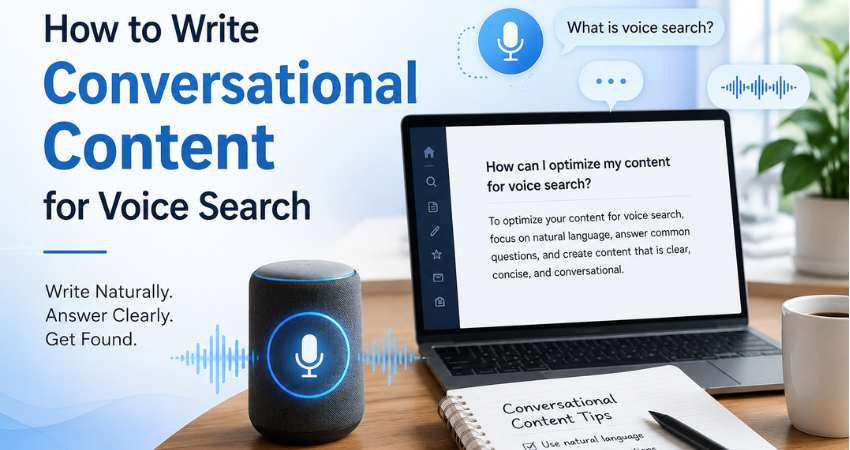
The growth of voice-enabled devices has changed the way people search for information online. Consumers no longer rely exclusively on short, keyword-driven searches typed into a search engine. Instead, they speak to their devices in the same way they would speak to another person. This shift has created a greater demand for conversational content, content that reflects natural speech patterns while maintaining accuracy, authority, and clarity. For professional content writers, copywriters, and small business owners, understanding this change is no longer optional. Voice search is influencing how search engines interpret intent, evaluate relevance, and select content for featured snippets and spoken responses. Businesses that continue to write solely for traditional search behavior risk missing opportunities to connect with users who increasingly prefer spoken queries. The challenge for writers is not simply to insert more questions into their content. The challenge is to produce conversational content that sounds natural, addresses user intent directly, and still reflects professional expertise. Why Voice Search Requires a Different Writing Approach Traditional search behavior encouraged writers to optimize for short and often fragmented keywords. A user might type “content marketing tips” or “best accounting software” into a search engine because typing long phrases was inconvenient. Voice search has removed that limitation. Users now ask complete questions such as: “What are the best content marketing strategies for a small business?” “Which accounting software is suitable for freelancers managing multiple clients?” “How can I improve my website’s visibility in voice search results?” These searches reveal far more about user intent than traditional keywords ever could. Search engines have evolved to understand context, relationships between words, and the purpose behind a search query. As a result, content that mirrors natural speech patterns often performs better in voice search environments than content written solely around keyword placement. This is where conversational content becomes particularly valuable. It aligns with the way people ask questions and the way search engines interpret those questions. Understanding What Conversational Content Really Means Many writers mistakenly assume that conversational writing requires an informal tone or excessive use of casual language. In reality, professional conversational content is neither overly formal nor overly casual. A useful way to think about it is this: conversational writing should resemble the way an experienced professional explains a subject to a client or colleague during a meeting. The language should be: Clear and direct. Easy to understand. Free from unnecessary jargon. Structured around the reader’s questions. Supported by examples and practical context. The objective is not to simplify ideas to the point of losing accuracy. The objective is to remove barriers that prevent readers from understanding those ideas quickly. A cybersecurity consultant explaining ransomware to a small business owner does not rely on technical terminology simply to demonstrate expertise. An experienced consultant explains the issue in language that allows the client to understand both the risk and the solution. Content writers should approach voice search in the same manner. Begin With the Questions Your Audience Is Already Asking The foundation of effective conversational content lies in understanding audience language. Many writers begin with keywords and then attempt to build content around them. Voice search often requires the opposite approach. Writers should begin with questions and then identify the keywords embedded within those questions. Several sources provide valuable insight into audience language: Customer emails and inquiries. Frequently asked questions received by sales teams. Customer support conversations. Social media discussions. Industry forums and communities. Google’s “People Also Ask” section. For example, a traditional SEO keyword may be: Freelance writing rates However, a voice search user is more likely to ask: “How much should a freelance writer charge for a 1500-word article?” The second query provides context, intent, and a clear expectation of the information required. Professional writers who study audience questions carefully will naturally produce stronger conversational content because they are responding to genuine concerns rather than hypothetical search terms. Write the Way People Speak, Not the Way Textbooks Read One of the habits many writers struggle to overcome is the tendency to sound overly academic or unnecessarily formal.Consider the following example. Formal corporate language: “Organizations should implement comprehensive cybersecurity frameworks to mitigate vulnerabilities and enhance digital resilience.” Natural professional language: “Businesses should strengthen their cybersecurity practices before attackers can exploit weaknesses in their systems.” Both statements communicate the same idea. The difference is that the second example sounds closer to the language used during a professional consultation or client meeting. Experienced writers understand that authority does not come from complicated vocabulary. Authority comes from clarity, relevance, and accuracy. When developing conversational content, writers should ask themselves whether the sentence sounds like something they would comfortably say during a presentation or workshop. If the answer is no, the sentence may require revision. Use Questions as Structural Elements Within the Article Voice search is fundamentally question-driven. As a result, question-based headings often perform exceptionally well because they align closely with search behavior. Instead of using generic headings such as: Pricing Models Local SEO Content Distribution Consider headings such as: How Should Freelance Writers Price Their Services? How Can Local Businesses Improve Their Visibility in Voice Search? Which Distribution Channels Deliver the Best Results for Long-Form Content? Question-based headings provide several advantages: They mirror real search behavior. They improve topical relevance. They support featured snippet opportunities. They help readers navigate the article more easily. This structure also strengthens conversational content because it creates the feeling of a dialogue between the writer and the reader. Provide the Answer Before Expanding the Discussion One of the defining characteristics of successful voice search content is immediacy. When users ask a question through a voice assistant, they expect an answer quickly. Search engines respond to this expectation by favoring content that addresses the query directly. For example, if the heading asks: What Is Voice Search Optimization? The opening sentence should answer the question immediately. Voice search optimization is the process of creating content that matches the natural language patterns people use when speaking to voice-enabled devices. Once the answer has been established, the writer can introduce examples,
Content Strategy Explained: The Modern Guide for Writers, Freelancers, and Small Businesses

There was a time when publishing regularly was enough. A writer could publish a few blog posts each month, add a handful of keywords, share the articles on social media, and expect some results. Small businesses could post whenever they found the time and still attract attention online.That approach doesn’t work as well anymore. Today, AI can produce articles, emails, social media captions, product descriptions, and website copy in minutes. The internet is filling up with content faster than ever before, which means that creating content is no longer the challenge it once was. The real challenge is creating content that serves a purpose. This is where content strategy becomes important. Content strategy isn’t reserved for large companies with marketing departments and six-figure budgets. In many ways, it matters even more to the freelance writer building a portfolio, the startup founder juggling multiple roles, and the small business owner trying to grow without hiring a full marketing team. Many businesses now rely on a combination of freelancers, AI tools, and lean teams rather than dedicated content departments. At the same time, writers are increasingly expected to contribute far more than words on a page. Clients want help with audience research, topic selection, search intent, content planning, and distribution. The role of the writer is changing along with the expectations placed on content professionals. Businesses are no longer looking only for someone who can write an article. They are looking for someone who understands why that article should exist, who it is meant to help, and what business outcome it should support. For writers willing to develop those skills, that shift represents an opportunity rather than a threat. Writers who understand content strategy can move beyond charging for words and start charging for outcomes. Small businesses that understand content strategy can compete with larger organizations without matching their budgets, headcount, or advertising spend. The rise of AI hasn’t reduced the importance of strategy. If anything, it has enhanced it. AI can help create content faster, but it cannot decide which customer questions deserve attention, which topics support business growth, or which experiences make a business worth trusting. Those decisions still belong to people. This guide was written for writers who want to become more valuable, freelancers who want to offer more than content creation, and small businesses that need every piece of content to work harder. If you’ve ever wondered what content strategy actually means, how it fits into the age of AI, or how to apply it without a marketing department, this guide will walk you through it. Who This Guide Is For This guide is designed for: New content writers who want to understand the thinking behind successful content rather than simply learn how to write articles. Freelance writers who want to offer higher-value services and move beyond charging by the word. Experienced writers who want to move into content strategy or consulting roles. Small business owners who handle their own content because hiring an in-house marketing team isn’t realistic. Startup founders, solopreneurs, and one-person marketing teams trying to make every piece of content count. Professionals trying to understand how content strategy fits into a world increasingly shaped by AI tools and AI search experiences. You don’t need expensive software, a marketing degree, or a large team to build an effective content strategy. What you do need is a clear understanding of your audience, a plan for helping them, and a way to ensure that your content contributes to something larger than filling an editorial calendar. What Is Content Strategy? Ask ten people to define content strategy and you’ll probably hear ten different answers.Some will say it’s SEO. Others will describe it as a content calendar, while some assume it means publishing consistently on LinkedIn or posting a certain number of blog articles every month. Those activities may form part of a content strategy, but they are not the strategy itself.At its simplest, content strategy is the process of planning, creating, distributing, and improving content so that it helps both the audience and the business achieve a specific goal. Every piece of content should have a job to do.That job may be attracting potential customers, building trust, generating leads, educating buyers, answering common questions, or helping someone move closer to making a decision. If content exists simply because there was an empty slot on the publishing calendar, it may keep a website active, but it is unlikely to move the business forward in any meaningful way. One of the most widely accepted definitions comes from content strategist Kristina Halvorson, who described content strategy as:”The creation, publication, and governance of useful, usable content.”It remains one of the clearest definitions available. Useful content solves a genuine problem. Usable content is easy to understand and act upon, while governance ensures that content decisions are guided by a process rather than a series of disconnected publishing efforts. Content Strategy Is Not a Content Calendar One of the biggest misconceptions about content strategy is that it is simply a spreadsheet filled with article titles and publishing dates.However, It isn’t. A content calendar answers operational questions such as what will be published this month, who will create it, when it will go live, and which channels will be used to distribute it. Those questions matter, but they come much later in the process.Content strategy asks larger questions about the audience the business wants to serve, the problems those people are trying to solve, the information they need before they trust a business, and the actions they should take after consuming the content. For example, a calendar may include an article on AI writing tools scheduled for Friday morning. Content strategy asks whether that topic attracts the right audience, answers a meaningful question, and supports a larger objective such as generating leads, building authority, or growing a newsletter audience. This is where many freelancers and small businesses get stuck. The calendar gets filled because something needs to be published. One week the topic is AI because everyone is talking about AI. The following week the focus shifts to SEO
Four Hours for a Jar of Jam

This is a continuation of Five Mangoes and My Mother’s Summer Jam . If you haven’t read the first part yet, I hope you’ll stop by there before joining me in my mother’s cooking session. After banishing me from the kitchen, my mother got down to business.As expected, K’s face was worth watching when she saw the five mangoes waiting for her. On most days, she only has vegetables to chop. That day, she had to peel and grate five huge raw mangoes as well.By the time she was done, there was a large steel bowl full of grated mangoes sitting on the kitchen counter.My mother added some pink salt and freshly powdered pepper to it and mixed everything well with her hand. Then she covered the bowl and left it alone for about an hour.After an hour, she placed a sieve over another vessel and tipped the mango mixture into it. Taking a potato masher, she pressed down hard, squeezing out as much juice as possible.The juice wasn’t thrown away.”It will be good in rasam or sambhar,” she said, pouring it into a glass bottle and keeping it aside.The squeezed mangoes were then measured and transferred into a heavy-bottomed kadai.For every cup of grated mango, she added a cup of jaggery.She mixed the two with a wooden spoon until the jaggery was evenly distributed. And then, she did absolutely nothing for the next three whole hours.The kadai sat undisturbed on the counter. By the time my mother switched on the stove, a thick syrup had oozed out of the mixture. The aroma was hard to ignore, the tanginess of raw mango mixed with the sweetness of jaggery. I stood there inhaling deeply, wishing there was some way to bottle that smell and keep it for another day. This was the only part of the process that wouldn’t allow her to walk away. She stood by the stove, stirring continuously and keeping a close watch on the kadai. I sat at the dining table watching her. That’s how I know she stirred it for exactly seven minutes. At the end of the seventh minute, she switched off the flame. I don’t remember her looking at a clock even once. It was almost as if an invisible timer had gone off in her head. Exactly seven minutes. Not a second more.Only then did she add the powdered misri and dry ginger that had been waiting patiently since morning. I am fairly certain she had slipped in a few cardamom pods while powdering the misri because there was a gentle hint of cardamom lingering in the kitchen.She gave everything one final stir and left the jam to cool.By then, nearly four to five hours had gone by.Four to five hours, if one counts the hour K spent peeling and grating the mangoes, the hour the grated mango rested with salt and pepper, the three hours it sat with jaggery slowly drawing out its juices, and finally those seven minutes at the stove that my mother guarded so carefully.And then came the best part.The jam didn’t even last an hour.We spread it over chapathis, sandwiched generous spoonfuls between slices of bread, and tucked some inside buns.It was my daughter who suggested trying it over vanilla ice cream. During the summer months, there is almost always a family pack of Amul vanilla ice cream sitting in our freezer. We simply love it because its mild flavor goes well with almost anything.A spoonful of the jam over a scoop of ice cream turned out to be surprisingly good. The cold creaminess of the ice cream balanced the sweet, tangy jam beautifully.My mother sat quietly watching us eat.There wasn’t enough left to fill a proper jar.But she didn’t seem disappointed.She leaned back in her chair, looking immensely pleased with herself, grinning like a cat that had got its cream.Perhaps that was what she had wanted all along.Not rows of jam bottles lined up on a shelf.Just her family gathered around the table, happily eating something she had spent an entire afternoon making.
Five Mangoes and My Mother’s Summer Jam

My mother arrived in Pune after a long train journey from Trivandrum. A kind gardener, five raw mangoes, and an old family recipe turned an ordinary summer into a memory worth preserving.
9 AI Tools Every Content Creator Should Know About
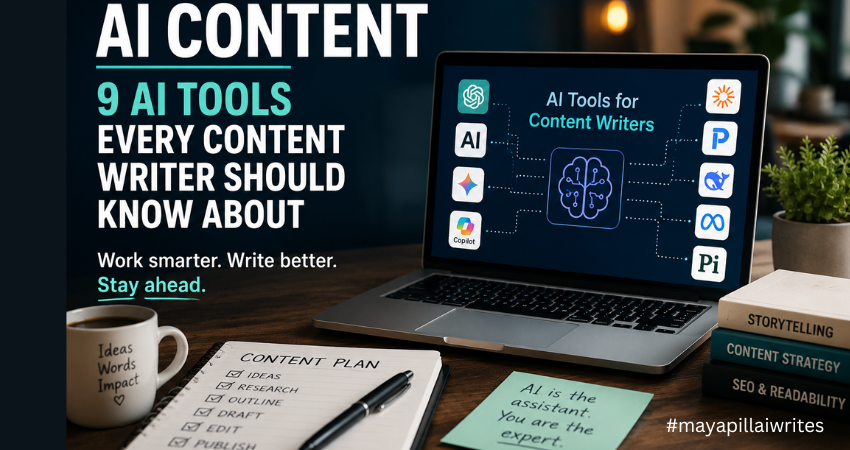
Artificial intelligence has changed the way content is created, researched, and optimized. As a content writer, I’ve seen firsthand how AI content tools have evolved from simple writing assistants into powerful platforms that support research, ideation, editing, and productivity. Despite the concerns surrounding AI, one thing has become increasingly clear: AI is not replacing good writers. Instead, it is becoming part of the modern writer’s toolkit. Whether you’re a freelancer, blogger, copywriter, content marketer, or someone looking to start a writing career, understanding how AI tools work can help you become more productive without sacrificing quality. The key is knowing which tools to use, when to use them, and how to maintain your expertise and voice throughout the content creation process. In this article, I’ll walk through nine AI tools that content writers should know about, compare their strengths, and explain how they can support modern content workflows. The Growing Role of AI in Content Creation Businesses are producing more content than ever before. Websites need blog posts. Brands need newsletters. E-commerce stores need product descriptions. Marketing teams need social media content, case studies, white papers, and landing pages. At the same time, Google continues to prioritize high-quality content that demonstrates Experience, Expertise, Authoritativeness, and Trustworthiness (E-E-A-T). This creates a challenge for writers. We need to produce content consistently while maintaining accuracy, originality, and value. That’s where AI content tools can help. Rather than replacing writers, these tools help reduce time spent on repetitive tasks such as: Research Topic ideation Outlining Editing Content optimization Summarization The most successful writers use AI to improve efficiency while keeping human judgment at the center of the process. Before I discuss the tools on this list, I want to mention the one I use most often. While every tool has its strengths, ChatGPT remains my preferred AI assistant for content creation. Over time, it has become a regular part of my writing workflow, helping me research, brainstorm, structure articles, refine ideas, and even create cover images and infographics for my content. I’ve experimented with several AI tools over the past few years. Some are excellent at research. Others are better suited for long-form writing, technical documentation, or social media content. Each tool serves a different purpose, and I don’t believe there’s a single “perfect” AI platform for every writer. Yet I keep coming back to ChatGPT. Part of the reason is how naturally it fits into my workflow. I don’t simply use it to write articles for me. Instead, I use it to organize thoughts, explore different angles, identify content gaps, and develop stronger outlines before I start writing. One of the biggest challenges writers face is getting started. Sometimes the ideas are there, but they are scattered. ChatGPT helps me bring those ideas together and create a structure that makes the writing process easier. I also appreciate its flexibility. On any given day, I might be working on a cybersecurity article, website copy for a client, a LinkedIn post, or a personal blog. ChatGPT adapts well to different formats, audiences, and writing styles, which makes it useful across multiple projects. Another reason I rely on it is the time it saves. Content creation involves much more than writing. Research, outlines, content briefs, FAQs, title suggestions, meta descriptions, and social media snippets all take time. ChatGPT helps speed up those tasks, allowing me to spend more time on research, storytelling, and editing. Beyond writing, I also use ChatGPT to support the visual side of content creation. For many of my articles, I create custom cover images and simple infographics using AI-generated prompts. Instead of spending hours searching for the right stock image or trying to explain a design concept from scratch, I can describe what I need and quickly generate ideas that match the topic of the article. This has been particularly useful for cybersecurity content, where finding relevant and non-generic visuals can be challenging. I also use it when creating infographics for blog posts, LinkedIn content, and website articles. Whether I need a comparison graphic, a process flow, a timeline, or a feature breakdown, ChatGPT helps me organize the information and create clear visual concepts that are easier for readers to understand. As content becomes increasingly visual, having a tool that assists with both written and visual content makes the entire publishing process more efficient. As someone who writes about cybersecurity and technology, I also find it useful for simplifying complex topics. Technical concepts often need to be explained in a way that’s accessible to everyday readers. ChatGPT helps me break down complicated ideas into clear, understandable language without losing the core message. What I value most, however, is that it feels more like a brainstorming partner than a content generator. I can ask questions, test ideas, challenge assumptions, and explore different perspectives. That collaborative aspect is what keeps me returning to it. That said, AI is still just a tool. Every article requires fact-checking, editing, and human judgment. Personal experience, expertise, and critical thinking cannot be automated. While ChatGPT remains my preferred choice, the reality is that every writer’s needs are different. That’s why it’s worth exploring the wider AI landscape and understanding where each tool can add value to your content creation process. While ChatGPT has become a valuable part of my content workflow, I also believe it’s important to understand how AI platforms handle user data. As writers, we often use AI tools for research, brainstorming, and content development, which means we’re regularly sharing prompts and information with these systems. Before using any AI tool extensively, it’s worth understanding its privacy practices, data handling policies, and security considerations. If you’re interested in learning more, I recently explored the topic in detail in my article, “ChatGPT Privacy in 2026: What Users Should Know.“ AI Content Tools Comparison Table Tool Best For Major Strength Ideal User ChatGPT Content creation Versatility Freelancers and bloggers Claude Long-form writing Large context window Researchers and editors Gemini Research and productivity Google integration Content marketers Perplexity