
Best Editorial Calendar Tools for a Small Blog Team
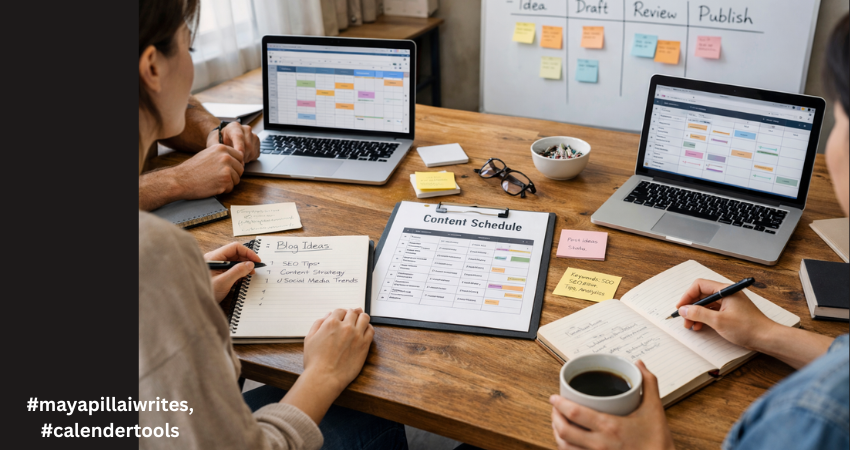
In the early days of running a blog, everything feels under control. There are only a few posts in the pipeline. A shared document seems enough. A quick WhatsApp message replaces a status update. Someone says, “I’ll publish it tomorrow,” and everyone trusts that it will happen. Then consistency kicks in. You start publishing regularly. Ideas multiply. Drafts pile up. One post is waiting for edits, another is missing keywords, and someone realizes two writers are working on almost the same topic. Deadlines begin to blur. SEO details get added at the last minute. And suddenly, what once felt simple starts feeling chaotic. This is the point where blogging shifts from a creative hobby to an operational system. And that shift is uncomfortable if you’re not prepared for it. For a blog team of 1 to 10 members, structure isn’t about bureaucracy. It’s about clarity. You don’t need complicated software. You need a tool that keeps everyone aligned without slowing them down. A system that shows what’s planned, what’s in progress, and what’s ready to go live. Before choosing any tool, it’s important to understand why having one changes everything. TL;DR If your blog team is growing and publishing consistently, managing content through chats and shared documents won’t work for long. An editorial calendar tool brings structure, visibility, and accountability to your workflow. It helps track deadlines, avoid duplicate topics, manage SEO details, and keep everyone aligned. The right tool doesn’t need to be complex, it just needs to support consistent publishing without confusion. Why a Tool Is Important for Editorial Calendar Management An editorial calendar tool brings structure to your content process. Without one, planning often lives in scattered emails, chat messages, and memory. That works for a short time. But once publishing becomes consistent, confusion follows. A tool centralizes everything in one place, including topics, deadlines, ownership, and status. Everyone can see what’s being written, what’s under review, and what’s ready to publish. That visibility reduces delays and prevents duplicated effort. It also strengthens accountability. When each post has a clear owner and a defined deadline, responsibility becomes visible. A proper tool makes it easier to track progress, manage revisions, and avoid last-minute stress. For blog teams that care about SEO, it helps ensure keywords, metadata, and internal links aren’t forgotten. Over time, this consistency improves quality and builds authority. A tool doesn’t replace discipline, but it supports it. And for any team that wants reliable publishing, that structure makes a real difference. A proper tool gives you: A centralized publishing schedule Clear ownership of each blog post Visibility into draft, edit, and publish stages Keyword and SEO tracking Better deadline discipline Reduced communication gaps In small teams, confusion spreads quickly because everyone handles multiple roles. A writer may also edit. An editor may also upload to WordPress. Without a structured system, small misses turn into bigger delays. Now let’s look at the top tools for blog-only teams and break down detailed advantages and disadvantages. 1. Notion Notion works well for blog teams that want flexibility and control. You can build a custom editorial calendar with fields for keywords, publish dates, authors, and status updates. It allows you to keep briefs, outlines, and drafts in one place. For small teams that like organizing content their own way, it offers a clean and adaptable structure. It does require discipline to keep everything organized. Advantages Fully customizable databases for blog posts Multiple views including calendar, Kanban, and list Can store content briefs, outlines, and drafts in one place Custom SEO fields such as focus keyword, meta title, internal links Easy collaboration with comments and mentions Affordable for small teams Works well for both planning and documentation Clean interface once structured properly Disadvantages Requires careful setup at the beginning No built-in advanced analytics for performance tracking Can become cluttered if naming conventions are inconsistent Large databases may slow down Limited automation compared to advanced project tools Notion works best when someone on the team maintains structure. 2. Trello Trello uses a simple board system.Trello is ideal for blog teams that prefer a visual workflow. Each blog post moves across columns such as Idea, Draft, Review, and Published. It’s simple to learn and easy to maintain. For teams that don’t want complex dashboards or setup time, Trello keeps things straightforward. However, it may feel limited if you need detailed SEO tracking. Advantages Extremely easy to learn Visual workflow using drag-and-drop cards Quick onboarding for new team members Clear status tracking at a glance Lightweight and not overwhelming Integration options through Power-Ups Good for teams that prefer visual progress tracking Disadvantages Limited SEO field customization unless upgraded No deep reporting or performance dashboards Can feel cluttered as blog volume increases Less suitable for detailed documentation storage Not ideal for managing multiple content categories at scale Trello is strong for straightforward blog workflows without complex requirements. 3. ClickUp ClickUp suits blog teams that are growing and need more structure. It allows custom fields for SEO, clear task ownership, and timeline views. If your blog involves multiple writers, editors, and strict deadlines, ClickUp gives stronger workflow control. It can feel complex at first, but it offers scalability if your content operation expands. Advantages Multiple views including calendar, list, and timeline Custom fields for SEO tracking Task dependencies for structured workflows Built-in documentation Automation options for reminders and status changes Strong reporting dashboards Scales well as blog output increases Workload view for managing writer capacity Disadvantages Steeper learning curve Interface can feel overwhelming for small teams Setup takes time and planning Too many features for very simple blog workflows Paid plans required for advanced features ClickUp suits blog teams closer to 8–10 members who need more control. 4. Asana Asana is helpful when deadlines and accountability are priorities. It clearly assigns tasks and tracks progress through timelines and milestones. For blog teams that follow structured approval processes, it keeps responsibilities visible. While it isn’t built specifically for long-form draft storage, it works well for managing
Word of the Day: Pragmatic
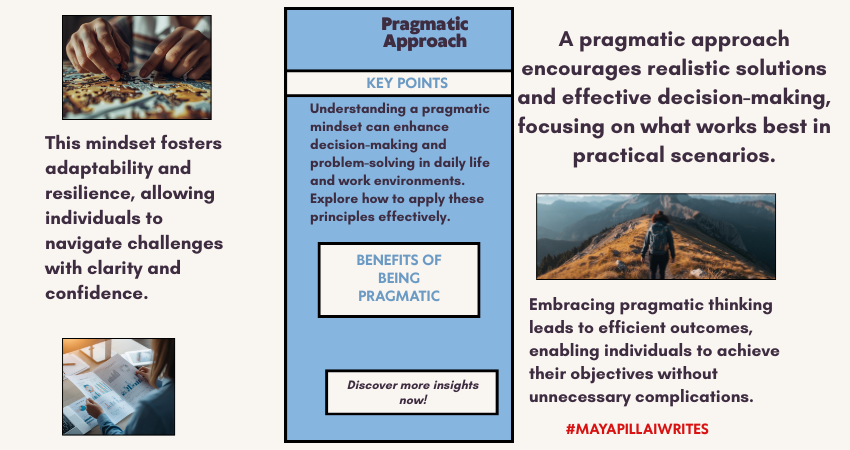
Synopsis Some words value usefulness over elegance. Pragmatic is one of them. It describes an approach that prioritizes what works over what sounds ideal. In writing, decision-making, and everyday problem-solving, this word signals a shift away from theory and toward action. Word of the Day Pragmatic Word of the Day Meaning Pragmatic refers to dealing with things sensibly and realistically, based on practical considerations rather than ideals, emotions, or abstract theories. Word of the Day Pronunciation Guide prag-MAT-ik Word of the Day: Origin and Etymology The word pragmatic comes from the Greek pragmatikos, meaning “fit for action,” which in turn comes from pragma, meaning “deed” or “act.” The original sense of the word was closely tied to action and practical involvement rather than speculation. Over time, pragmatic entered English to describe approaches that focus on results and workable solutions. Today, it is commonly used in professional, political, academic, and everyday contexts to describe decisions grounded in reality rather than ideals alone. Pragmatic: Synonyms and Antonyms Synonyms:Practical, realistic, sensible, down-to-earth, functional Antonyms:Idealistic, theoretical, impractical, unrealistic, abstract Word of the Day Usage in Sentences: Across Genres In Journalism:The report called for a pragmatic response to rising costs. In Political Analysis:A pragmatic compromise helped move the legislation forward. In Academic Writing:The study adopts a pragmatic framework focused on real-world outcomes. In Literature:She took a pragmatic view of life, shaped by experience rather than hope. In Travel Writing:A pragmatic packing list made the journey easier. In Legal Commentary:The court favored a pragmatic interpretation of the law. Why “Pragmatic” Is Worth Knowing Pragmatic is useful because it offers clarity without judgment. It doesn’t dismiss ideals, but it recognizes limitations. For writers, this word is especially valuable when discussing decision-making, strategy, or problem-solving without sounding dismissive or cynical. In editorial writing, pragmatic helps frame choices as thoughtful rather than cold. It signals consideration of constraints such as time, resources, or risk. Used carefully, it adds balance to arguments that might otherwise feel overly theoretical. Pragmatic in Modern Context In modern usage, pragmatic appears frequently in discussions around leadership, policy, work culture, and personal boundaries. It is often used to describe people who adapt expectations to circumstances rather than insisting on perfect outcomes. In professional settings, being pragmatic is increasingly seen as a strength. It reflects adaptability, maturity, and an understanding of trade-offs. In creative and freelance work, a pragmatic approach often means choosing sustainability over short-term idealism. Pragmatic thinking does not reject ambition. It simply asks what can be done now, with what is available, and moves forward from there. FAQs Is pragmatic always a positive word?Usually, yes. Pragmatic often suggests sensible and realistic thinking, though it can sound dismissive if used carelessly. Can pragmatic be used in academic or professional writing?Yes. It is commonly used in research, policy analysis, business writing, and legal commentary. What is the difference between pragmatic and practical?Practical focuses on usefulness, while pragmatic emphasizes decision-making based on real-world conditions and outcomes. If you need help with long-form writing, blog content, or editorial pieces, I write at a pace that values thought over haste.
Alt Text vs Image Caption, What’s the Difference

Most bloggers upload images and move on. They focus on the picture itself and forget the small details that sit around it. But those details matter more than people think. They influence how readers move through your content, how easily they understand your message, and how search engines interpret your page. Alt text and image captions are two elements that deserve more attention. They look simple, but they do important work behind the scenes. If you want a deeper understanding of alt text, you can read my blog on why alt text matters and how to get it right. Alt text helps people who cannot see the image and helps search engines understand what the image shows. Captions guide readers who can see the image by adding quick context and pointing out what matters. When you use both the right way, your content feels clearer and more thoughtful. It becomes easier to read, easier to skim, and more accessible for everyone. These small additions also support better structure because they help readers move smoothly from one idea to the next. TL;DR Alt text is hidden descriptive text that helps screen readers and search engines understand your image. Captions are visible text below an image that help readers understand what they are seeing. Both matter for clarity, accessibility, and user experience. Alt text supports accessibility while captions guide readers who can see the image. What Alt Text Really Does Alt text is useful when the reader cannot see the image. This could be due to a broken image, slow loading, or because the person is using a screen reader. Alt text gives the essential meaning so the reader does not miss the point. Search engines also rely on alt text. It helps Google understand the image context and match it to relevant searches. This improves accessibility and SEO at the same time. Good alt text avoids decorating the sentence. It focuses only on the essential visual information. A simple description often works best. Alt text stays hidden, while captions always sit in the open. What Image Captions Do Captions are visible to every reader. They sit under the image and guide the reader by adding context. They can explain the purpose of the image, point out a detail, or support the paragraph around it. Captions improve readability and help with flow. Many readers scan captions before reading the full article. A clear caption helps them understand the importance of the image at a glance. Captions do not have strong direct SEO value, but they help with user engagement. Better engagement supports overall search performance. Alt text works behind the scenes and captions appear in the live view. Differences Between Alt Text and Image Captions A simple table for clarity. Point of Difference Alt Text Image Caption Purpose Explains the image when it cannot be seen Supports the image when it is visible Visibility Hidden within the HTML tag Shown under the image SEO Role Helps image search and ranking signals Helps readability and engagement, low direct SEO Accessibility Required for accessible content Optional, not required Writing Style Short, simple, factual Conversational and flexible Placement Inside the image tag In the article body Detail Level Essential meaning only Can include extra context Search Appearance Helps with Google Images Appears in article content only When It Appears When image fails to load or via screen reader Always visible Audience Screen readers and search engines Human readers Using both strengthens your content. Alt text helps with accessibility and SEO. Captions help guide the reader and make your article smooth to read. Together, they improve the structure and clarity of your blog. Bloggers use both alt text and captions to make images easier to understand. How to Write Good Alt Text Good alt text is simple, clear, and meaningful. It focuses on the message the image is supposed to convey, not on making the description fancy. You are writing for someone who cannot see the image, so clarity matters more than creativity. Start by identifying the purpose of the image. Ask yourself what message the reader should understand from it. Your alt text should reflect that purpose in plain language. Be specific but avoid over-describing. Mention details only if they help the reader understand the image better. Skip colors, emotions, or guesses unless they are important to the message. Keep your sentences short. You are not writing a caption. You are giving essential information to someone who depends on it to understand your content. Here are a few guidelines that help: Describe only what matters. If the image is decorative, leave the alt text empty. Avoid phrases like “image of” or “picture of.” Screen readers already know it is an image. Use keywords only when relevant. Never force a keyword; it weakens accessibility. Match the image to the article’s context. If the picture is part of a tutorial, describe the step or action. Think of it like reading the image aloud. Simple, natural language is always better. Example: Instead of “a beautiful woman working happily on a laptop at a stylish cafe” Try “woman typing on a laptop at a cafe table” The second version is factual, simple, and avoids assumptions about emotions. Good alt text supports both accessibility and search visibility. It also keeps your writing clean and helpful. How to Write Good Captions Good captions help your readers understand why the image is in your blog. They don’t repeat what the photo shows. Instead, they add clarity or context. Start by pointing out what the reader should pay attention to. If the image supports a point in your post, the caption should highlight that point. It helps the reader make the connection between the image and the message. Keep your captions short. One or two lines work best. Long captions interrupt the reading flow. Captions can add tone or personality. In a personal blog, they can feel warm. In an educational blog, they can give a quick hint or explanation. The goal
What is Image Alt Text and Why It Matters
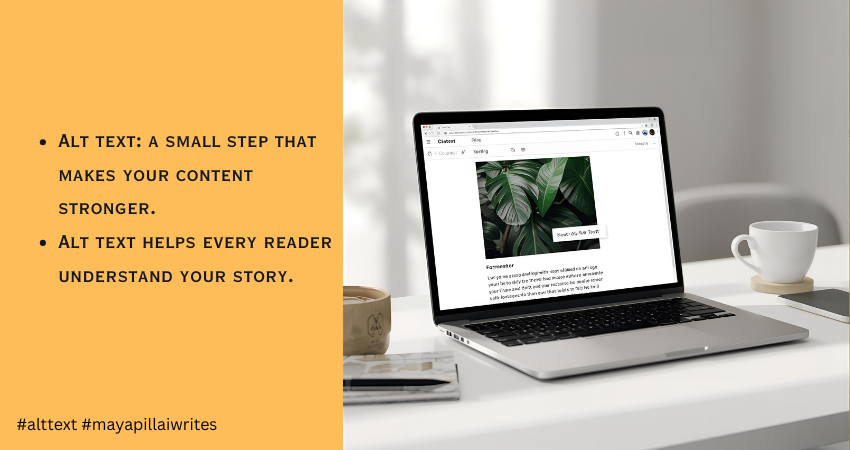
When you upload an image to your blog, you’re adding more than a visual break. You’re adding something that readers and search engines depend on to understand your content. Every image carries meaning, and when that meaning isn’t described properly, part of your message gets lost. This is where alt text becomes essential. It gives context to people who rely on screen readers and helps them follow your content without missing anything. It also helps search engines understand what the image shows, which improves your SEO. I didn’t pay much attention to alt text when I first started writing. I learned its importance much later, and it changed the way I publish my work. That’s why I want to share this with other writers, so they don’t overlook something so simple yet so helpful. Many bloggers skip alt text or add something vague, but good alt text for images makes your blog more accessible, more readable, and far more search-friendly. This article is for bloggers, writers, content creators, and website owners who want to make their content accessible, readable, and search-friendly through better alt text. TL;DR Alt text is a short description that explains what an image shows. It helps people using screen readers and improves SEO by giving search engines the context they need. Keep it short, clear, and natural. Avoid keyword stuffing. Skip decorative images. Good alt text makes your blog accessible and easy to understand. What Is Alt Text Alt text is a brief description added to an image. It appears when the image doesn’t load and is read aloud by screen readers. Search engines also use it to understand what the image contains. So alt text supports two important things at once: accessibility and SEO. Since search engines cannot interpret visuals the way humans do, they depend on image alt text to understand context. This helps your images rank better and increases the chances of appearing in Google Image Search. That’s why alt text is important. It links directly to visibility and inclusivity. How Alt Text Improves Accessibility Alt text plays a big role in accessibility because people with visual impairments or low vision rely on screen readers to browse the web. When a screen reader reaches an image, it reads the alt text aloud. If the alt text is missing, the tool either skips the image or reads a file name like “IMG_0243.jpg”, which offers nothing useful. Clear alt text accessibility helps these readers follow your content without missing any context. It gives them the same understanding that sighted users get at a glance. The description doesn’t need to be long. It only needs to explain the one thing that matters about the image. Good alt text creates a smoother reading experience. It fills the gaps when users can’t see the visuals and keeps your content inclusive for everyone. The SEO Benefits of Alt Text Search engines depend heavily on alt text to understand what an image shows. They can’t interpret visuals the way people do, so a clear description helps Google match your image with the right searches. When your alt text is accurate, Google gets a better sense of what the page is about. This makes your content easier to index and increases the chances of your images appearing in search results, which can bring in steady, organic traffic over time. Websites often see a noticeable improvement in search visibility when they use descriptive and consistent alt text. It gives Google the context it needs and helps the algorithm understand how each image supports the main topic of the page. Two main SEO benefits of alt text stand out: Better indexing and stronger page relevance Higher visibility in Google Image Search, which can attract new readers Good alt text works quietly in the background, but it strengthens your overall SEO more than most people realize. What Makes Good Alt Text Good alt text is clear, short, and meaningful. Follow these basics: Describe the main idea of the image Keep it under 125 characters because many screen readers stop reading after that Avoid phrases like “image of” or “picture of” Add purpose only if the image supports the point you’re making Use keywords only if they feel natural Make sure the alt text matches the context of the article, not just the image alone Example: If your article is about phishing, and you have an image of a laptop, you can adjust the description to match the topic. General alt text: “A person using a laptop at a desk” Contextual alt text: “A person checking a phishing alert on a laptop screen” Context improves relevance and SEO. Common Mistakes to Avoid 1. Skipping Alt Text Completely Screen readers can’t describe the image, and Google gets no information. It harms accessibility and SEO together. 2. Keyword Stuffing Forcing keywords into alt text makes it sound unnatural and confusing. It also weakens search relevance. 3. Writing Vague or Useless Descriptions “Nice picture” or “photo” adds nothing. Alt text should explain the purpose of the image. 4. Describing Decorative Images If the image is decorative or adds no meaning, leave the alt attribute empty (alt=””). This helps screen readers skip it. 5. Over-Describing the Image Long, detailed explanations interrupt readability. Alt text should offer only what the user must know. 6. Using File Names or Auto-Generated Text Never use “IMG_1543.jpg” or “screenshot_01.png”. Replace it with a real description. 7. Adding Alt Text When the Image Is Already Fully Described Nearby If your paragraph already explains what the image shows, adding the same text again in alt text becomes redundant. Screen reader users end up hearing it twice. How to Write Alt Text for Different Types of Images Photos Describe the main subject. Example: “A woman reading a book at a desk.” Infographics Share the key message. Example: “Infographic showing phishing attacks rising from 2023 to 2025.” Screenshots Explain what the screen displays. Example: “Screenshot of Gmail showing a security alert message.” Charts and Graphs
Headings That Work: A Simple Guide for Writers and Bloggers

When I began writing online, I didn’t think much about heading levels. I used them wherever they looked nice or helped break up long text. But when I started publishing regularly and tracking how readers behaved on my blogs, I noticed a clear pattern. Posts with well-structured headings always performed better. People stayed longer, skimmed less, and understood my message faster. Over time, I realized headings do more than make text look neat. They guide your reader’s eyes, tell search engines what your article is about, and even help you think clearly while writing. Once I started treating headings as part of the storytelling process instead of simple formatting, my writing became easier, sharper, and more engaging. If you’ve ever felt your article lacks flow or looks messy no matter how good the content is, your headings might be the missing link. TL;DR Headings are not just for decoration — they’re the structure of your content. Used properly, heading levels (H1, H2, H3) make your writing easier to read, improve SEO, and help you stay organized. A clear heading hierarchy boosts readability, search visibility, and reader engagement — all without adding more words. What Are Heading Levels and Why They Exist Every blog or article follows a hierarchy of headings — H1, H2, H3, and beyond. Think of them like a table of contents that lives right inside your post. Each heading tag has a job: H1: The main title of your post. Use it once. It’s what both readers and search engines see first. H2: Main sections or topics that divide your content into clear parts. H3: Subtopics under each H2 — these help explain, list, or expand a single idea. H4–H6: Rarely needed but helpful in long or technical guides for finer detail. This hierarchy tells Google how your content is structured and helps readers quickly jump to what they care about. Without it, even the best-written article feels like one endless scroll of text. Why Heading Levels are Important Now More Than Ever Headings aren’t optional — they define how readable, searchable, and trustworthy your content feels. Let’s look at why they matter so much for both readers and writers. 1. They Make Your Blog Easier to Read Most readers don’t read word-for-word. They scan. Headings act as visual cues that guide their eyes across the page. When your H2s summarize each section well, readers can instantly decide what they want to read in depth. Imagine someone lands on your blog looking for “how to write blog introductions.” If your headings look like this: H2: Why Introductions Matter H2: Common Mistakes Writers Make H2: How to Hook Readers from the Start H3: Use a Relatable Example H3: Ask a Simple Question H3: End with a Smooth Transition They’ll immediately see that your post answers their exact question — and stay longer to read it. Readable headings reduce bounce rates, improve engagement, and give your article a natural flow. Each section feels complete and self-contained, making it easier for readers to pause and resume later without losing track. 2. They Improve SEO and Ranking Search engines rely on headings to understand your content. When your H1 includes your focus keyword and your H2s reinforce related ideas naturally, you’re telling Google exactly what your article covers. For example, if your main keyword is “content writing structure”, your headings could look like: H1: Content Writing Structure: A Complete Guide for Beginners H2: Why Structure Matters in Writing H2: Key Elements of a Well-Structured Blog H3: Using Headings and Subheadings H3: The Role of Formatting in Readability This structure helps your blog rank for both the primary keyword and related searches. Search engines also use headings to generate featured snippets, AI cards, and voice search results. Well-formatted content gives them clear sections to pull from — increasing your visibility without extra optimization tricks. The key is balance. Don’t stuff keywords into every heading. Use them where they make sense. Your goal is clarity, not clutter. 3. They Support AI Search and Voice Results AI-driven search (like Google’s SGE or Bing Copilot) doesn’t just read keywords — it reads structure. Headings help AI models understand relationships between topics, questions, and answers in your article. For example, if your H2 says “How Headings Improve SEO” and your H3 says “Why Google Prioritizes Structured Content,” you’re creating a clear logical flow. AI can then extract those sections as concise, ready-to-display responses for search queries. This structure is also useful for voice search. When someone asks, “Why are headings important in writing?” your clearly labeled section might be exactly what gets read out loud. 4. They Make Your Content Accessible Headings play a big role in accessibility. Screen readers use them to help visually impaired users navigate through a page. Proper heading hierarchy allows users to skip to sections they want instead of listening to the entire article line by line. If you rely only on bold text or large fonts instead of actual heading tags, screen readers can’t recognize the structure. That means a part of your audience might never be able to read your content properly. Accessibility isn’t just about compliance — it’s about respect for your readers. Using proper heading levels ensures everyone can enjoy and learn from your writing. 5. They Keep You Organized as a Writer Headings don’t just make your article easier to read — they make it easier to write. When you outline your H2s and H3s before writing, you’re building a roadmap for your article. Each heading acts as a checkpoint, helping you stay focused and move logically from one idea to the next. This approach also removes the stress of starting with a blank page. Once your headings are ready, all you have to do is fill in the sections. You know exactly what each part should cover, so you spend less time second-guessing what comes next. Good headings also help you see patterns. If two sections sound too similar, you’ll know it’s time to merge
Common Mistakes to Avoid While Writing TL;DR
Readers today have short attention spans. They skim, scroll, and look for quick takeaways. That’s why TL;DR (Too Long; Didn’t Read) has become essential in blogs, newsletters, and even LinkedIn posts. A well-written TL;DR can pull readers in and help them grasp the main points without reading every word. But many writers get it wrong. A poorly crafted TL;DR can confuse readers or turn them away. If you’re new to the concept, you may want to read my earlier post on how to write a TL;DR before diving into the common mistakes people make. TL;DR (Why You Should Read) Keep it short and clear. Highlight the key takeaways, not the fluff. Use bullets or short sentences for easy scanning. Don’t add new points that aren’t in the article. Always place it where readers can see it. Top 10 Common Mistakes To Avoid Making It Too Long A TL;DR should act like a snapshot, not a second article. If it runs into paragraphs, it defeats its purpose. Limit it to three to five bullets or a short paragraph. The goal is clarity, not coverage. Being Too Vague Saying “This article is about writing better TL;DRs” isn’t useful. A TL;DR should summarize the main ideas. Think of it as answering: What will the reader walk away with? Avoid vague lines and focus on the specific lessons your article provides. Ignoring Structure Walls of text discourage readers. TL;DRs should be easy to scan. Use bullet points or crisp one-liners. Each point should stand on its own. For example, instead of “Summaries need clarity and keywords,” write: Keep sentences short. Use keywords naturally. 4. Leaving Out Key Points Some writers summarize only the introduction or conclusion, missing the middle. A good TL;DR should capture the most important insights across the whole article, not just one section. Overloading With Details Numbers, quotes, or side stories belong in the main article. The TL;DR is about the big picture. Don’t crowd it with examples or data. Focus on what matters most. Adding New Information Never use the TL;DR to sneak in new arguments, facts, or promotions. Readers expect a summary of what they’ve just read, not fresh material. Stick to what’s already in the post. Skipping Keywords If you’re writing for blogs, keywords matter. Forgetting them in your TL;DR is a missed chance to rank higher in search results. That’s why writers who understand why TL;DR in content is so powerful always pay attention to how it supports visibility as well as readability. Using Jargon Avoid industry-heavy terms or buzzwords that confuse readers. A TL;DR should be simple and accessible. Write it as if you’re explaining it to a friend who’s new to the topic. Forgetting the Reader Some TL;DRs read like notes for the writer. That’s not the goal. Always think: What would a new reader need to know in 30 seconds? Make the summary for them, not for you. Placing It in the Wrong Spot A TL;DR hidden at the end of the article often goes unread. Place it right after the opening paragraph, where readers can see it early. That way, they know what to expect and whether they want to read further. To Sum Up A TL;DR is a promise to your reader: “Here’s what you’ll gain without spending too much time.” If you keep it short, clear, and focused, it will build trust and encourage more people to read the full piece. Avoid the common mistakes—too long, too vague, or poorly placed—and your TL;DR will do what it’s meant to: make content easier to understand. And remember, a TL;DR isn’t just for articles. It’s tied to how you approach what is a blog in the first place. If your blog exists to serve readers, the summary should always honor their time. Key Takeaways TL;DRs work best when short, clear, and structured. Avoid vague summaries, jargon, or unnecessary details. Always reflect the article’s main points, not just one section. Use keywords to support SEO and SGE readiness. Position the TL;DR where it’s visible, ideally at the start. Quick FAQs Q1. How long should a TL;DR be? A TL;DR should be short—ideally three to five bullet points or a short paragraph. Q2. Where should I place a TL;DR in an article? Place it right after the introduction. Readers should see it before they decide whether to continue reading. Q3. Should I use keywords in a TL;DR? Yes. Keywords help your summary rank better and match search intent, but use them naturally. Q4. Can I use TL;DRs on social media? Absolutely. TL;DRs work well for LinkedIn, X, and Threads posts, where readers prefer quick takeaways. Q5. What’s the biggest mistake writers make with TL;DRs? The most common mistake is making it too long or too vague, which defeats the purpose.
How to Write a TL;DR

Most people don’t read every word on a page. According to the Nielsen Norman Group, users typically read only 20–28% of the text during an average visit. Add to this the reality that mobile readers scroll even faster, and you can see why summaries matter. A TL;DR (Too Long; Didn’t Read) gives readers the gist of your content in seconds. It keeps busy professionals from bouncing away and signals search engines that your article is structured, clear, and helpful. In the age of AI-powered search results and Google’s SGE (Search Generative Experience), TL;DRs have become even more powerful. They help your content get picked up for answer boxes, voice search, and AI-generated snippets. If you want your content to rank and resonate, you need a TL;DR that does more than summarize. It should hook readers, highlight value, and improve your visibility in search. Here are 10 practical tips on how to write a TL;DR that works for both people and algorithms. TL;DR Tips to Write TL;DR A TL;DR condenses your content into under 100 words. Write it last so it reflects the full piece. Use short sentences or bullets for clarity. Highlight reader value, not every detail. Place it near the top for maximum impact. Add focus keywords naturally for SEO and SGE. Match your article’s tone. Adapt TL;DRs for blogs, social, and reports. Test formats to see what performs better. Treat it as a hook, not an afterthought. Key Takeaways A TL;DR is not optional — it’s essential for both readers with short attention spans and search engines (especially AI-driven ones like Google SGE).Always write it last so it reflects the true essence of your content. Keep it short and direct — under 100 words, ideally 2–3 sentences or 3–5 bullets. Focus on reader value, not details — answer “what’s in it for me?” Use bullets or short sentences to make it scannable. Place the TL;DR near the top of the article, right after the intro. Add your focus keyword naturally for SEO and AI search visibility. Match the tone of your content so it feels consistent. Adapt it for platforms — bullets for blogs, conversational for LinkedIn, one-liners for Threads/X. Test and refine different formats; track engagement and adjust. Treat the TL;DR as a hook and pitch, not an afterthought. 10 Practical Tips to Write TL;DR 1. Write the TL;DR Last You need to understand your content fully before summarizing it. Writing the TL;DR after finishing your piece helps you capture the most important takeaways, not just what you think is important at the start. Think of it as writing the back-cover blurb of a book—you wouldn’t draft it before finishing the story. 2. Keep It Under 100 Words Readers want a quick grasp, not another mini-article. Aim for 2–3 sentences or 3–5 bullet points. Anything longer loses the “instant clarity” effect. On mobile, your TL;DR should fit on one screen without scrolling. Conciseness makes it powerful. 3. Focus on Reader Value Don’t summarize everything. Instead, answer the reader’s main question: What’s in it for me? Highlight the key outcomes, benefits, or lessons. If your blog is about writing productivity, your TL;DR should say, “These tips will help you write faster without losing quality” instead of simply stating that the article “lists productivity tools.” 4. Use Bullets for Clarity Bullets make TL;DRs easy to skim. They also break down points visually, so readers can digest them at a glance. If your article has multiple sections, bullets give structure without overwhelming. For long-form posts, this format is especially effective. 5. Place It at the Top A TL;DR works best right after your introduction. This is where readers decide whether to stay or leave. By placing it near the top, you show respect for their time and increase engagement. Search engines also give weight to summaries that appear early in the text. 6. Add Keywords Naturally For SEO and SGE, weave your focus keyword naturally into the TL;DR. For example, if your post is about how to write a TL;DR, make sure that phrase appears once in the summary. Don’t overstuff; keep it natural and conversational. Keywords here help search engines understand your content quickly. 7. Match the Tone of the Content If your article is casual, your TL;DR should be too. If it’s professional and research-driven, keep it crisp and precise. Consistency builds trust and makes the summary feel like an extension of the article, not a separate add-on. 8. Adapt It for Platforms Not every TL;DR looks the same. On a blog, bullets work well. On LinkedIn, you can expand it into 3–4 conversational sentences. On X (Twitter), shrink it into one sharp one-liner. By tailoring your TL;DR, you make your content reusable across platforms without feeling repetitive. 9. Test Different Formats Experiment with different styles—bullets vs. short paragraphs, one-line vs. multi-sentence. Check your analytics for scroll depth, bounce rate, and engagement. If your TL;DR is doing its job, you’ll see people spending more time on the page and scrolling deeper. If not, refine it until you find what resonates. 10. Treat It as a Hook, Not an Afterthought A TL;DR is more than a summary. It’s a pitch to convince readers your article is worth their time. Don’t tack it on quickly. Spend a few minutes refining it, because it may end up being the most-read part of your piece. Think of it as your first impression—make it count. Quick FAQs Q1. What is a TL;DR in writing? A TL;DR is a short summary that highlights the key points of an article, report, or post. It helps readers get the main message quickly without reading the entire text. Q2. How long should a TL;DR be? A TL;DR should be under 100 words. Keep it to 2–3 sentences or 3–5 bullet points so readers can understand it in seconds. Q3. Where should I place a TL;DR in a blog? Place your TL;DR near the top, usually after the introduction. This helps readers decide whether they want to
TL;DR in Content: How to Engage Readers and Rank Better
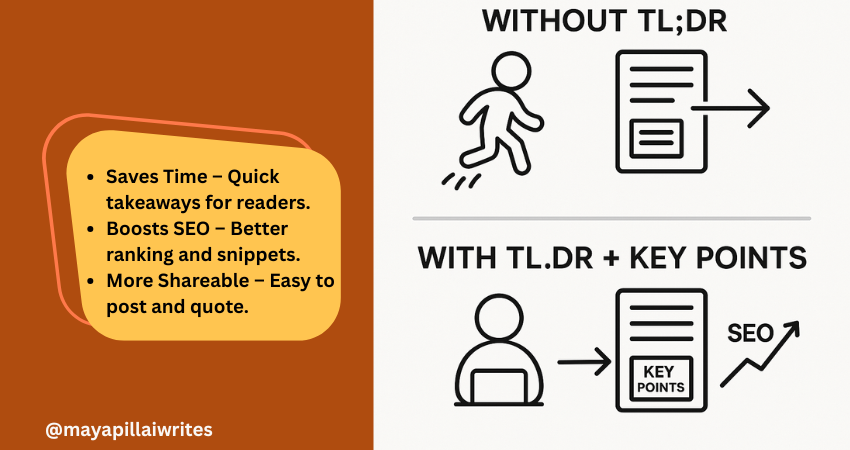
Including a TL;DR in content is no longer optional. Readers skim, AI search engines summarize, and attention spans keep shrinking. A TL;DR(Too Long; Didn’t Read) gives a quick summary that respects your readers’ time and makes your blog easier for AI tools and Google’s Search Generative Experience (SGE) to surface. But a TL;DR alone isn’t enough. Adding Key Points beneath it ensures that both skimmers and detail-seekers get value. In an era where AI decides what parts of your content get shown, these two elements can set your blog/article apart. TL; DR A TL;DR in content is a short summary that captures your article’s main idea. It helps readers, AI tools, and search engines understand your blog quickly. Key Points expand on the TL;DR with detailed highlights, giving both readers and AI more context. Using both together improves readability, SEO performance, AI search visibility, and builds trust with your audience. Key Takeaways A TL;DR isn’t just a convenience — it’s a strategic tool that improves both user experience and how AI-driven search engines interpret your content. Key Points aren’t filler; they strengthen SEO by adding structure, making your blog more likely to rank for related queries and appear in featured snippets. Pairing TL;DR and Key Points bridges the gap between human readers and AI systems, ensuring content is engaging, scannable, and machine-readable at the same time. In long-form blogs, Key Points can double as jump links for better navigation, which is especially important for mobile readers. Respecting reader time with a TL;DR and guiding them with Key Points ultimately builds trust and authority, which pays off in both engagement and search rankings. What is TL;DR in Content? TL;DR is a short summary that captures the core message of your article. Usually placed right after the introduction, it helps readers and AI tools quickly understand what the content is about. Why it’s important now: Readers want speed Most online readers don’t have the patience to go through long paragraphs before deciding if something is worth their time. A TL;DR gives them the headline takeaways immediately, allowing them to judge whether to continue reading. Without it, you risk losing them before they get to your key message. AI favors clarity Search engines and AI-powered tools are built to pick up well-structured summaries. A TL;DR written in simple, direct language makes it easier for these systems to surface your blog in snippets, SGE cards, and chat-based search results. This increases your visibility without extra effort. Boosts visibility Blogs with a TL;DR have a higher chance of being featured in “People Also Ask” boxes or summary snippets. Search engines look for clear, condensed content they can repurpose quickly, and a TL;DR is ready-made for that. Improves shareability Readers who find value in your TL;DR are more likely to copy it into a LinkedIn post, share it in a newsletter, or use it as a quote in their own content. This creates organic backlinks and visibility for your blog. Voice search ready Voice assistants like Alexa and Google Assistant prefer short, straightforward answers. A TL;DR formatted in 2–3 sentences naturally fits the length of a spoken response, which makes your blog more discoverable in voice search results. Mobile-first reading On small screens, people scroll faster and often skim through headlines only. Having a TL;DR upfront ensures your blog’s value is captured in the first screen view, even if the reader doesn’t scroll further. Trust-building By offering a summary upfront, you show readers you respect their time. It also signals confidence in your content — you’re not hiding the main message in walls of text. This creates trust and makes readers more likely to return to your blog. Supports accessibility Not all readers consume content the same way. For people with attention difficulties or those using screen readers, a TL;DR provides a simple entry point that ensures they still get value from your writing. What are Key Points? Key Points are a set of bulleted highlights that expand slightly beyond a TL;DR. While TL;DR gives the big picture, Key Points provide a roadmap of what’s inside the article. Why they’re valuable in the AI era: Act as signposts Many readers jump around instead of reading blogs linearly. Key Points act like a table of contents in miniature, showing readers what the article covers. This keeps them on your page longer because they know exactly what to expect. Strengthen SEO Search engines like Google prioritize structured content. Bullet lists with concise explanations often show up in featured snippets and “zero-click” results. By using Key Points, you give your blog multiple chances to rank for related queries, even if the reader never clicks through. Support AI summaries AI-driven platforms, including Google SGE, scan content for structured data they can repurpose. Well-written Key Points make it easier for these systems to understand your blog’s scope and deliver accurate summaries, increasing your chances of being displayed in answer cards. Increase retention When readers see clear Key Points, they know the content is organized. This makes them more likely to stay on your blog and read further. A messy block of text, in contrast, often leads to higher bounce rates. Add clarity for busy readers Some people want more than a one-line TL;DR but don’t have time for the full article. Key Points give them the middle ground: detailed highlights that still save time. It’s a way of serving both casual readers and more serious ones at the same time. Improve content navigation In long-form blogs, Key Points can be turned into clickable jump links. This is especially helpful for mobile readers, who don’t want to keep scrolling endlessly to find one section. It improves usability and keeps them engaged. Build authority Presenting your highlights clearly at the start shows confidence in your insights. It signals that you know your subject well enough to extract the main lessons upfront, which builds trust with both human readers and AI tools. TL;DR vs Key Points: Why You Need Both You might wonder, “If I already
What Is a Blog?
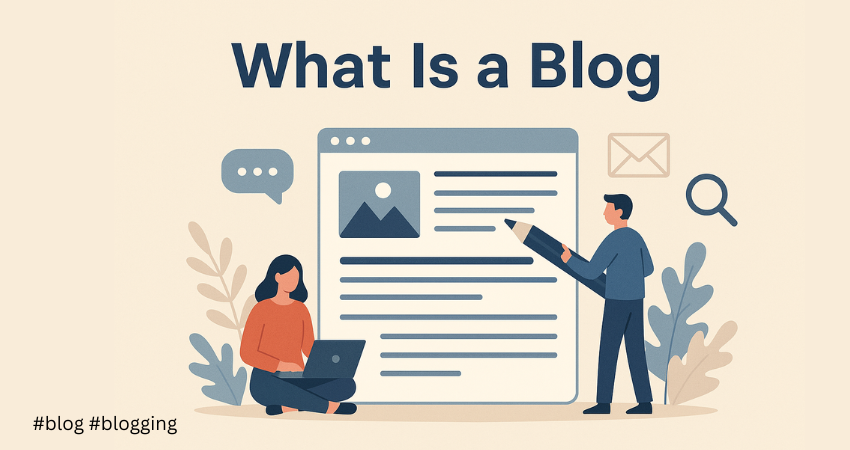
You’ve probably come across blog posts while Googling something simple—like “how to write a pitch email” or “best tools for freelance writers.” But have you ever paused to think, what exactly is a blog? Is it just another form of writing? Or is it something more? For many freelancers, small businesses, and personal brands, blogging is more than just publishing articles. It’s a tool to share insights, attract readers, showcase expertise, and yes—build an income stream. And if you’re just starting out or switching lanes in your writing career, understanding the purpose of a blog (and how it’s different from content writing) can make all the difference. This post is your beginner-friendly guide to what blogging really is, how it fits into the broader content landscape, and the 9 types of blogs you should know before hitting “publish.” Key Takeaways A blog is your digital voice. It helps you connect with your audience, showcase expertise, and grow your brand or career. Blogging isn’t the same as content writing. Blogs are one form of content writing—more personal, educational, and story-driven. Choosing the right blog type matters. Knowing your blog’s purpose—whether it’s niche, personal, or professional—helps shape your content and attract the right readers. So, What Is a Blog? A blog is a regularly updated section of a website—or a standalone site—where individuals or businesses publish content in the form of articles (called blog posts). These posts are usually focused on a specific topic or theme, and are written in a conversational, informative, or storytelling tone. At its core, a blog is a tool for: Sharing ideas or experiences Educating or guiding a specific audience Building credibility in a chosen field Attracting traffic through search engines and social shares Unlike static web pages, blogs are dynamic—they grow with time, adapting to the writer’s voice, goals, and audience needs. In plain terms: A blog is your digital space to talk to your audience. It could be about content strategy (like here on mayapillaiwrites.com), writing tips, branding advice, or simply documenting your journey as a freelancer. How Blogging Is Different from Content Writing Let’s clear something up—blogging and content writing are not the same, even though they often overlap. Content writing is a broader umbrella that includes all types of written material created for digital platforms: website copy, product descriptions, newsletters, social media captions, case studies, and more. Blogging, on the other hand, is a specific type of content writing that typically focuses on educating, informing, or engaging an audience through longer-form articles published on a blog section of a website. While content writing is often structured for conversion or performance (e.g., getting someone to buy, sign up, or click), blog writing is more reader-centric—it aims to build trust, deliver value, and encourage repeat visits. Blogs allow for a personal voice, storytelling, and perspective that might not always fit in a more formal or transactional piece of content. For example, a blog post might explore “Why Freelancers Should Build a Personal Brand,” while content writing might involve writing a homepage section titled “About Our Team.” Both are essential in a digital strategy—but they serve different goals, formats, and tones. Aspect Blogging Content Writing Goal To inform, engage, or guide readers To market, convert, sell, or explain Tone Friendly, opinion-based, or story-driven Varies—can be formal, persuasive, technical, or concise Format Articles posted on websites Includes blog posts, website copy, emails, product pages, etc. SEO Importance High—especially for traffic Very high across most formats Reader Interaction Common—through comments or shares 9 Common Types of Blogs (with Real-Life Examples) Whether you’re planning to build your authority, grow an audience, or just document your journey, the type of blog you choose will shape your voice, tone, and reach. Here are the most popular blogging types—with examples to help you visualise the possibilities. 1. Personal Blogs These are intimate, reflective spaces where writers share thoughts, life experiences, lessons learned, and personal stories. Examples: Cup of Jo – A lifestyle and motherhood blog that feels like chatting with a friend. Zen Habits by Leo Babauta – Focused on mindfulness, simplicity, and intentional living. Rukmini Ray Kadam’s blog – Indian blogger writing about everyday reflections, writing, and life. 2. Professional or Business Blogs Used by solopreneurs or businesses to position themselves as experts, attract leads, and provide valuable insights to potential clients. Examples: Neil Patel’s Blog – A digital marketing hub for SEO, content, and growth strategies. FreshBooks Blog – Covers productivity, invoicing, and freelance finance management. Mayapillaiwrites.com – Offers guidance to content writers and builds an ecosystem for writers and clients. 3. Niche Blogs These cater to a specific audience or interest area. The more focused the topic, the more targeted the readers. Examples: The Review Hive – A cybersecurity-focused blog covering software reviews and industry updates. Minimalist Baker – Specialises in simple, plant-based recipes for home cooks. Mr. Money Mustache – Focused exclusively on financial independence and frugal living. 4. Affiliate Blogs These blogs earn through commissions by recommending products or services through tracked affiliate links. They often focus on reviews, listicles, or comparison posts. Examples: The Wirecutter (by NYT) – Recommends tech and home products with detailed reviews. TechRadar – Reviews gadgets, software, and tech services with affiliate links. ShoutMeLoud by Harsh Agrawal – Covers blogging tools and affiliate marketing strategies. 5. Educational Blogs These blogs are built to teach, train, and offer actionable resources—especially valuable for service-based businesses or creators. Examples: Copyblogger – Offers lessons on persuasive writing, copywriting, and content strategy. HubSpot Blog – Covers inbound marketing, sales funnels, and CRM education. ProWritingAid Blog – Teaches grammar, editing techniques, and writing best practices. 6. News and Commentary Blogs These keep readers up to date with trends, current events, or offer strong viewpoints on recent happenings in a particular industry. Examples: Search Engine Journal – News on Google algorithm updates and digital marketing. TechCrunch – Tech startup news and industry trends. Cybersecurity News section on The Review Hive – Covers ransomware, scams, and breach reports
10 Blogging Mistakes That Cost You Readers

Blogging can be rewarding—but only if you avoid the traps that stall progress. When I started, I made plenty of mistakes—some minor, others that cost me valuable time, traffic, and confidence. If you’re just starting out or even a few posts in, chances are you’re unknowingly walking into some of these same pitfalls. That’s why I’ve put together this list—not as a critic, but as someone who’s been there, learned the hard way, and wants to help you get it right faster. Let’s uncover the 10 common blogging mistakes you should steer clear of—and what to do instead. 1. Not Having a Niche You can’t be everything to everyone—find your focus. One of the biggest traps bloggers fall into is writing about everything under the sun. When your blog lacks a clear focus, readers don’t know what to expect. Choose a niche you’re knowledgeable about and passionate about—whether it’s tech, wellness, parenting, or productivity. This helps you attract a loyal audience and strengthens your authority. 2. Ignoring What Your Audience Wants Your blog should serve your readers, not just your creativity. Blogging for yourself may feel liberating, but your readers are here to find value. Do some research. What questions are they asking on forums? Which of your posts perform best? Use tools like Google Trends, AnswerThePublic, or social media polls to find out what your audience truly wants—and write with that in mind. 3. Neglecting SEO Best Practices Great content means nothing if no one finds it. There are many competitors in the market. Readers generally go through the first two or three pages of the search engine results. Put effort in finding which topics are in demand. Your blog should load fast. For your information site loading speed is a major factor in determining the rankings of the site. Include the focus keyword in the URL, title, headings, and sub-headings. The focus keyword should be put in a few places in the blog too. Avoid keyword stuffing as this practice is penalized by search engines. Tools like Yoast SEO and Ubersuggest can help optimize your content without overwhelming you. 4. Using Uninspiring Titles Most people judge a book by its cover. A boring or unclear title will not encourage readers to read the blogs. The title should be catchy and encourage readers to want to read the blog. Use numbers or intriguing questions to capture attention. First impression counts. For example Your blog title is the first (and sometimes only) chance to hook your reader. Use numbers, power words, or curiosity-driven phrases. Instead of “How to Blog Better,” try “10 Blogging Mistakes That Cost You Readers” or “How I Fixed My Blog After Months of Zero Growth.” 5. Writing Very Long Blogs Get to the point—your readers are busy. Most readers do not have patience to read long blogs. So cut down on the fluff. Make sure you include the most relevant and important information. If you have more to say, break it into a series. Tip: Add relevant images and infographics if possible 6. Ignoring the Mobile Audience Most of your audience reads on the go—design for it. Most people browse blogs through their respective mobiles. Your blog should be optimized such that text and images load fast on mobiles. The blog should be easy to read as well as navigate. This will ensure a sizable and loyal audience. Then you are on your way to having a successful blog. 7. Not Updating Old Content Do not keep on churning blogs. Periodically go through the older blogs and see if it is still up to date. Put efforts to make sure the blogs include current developments. Update relevant information and consider internal linking to the other blogs on your website. 8. Blogging Without a Schedule Consistency builds trust—sporadic posting breaks it. Do not post blogs whenever you feel like. Blog posting should be regular and consistent. To help yourself keep a content posting calendar. Have a list of topics to write on ready for a month or a whole year. Some readers will be looking forward to read your blogs. Posting consistently will keep them happy and loyal. 9. Expecting Quick Results Success takes time—stay in the game. You are not the only blogger in the market. Making a name in any field takes time. Rome was not built overnight. Perseverance is key to the success of your blogging efforts. Monetization of your blog also takes some time. 10. Copying Other Bloggers’ Style Readers crave authenticity, not replicas. The audience do not want to read what is already there in other blogs. Try to give unique content or a fresh perspective. Be inspired by other blogs but have an original style. Share your personal experiences or honest opinions to make your blog useful as well as attractive. Bonus Mistakes to Watch Out For Skipping proofreading and publishing with typos Choosing a confusing or unappealing domain name Using poor-quality hosting that slows your site Not promoting your blog on social media Ignoring reader comments or feedback Final Thoughts Every blogger stumbles. What matters is that you learn, adapt, and keep writing. Avoiding these mistakes won’t just help your blog grow—it will help you grow as a writer and creator. What was the biggest blogging mistake you’ve made? Share it in the comments—it might save someone else the trouble.