Word of the Day: Resilient
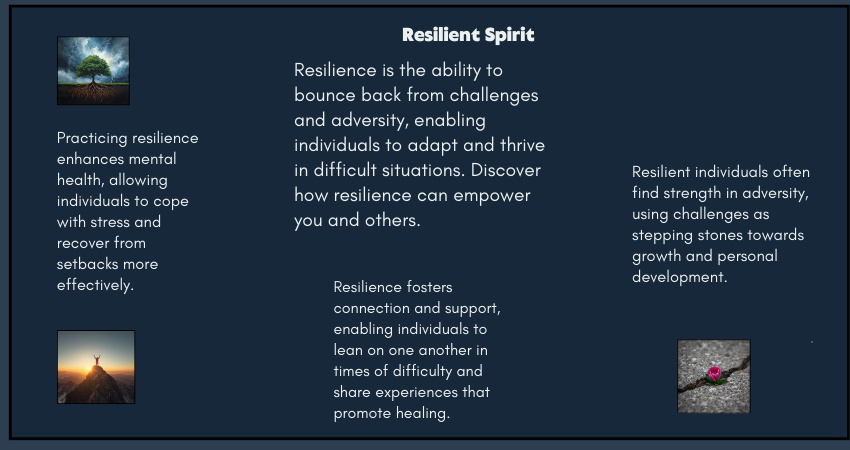
Synopsis Some words describe strength in motion. Resilient is one of them. It doesn’t imply the absence of difficulty. Instead, it acknowledges strain, disruption, and pressure, and then focuses on the ability to return, adapt, and continue. This word is often used to describe people, systems, and communities that bend without breaking. Word of the Day Resilient Resilient Meaning Resilient describes the ability to recover quickly from difficulties or adjust well to change. It refers to emotional strength, structural flexibility, or systemic endurance in the face of stress or disruption. Word of the Day Pronunciation Guide ri-ZIL-yuhnt Word of the Day: Origin and Etymology The word resilient comes from the Latin resilire, meaning “to spring back” or “to rebound.” Early usage referred to physical objects that could return to their original shape after pressure. Over time, the word expanded to describe human behavior, psychological strength, and later, organizational and societal systems. Today, resilient is commonly used in professional, academic, and policy-related contexts to describe adaptability rather than invulnerability. Resilient: Synonyms and Antonyms Synonyms:Adaptable, strong, flexible, durable, hardy Antonyms:Fragile, vulnerable, brittle, weak, rigid Resilient Usage in Sentences: Across Genres In Journalism:The city proved resilient after repeated infrastructure failures. In Political Analysis:A resilient economy can absorb shocks without long-term damage. In Academic Writing:The study highlights the importance of resilient systems in uncertain environments. In Literature:She was resilient, shaped by loss but not defined by it. In Travel Writing:The resilient coastal villages rebuilt themselves after every storm. In Legal Commentary:The court emphasized the need for resilient legal frameworks during crises. Why Resilient Is Worth Knowing Resilient is valuable because it shifts focus from resistance to recovery. It allows writers to acknowledge difficulty without framing it as defeat. In writing, this word is especially useful when describing long-term processes, whether personal, professional, or institutional. It avoids exaggeration while still conveying strength. For writers, resilient also applies to the creative process itself. Drafts fail. Ideas stall. Feedback can unsettle confidence. Resilience is what allows a writer to revise, rethink, and return to the page without losing direction. Resilient in Modern Context In recent years, resilient has become central to conversations around mental health, workplaces, climate change, education, and technology. It is often used to describe people navigating uncertainty, businesses adapting to market shifts, and communities responding to crises. In professional settings, resilience is no longer framed as silent endurance. Instead, it includes adaptability, support systems, and the ability to evolve. In digital and creative work, being resilient often means continuing steadily, even when outcomes are delayed or uncertain. The word has gained relevance because it reflects real-world conditions. Progress today is rarely linear. Resilience recognizes that reality. FAQs Is resilient always used in a positive sense?Yes, resilient generally carries a positive meaning. It emphasizes strength, adaptability, and the ability to recover after challenges. Can resilient describe systems and organizations, not just people?Yes. The word is commonly used for economies, institutions, infrastructure, and digital systems that can withstand disruption. What is the difference between resilient and strong?Strong suggests resistance to pressure, while resilient emphasizes recovery and adaptability after pressure has been applied. If you need help with long-form writing, blog content, or editorial pieces, I write at a pace that values thought over haste.
Word of the Day: Tenacity
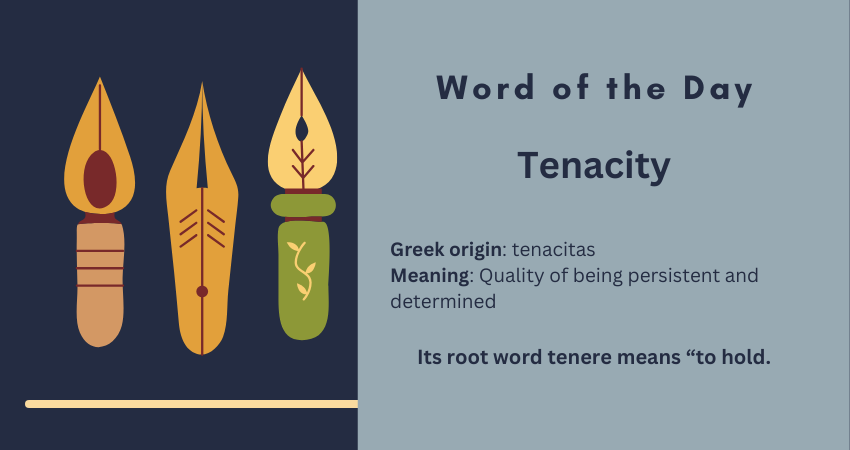
Synopsis Some qualities announce themselves loudly. Tenacity does not. It stays quiet, steady, and firm, even when progress feels slow or invisible. This word is often used to describe people who keep going long after enthusiasm fades and external motivation runs out. In writing, work, learning, and life, tenacity is what bridges intention and outcome. Word of the Day Tenacity Word of the Day Meaning Tenacity refers to the quality of being persistent and determined, especially in the face of difficulty, resistance, or delay. It is the ability to hold on, mentally or emotionally, when giving up would be easier. Word of the Day Pronunciation tuh-NASS-uh-tee Tenacity: Origin and Etymology The word tenacity comes from the Latin tenacitas, meaning firmness or the act of holding fast. Its root word tenere means “to hold.” In its earliest usage, tenacity described physical grip or adhesion. Over time, its meaning evolved to represent mental strength and emotional endurance, which is how the word is commonly used today. Tenacity: Synonyms and Antonyms Synonyms:Perseverance, grit, determination, resilience, persistence Antonyms:Apathy, indifference, surrender, weakness, passivity Tenacity Usage in Sentences: Across Genres In Journalism:Her tenacity turned a small local issue into a national conversation. In Political Analysis:The leader’s tenacity helped sustain reforms despite internal opposition. In Academic Writing:The researcher’s tenacity was evident in years of fieldwork and multiple revisions. In Literature:It was her quiet tenacity, not dramatic courage, that carried her forward. In Travel Writing:Tenacity mattered more than strength while crossing the rugged terrain. In Legal Commentary:The lawyer’s tenacity led to the reopening of a long-dismissed case. Why Tenacity Is Worth Knowing Tenacity is a useful word because it captures effort without exaggeration. It avoids drama while still acknowledging sustained work. For writers, this word holds particular relevance. Writing is rarely about sudden inspiration. It is about showing up repeatedly, revising patiently, and staying with an idea until it becomes clear. Tenacity names that process honestly. Tenacity in Modern Context In modern usage, tenacity often appears in discussions around careers, entrepreneurship, education, and personal growth. It describes freelancers building momentum slowly, students navigating long academic paths, and professionals adapting to changing industries. In a culture that celebrates quick wins, tenacity quietly reminds us that progress often comes from staying consistent.In digital spaces, tenacity is visible in long-term content creation, steady learning, and audience-building efforts that take time to mature. It is less visible than talent, but far more reliable. FAQs Is tenacity a positive trait?Yes. Tenacity is generally viewed as a positive quality because it reflects persistence, commitment, and the ability to continue despite obstacles.Can tenacity be used in professional or academic writing?Yes. Tenacity fits naturally in journalism, academic writing, leadership analysis, and workplace communication.Is tenacity the same as resilience?Not exactly. Tenacity focuses on persistence and staying the course, while resilience emphasizes recovery after setbacks. The two often work together. If you’re refining ideas where clarity, nuance, and tone matter, I work on long-form writing and editorial content that balances precision with intent.
The Orange Candy Jar
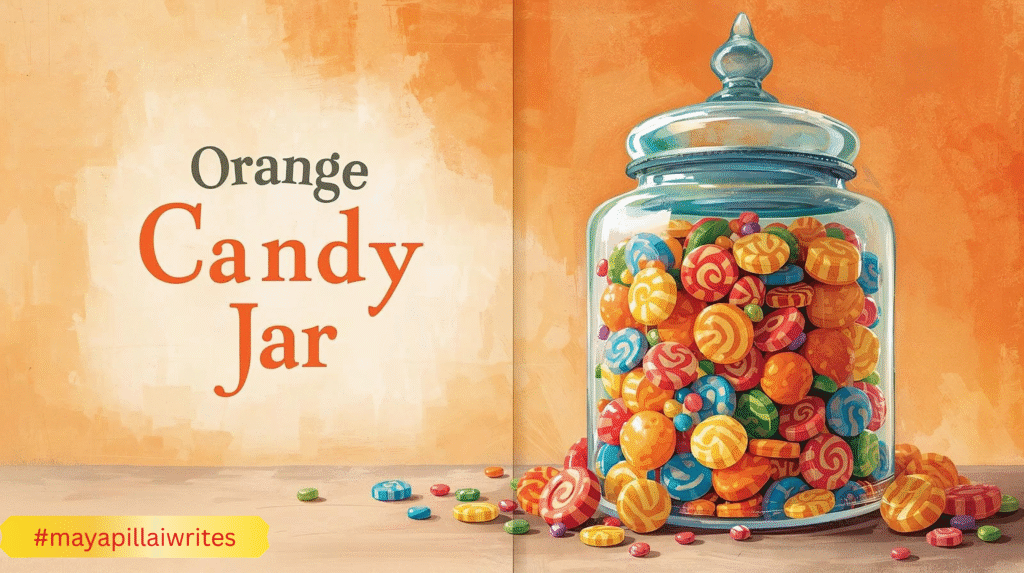
There once was a shop on a laneThat eased little heartaches and painWith an orange candy jar on a shelfFor days when you doubted yourselfOne sweet, wrapped in lightMade the heavy feel slightAnd you felt like a child, just yourself The little shop sat at the corner where the road bent slightly, as if even the street didn’t want to rush past it. It was small, old, and easy to miss. The paint on the wooden door had faded in to a color that couldn’t decide what it once was. The bell above the do or rang only when someone entered slowly, with purpose. People in a hurry rarely noticed it. Inside, the shelves were packed with ordinary things. Matchboxes stacked unevenly. Spools of sewing thread in various colors. Soap bars wrapped in thin paper. Candles for powercut nights tucked into newspaper bags. Pencils sharpened just enough. Glass jars of biscuits and other savories that smelled faintly of butter and caramelized sugar. In one corner, there was a small round table with a couple of chairs near a tea boiler. And beside the counter, placed where no one could ignore it, sat a clear glass jar filled with orange ridged candies shaped like small orange slices. They were wrapped in thin transparent paper that crinkled softly when touched. The color wasn’t loud. It looked like late afternoon sunlight, the kind that falls across floors and lingers before leaving. A small but clear handwritten note was taped to the jar. For bad days. Take one. No questions asked. The shopkeeper never explained it. He didn’t need to. Over time, the jar became part of the shop’s quiet, slow rhythm. People noticed it on ordinary days and reached for it on hard ones. The jar watched many kinds of days. Busy mornings, tired afternoons, lonely evenings. And it watched many kinds of people. Some were rushing. Some were weary. Some were simply lost in thought. The candies waited patiently for all of them. Each candy carried away a small worry, a little fear, or a tired thought. And every person who took one had a story of their own. Renu and the Missed Bus Renu walked in on a Wednesday that refused to go right and reached out to the jar. She had missed the bus by seconds. The painful kind of seconds that let you see the door closing. She had waved without hope, knowing it wouldn’t matter. Now she stood on the footpath with her bag slipping off her shoulder and her thoughts tumbling ahead to everything she would be late for. She entered the shop only because it was there. Her eyes burned, not enough for tears, but enough to hurt. She picked up 100 grams of biscuits she didn’t want and walked to the counter. That’s when she saw the jar. She read the note once. Then again. Her fingers hovered above the glass. Taking a candy felt childish. And yet, standing there feeling this tired also felt unfair. The shopkeeper glanced at her and nodded once, then turned to straighten a shelf that didn’t need fixing. She took one candy. The wrapper stuck slightly to her fingers. The smell reached her first. Sweet. Citrus. Familiar. The taste reminded her of school lunch breaks, sticky palms, and afternoons that had nowhere to be. Her problems didn’t disappear. She was still late. The bus was still gone. But her shoulders loosened. Her breathing slowed. When she stepped back outside, the road felt quieter. She felt calmer. Arjun and the Phone Call Arjun came in during the afternoon lull. He stood longer than necessary, pretending to read labels. His phone was still in his hand. The call had ended minutes ago, but the words clung stubbornly. “We’ve decided to go with someone else.” He wasn’t angry. That would have been easier. He felt hollow instead. The jar caught his eye because it didn’t belong with the rest of the shop. Everything else was for sale. This was an offer. He didn’t ask. He reached out and took candy. He didn’t eat it immediately. He rolled it between his fingers, then unwrapped it slowly. The taste didn’t change anything. But it reminded him that rejection wasn’t the end of the road. Just a bend. He placed a coin on the counter. The shopkeeper pushed it back. “For the cigarette,” Arjun said quietly. The shopkeeper nodded. Meena and the Quiet House Meena came in just before sunset. Her house had been quiet all day. The kind of quiet that presses against your ears. Her children had grown and moved away, and she was still learning how to live with space. She bought tea leaves every week, even though she drank less tea now. Habit filled the gaps. She noticed the jar and let out a small laugh, surprised by the sound of her own voice. “For bad days,” she read aloud. She took a candy. At home, she unwrapped the candy and let it rest on her tongue. The simple taste reminded her of lively nights, of laughter drifting through rooms, of sticky fingers and wrappers left behind in the garbage bin The loneliness didn’t leave. But it softened. That felt like enough. Kabir and the Torn Page Kabir was nine and upset in a way only nine-year-olds can be. He had torn a page from his notebook. The last clean page. His handwriting had gone crooked from panic. He entered the shop clutching exact change. Words spilled out of him. The page. The homework. The teacher who hated excuses. The shopkeeper listened without interrupting. Then he pointed to the jar. Kabir frowned. “I didn’t bring money for that.” The shopkeeper shook his head. Kabir took a candy, suspicious but hopeful. He ate it on the way home, orange sugar sticking to his fingers. That evening, he rewrote his work neatly. The teacher didn’t scold him. The day ended quietly. Years later, Kabir would forget the assignment. But he would remember
Alt Text vs Image Caption, What’s the Difference

Most bloggers upload images and move on. They focus on the picture itself and forget the small details that sit around it. But those details matter more than people think. They influence how readers move through your content, how easily they understand your message, and how search engines interpret your page. Alt text and image captions are two elements that deserve more attention. They look simple, but they do important work behind the scenes. If you want a deeper understanding of alt text, you can read my blog on why alt text matters and how to get it right. Alt text helps people who cannot see the image and helps search engines understand what the image shows. Captions guide readers who can see the image by adding quick context and pointing out what matters. When you use both the right way, your content feels clearer and more thoughtful. It becomes easier to read, easier to skim, and more accessible for everyone. These small additions also support better structure because they help readers move smoothly from one idea to the next. TL;DR Alt text is hidden descriptive text that helps screen readers and search engines understand your image. Captions are visible text below an image that help readers understand what they are seeing. Both matter for clarity, accessibility, and user experience. Alt text supports accessibility while captions guide readers who can see the image. What Alt Text Really Does Alt text is useful when the reader cannot see the image. This could be due to a broken image, slow loading, or because the person is using a screen reader. Alt text gives the essential meaning so the reader does not miss the point. Search engines also rely on alt text. It helps Google understand the image context and match it to relevant searches. This improves accessibility and SEO at the same time. Good alt text avoids decorating the sentence. It focuses only on the essential visual information. A simple description often works best. Alt text stays hidden, while captions always sit in the open. What Image Captions Do Captions are visible to every reader. They sit under the image and guide the reader by adding context. They can explain the purpose of the image, point out a detail, or support the paragraph around it. Captions improve readability and help with flow. Many readers scan captions before reading the full article. A clear caption helps them understand the importance of the image at a glance. Captions do not have strong direct SEO value, but they help with user engagement. Better engagement supports overall search performance. Alt text works behind the scenes and captions appear in the live view. Differences Between Alt Text and Image Captions A simple table for clarity. Point of Difference Alt Text Image Caption Purpose Explains the image when it cannot be seen Supports the image when it is visible Visibility Hidden within the HTML tag Shown under the image SEO Role Helps image search and ranking signals Helps readability and engagement, low direct SEO Accessibility Required for accessible content Optional, not required Writing Style Short, simple, factual Conversational and flexible Placement Inside the image tag In the article body Detail Level Essential meaning only Can include extra context Search Appearance Helps with Google Images Appears in article content only When It Appears When image fails to load or via screen reader Always visible Audience Screen readers and search engines Human readers Using both strengthens your content. Alt text helps with accessibility and SEO. Captions help guide the reader and make your article smooth to read. Together, they improve the structure and clarity of your blog. Bloggers use both alt text and captions to make images easier to understand. How to Write Good Alt Text Good alt text is simple, clear, and meaningful. It focuses on the message the image is supposed to convey, not on making the description fancy. You are writing for someone who cannot see the image, so clarity matters more than creativity. Start by identifying the purpose of the image. Ask yourself what message the reader should understand from it. Your alt text should reflect that purpose in plain language. Be specific but avoid over-describing. Mention details only if they help the reader understand the image better. Skip colors, emotions, or guesses unless they are important to the message. Keep your sentences short. You are not writing a caption. You are giving essential information to someone who depends on it to understand your content. Here are a few guidelines that help: Describe only what matters. If the image is decorative, leave the alt text empty. Avoid phrases like “image of” or “picture of.” Screen readers already know it is an image. Use keywords only when relevant. Never force a keyword; it weakens accessibility. Match the image to the article’s context. If the picture is part of a tutorial, describe the step or action. Think of it like reading the image aloud. Simple, natural language is always better. Example: Instead of “a beautiful woman working happily on a laptop at a stylish cafe” Try “woman typing on a laptop at a cafe table” The second version is factual, simple, and avoids assumptions about emotions. Good alt text supports both accessibility and search visibility. It also keeps your writing clean and helpful. How to Write Good Captions Good captions help your readers understand why the image is in your blog. They don’t repeat what the photo shows. Instead, they add clarity or context. Start by pointing out what the reader should pay attention to. If the image supports a point in your post, the caption should highlight that point. It helps the reader make the connection between the image and the message. Keep your captions short. One or two lines work best. Long captions interrupt the reading flow. Captions can add tone or personality. In a personal blog, they can feel warm. In an educational blog, they can give a quick hint or explanation. The goal
What is Image Alt Text and Why It Matters
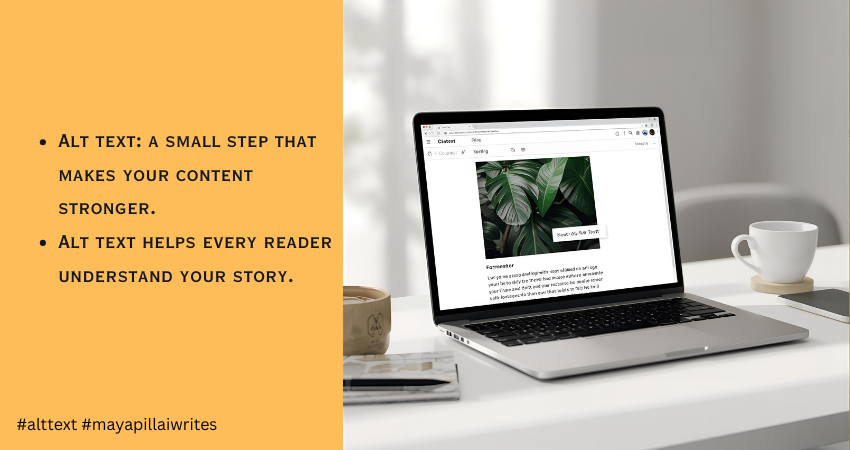
When you upload an image to your blog, you’re adding more than a visual break. You’re adding something that readers and search engines depend on to understand your content. Every image carries meaning, and when that meaning isn’t described properly, part of your message gets lost. This is where alt text becomes essential. It gives context to people who rely on screen readers and helps them follow your content without missing anything. It also helps search engines understand what the image shows, which improves your SEO. I didn’t pay much attention to alt text when I first started writing. I learned its importance much later, and it changed the way I publish my work. That’s why I want to share this with other writers, so they don’t overlook something so simple yet so helpful. Many bloggers skip alt text or add something vague, but good alt text for images makes your blog more accessible, more readable, and far more search-friendly. This article is for bloggers, writers, content creators, and website owners who want to make their content accessible, readable, and search-friendly through better alt text. TL;DR Alt text is a short description that explains what an image shows. It helps people using screen readers and improves SEO by giving search engines the context they need. Keep it short, clear, and natural. Avoid keyword stuffing. Skip decorative images. Good alt text makes your blog accessible and easy to understand. What Is Alt Text Alt text is a brief description added to an image. It appears when the image doesn’t load and is read aloud by screen readers. Search engines also use it to understand what the image contains. So alt text supports two important things at once: accessibility and SEO. Since search engines cannot interpret visuals the way humans do, they depend on image alt text to understand context. This helps your images rank better and increases the chances of appearing in Google Image Search. That’s why alt text is important. It links directly to visibility and inclusivity. How Alt Text Improves Accessibility Alt text plays a big role in accessibility because people with visual impairments or low vision rely on screen readers to browse the web. When a screen reader reaches an image, it reads the alt text aloud. If the alt text is missing, the tool either skips the image or reads a file name like “IMG_0243.jpg”, which offers nothing useful. Clear alt text accessibility helps these readers follow your content without missing any context. It gives them the same understanding that sighted users get at a glance. The description doesn’t need to be long. It only needs to explain the one thing that matters about the image. Good alt text creates a smoother reading experience. It fills the gaps when users can’t see the visuals and keeps your content inclusive for everyone. The SEO Benefits of Alt Text Search engines depend heavily on alt text to understand what an image shows. They can’t interpret visuals the way people do, so a clear description helps Google match your image with the right searches. When your alt text is accurate, Google gets a better sense of what the page is about. This makes your content easier to index and increases the chances of your images appearing in search results, which can bring in steady, organic traffic over time. Websites often see a noticeable improvement in search visibility when they use descriptive and consistent alt text. It gives Google the context it needs and helps the algorithm understand how each image supports the main topic of the page. Two main SEO benefits of alt text stand out: Better indexing and stronger page relevance Higher visibility in Google Image Search, which can attract new readers Good alt text works quietly in the background, but it strengthens your overall SEO more than most people realize. What Makes Good Alt Text Good alt text is clear, short, and meaningful. Follow these basics: Describe the main idea of the image Keep it under 125 characters because many screen readers stop reading after that Avoid phrases like “image of” or “picture of” Add purpose only if the image supports the point you’re making Use keywords only if they feel natural Make sure the alt text matches the context of the article, not just the image alone Example: If your article is about phishing, and you have an image of a laptop, you can adjust the description to match the topic. General alt text: “A person using a laptop at a desk” Contextual alt text: “A person checking a phishing alert on a laptop screen” Context improves relevance and SEO. Common Mistakes to Avoid 1. Skipping Alt Text Completely Screen readers can’t describe the image, and Google gets no information. It harms accessibility and SEO together. 2. Keyword Stuffing Forcing keywords into alt text makes it sound unnatural and confusing. It also weakens search relevance. 3. Writing Vague or Useless Descriptions “Nice picture” or “photo” adds nothing. Alt text should explain the purpose of the image. 4. Describing Decorative Images If the image is decorative or adds no meaning, leave the alt attribute empty (alt=””). This helps screen readers skip it. 5. Over-Describing the Image Long, detailed explanations interrupt readability. Alt text should offer only what the user must know. 6. Using File Names or Auto-Generated Text Never use “IMG_1543.jpg” or “screenshot_01.png”. Replace it with a real description. 7. Adding Alt Text When the Image Is Already Fully Described Nearby If your paragraph already explains what the image shows, adding the same text again in alt text becomes redundant. Screen reader users end up hearing it twice. How to Write Alt Text for Different Types of Images Photos Describe the main subject. Example: “A woman reading a book at a desk.” Infographics Share the key message. Example: “Infographic showing phishing attacks rising from 2023 to 2025.” Screenshots Explain what the screen displays. Example: “Screenshot of Gmail showing a security alert message.” Charts and Graphs
Headings That Work: A Simple Guide for Writers and Bloggers

When I began writing online, I didn’t think much about heading levels. I used them wherever they looked nice or helped break up long text. But when I started publishing regularly and tracking how readers behaved on my blogs, I noticed a clear pattern. Posts with well-structured headings always performed better. People stayed longer, skimmed less, and understood my message faster. Over time, I realized headings do more than make text look neat. They guide your reader’s eyes, tell search engines what your article is about, and even help you think clearly while writing. Once I started treating headings as part of the storytelling process instead of simple formatting, my writing became easier, sharper, and more engaging. If you’ve ever felt your article lacks flow or looks messy no matter how good the content is, your headings might be the missing link. TL;DR Headings are not just for decoration — they’re the structure of your content. Used properly, heading levels (H1, H2, H3) make your writing easier to read, improve SEO, and help you stay organized. A clear heading hierarchy boosts readability, search visibility, and reader engagement — all without adding more words. What Are Heading Levels and Why They Exist Every blog or article follows a hierarchy of headings — H1, H2, H3, and beyond. Think of them like a table of contents that lives right inside your post. Each heading tag has a job: H1: The main title of your post. Use it once. It’s what both readers and search engines see first. H2: Main sections or topics that divide your content into clear parts. H3: Subtopics under each H2 — these help explain, list, or expand a single idea. H4–H6: Rarely needed but helpful in long or technical guides for finer detail. This hierarchy tells Google how your content is structured and helps readers quickly jump to what they care about. Without it, even the best-written article feels like one endless scroll of text. Why Heading Levels are Important Now More Than Ever Headings aren’t optional — they define how readable, searchable, and trustworthy your content feels. Let’s look at why they matter so much for both readers and writers. 1. They Make Your Blog Easier to Read Most readers don’t read word-for-word. They scan. Headings act as visual cues that guide their eyes across the page. When your H2s summarize each section well, readers can instantly decide what they want to read in depth. Imagine someone lands on your blog looking for “how to write blog introductions.” If your headings look like this: H2: Why Introductions Matter H2: Common Mistakes Writers Make H2: How to Hook Readers from the Start H3: Use a Relatable Example H3: Ask a Simple Question H3: End with a Smooth Transition They’ll immediately see that your post answers their exact question — and stay longer to read it. Readable headings reduce bounce rates, improve engagement, and give your article a natural flow. Each section feels complete and self-contained, making it easier for readers to pause and resume later without losing track. 2. They Improve SEO and Ranking Search engines rely on headings to understand your content. When your H1 includes your focus keyword and your H2s reinforce related ideas naturally, you’re telling Google exactly what your article covers. For example, if your main keyword is “content writing structure”, your headings could look like: H1: Content Writing Structure: A Complete Guide for Beginners H2: Why Structure Matters in Writing H2: Key Elements of a Well-Structured Blog H3: Using Headings and Subheadings H3: The Role of Formatting in Readability This structure helps your blog rank for both the primary keyword and related searches. Search engines also use headings to generate featured snippets, AI cards, and voice search results. Well-formatted content gives them clear sections to pull from — increasing your visibility without extra optimization tricks. The key is balance. Don’t stuff keywords into every heading. Use them where they make sense. Your goal is clarity, not clutter. 3. They Support AI Search and Voice Results AI-driven search (like Google’s SGE or Bing Copilot) doesn’t just read keywords — it reads structure. Headings help AI models understand relationships between topics, questions, and answers in your article. For example, if your H2 says “How Headings Improve SEO” and your H3 says “Why Google Prioritizes Structured Content,” you’re creating a clear logical flow. AI can then extract those sections as concise, ready-to-display responses for search queries. This structure is also useful for voice search. When someone asks, “Why are headings important in writing?” your clearly labeled section might be exactly what gets read out loud. 4. They Make Your Content Accessible Headings play a big role in accessibility. Screen readers use them to help visually impaired users navigate through a page. Proper heading hierarchy allows users to skip to sections they want instead of listening to the entire article line by line. If you rely only on bold text or large fonts instead of actual heading tags, screen readers can’t recognize the structure. That means a part of your audience might never be able to read your content properly. Accessibility isn’t just about compliance — it’s about respect for your readers. Using proper heading levels ensures everyone can enjoy and learn from your writing. 5. They Keep You Organized as a Writer Headings don’t just make your article easier to read — they make it easier to write. When you outline your H2s and H3s before writing, you’re building a roadmap for your article. Each heading acts as a checkpoint, helping you stay focused and move logically from one idea to the next. This approach also removes the stress of starting with a blank page. Once your headings are ready, all you have to do is fill in the sections. You know exactly what each part should cover, so you spend less time second-guessing what comes next. Good headings also help you see patterns. If two sections sound too similar, you’ll know it’s time to merge
How Important Are FAQs in Any Blog
As a content writer, I’ve noticed that many people underestimate the power of a simple FAQ section. It’s often seen as something meant for corporate sites, not personal blogs or creative pages. But from experience — both here on MayaPillaiWrites and on my cybersecurity platform, The Review Hive — I’ve seen how adding FAQs improves visibility, boosts engagement, and helps content rank better. Today, Google’s AI-driven search experience rewards content that answers user intent clearly. Blogs with well-structured FAQs are more likely to appear in “People Also Ask” boxes and AI summaries. That’s why FAQs aren’t just nice to have anymore — they’re essential for keeping your content visible and relevant in 2025 and beyond. When I first started adding FAQs to my posts, I noticed two big changes: readers stayed longer, and some of my articles started showing up in “People Also Ask” boxes on Google. That’s when I realized how much value a few well-structured questions can bring to a piece. TL;DR Google’s AI-powered search now favors content that directly answers user intent. Adding FAQs at the end of a blog helps your post rank higher, appear in featured snippets, and show up in AI summaries. FAQs make your content more readable, trustworthy, and complete while keeping it fresh with quick updates. Whether you write for readers or for search, FAQs now play a key role in visibility and engagement. Top 10 Reasons Why You Should include Faqs in Your Blogs or Articles You’ve probably seen FAQ sections at the end of many blogs, but have you ever thought about why they matter? For most readers, FAQs are where clarity meets curiosity. They help answer quick questions, improve how Google understands your content, and make your post feel more complete. Here are the top ten reasons why every writer should include FAQs in their blogs or articles. 1. Helps You Rank for More Search Queries Every FAQ question is a keyword opportunity. When you phrase your questions the way real people search, you naturally cover long-tail keywords your main post might miss. For instance, if your article is about phishing scams, an FAQ like “How can I tell if an email is a phishing attempt?” helps you appear in more specific search results. Over time, this approach strengthens your topical authority and improves your overall search performance. It’s also easier for Google to understand your content because FAQs mimic natural, conversational search patterns — something that’s becoming more important with AI-driven search. 2. Boosts Featured Snippet and SGE Visibility Google often highlights FAQ answers in People Also Ask sections or AI-powered snippets. When your answers are short, clear, and factual, they’re more likely to be featured in Search Generative Experience (SGE) results. For example, a well-written FAQ such as “What are the best practices for writing SEO blogs?” might get pulled directly into a Google answer card. This not only increases your visibility but also makes your blog look credible to readers who see your site as a reliable source of information before even clicking. 3. Makes Your Content Easier to Read Not everyone has time to read long paragraphs. Many readers skim, especially on mobile devices. An FAQ section gives them quick, direct answers in an easy-to-scan format. For example, if someone visits your blog post about writing listicles, they might scroll to the end and immediately find “How long should a listicle be?” or “Do odd or even numbers work better?” When readers can find information fast, they stay longer, share your post more often, and associate your site with clarity and usefulness. 4. Builds Credibility and Trust Answering common questions shows that you understand your audience’s pain points and that you’ve put thought into solving them. For example, if you’re writing for freelance writers, including questions like “How can I find high-paying writing clients?” shows that you know what your readers are struggling with. This positions you as an expert who’s approachable, not robotic. It builds credibility and creates a sense of connection — a key part of why people keep returning to the same blogs. 5. Supports Voice Search Optimization Voice search queries are usually conversational, like “What’s the best way to write SEO content?” or “How do I improve my blog’s visibility?” FAQs written in that same natural tone make it easier for voice assistants to pick your content. This can help your blog show up when people use smart speakers or mobile voice commands. For example, if you include an FAQ like “What are FAQs in blogs?” your answer might be read aloud by Google Assistant when someone asks that exact question. It’s an effortless way to future-proof your writing for how people are actually searching today. 6. Reduces Repetitive Inquiries FAQs save time by answering repetitive questions before they’re even asked. If you run a writing service, for example, you might often get asked, “Do you charge per word or per project?” or “Can you help with SEO optimization too?” Adding these to your FAQ section means readers get immediate clarity, and you spend less time replying to the same questions in DMs or emails. It’s also a professional touch that makes your website look well thought out and user-friendly. 7. Lets You Refresh Content Easily FAQs make it easy to keep your blog up-to-date without rewriting everything. When new tools, industry changes, or best practices emerge, you can simply add or modify a question. For instance, if Google changes its SEO algorithm or introduces a new feature like SGE updates, you can add a question like “How do Google’s AI updates affect blog SEO?” This quick update keeps your content current and tells search engines your page is active — which helps maintain ranking and credibility over time. 8. Increases Conversions (for Service or Business Pages) For service-based sites, FAQs can gently move readers toward taking action. They clear up doubts that often hold people back. For example, if someone is thinking about hiring a content writer, an FAQ
Content Writing Trends 2026: How User Intent Shapes the Future of Writing
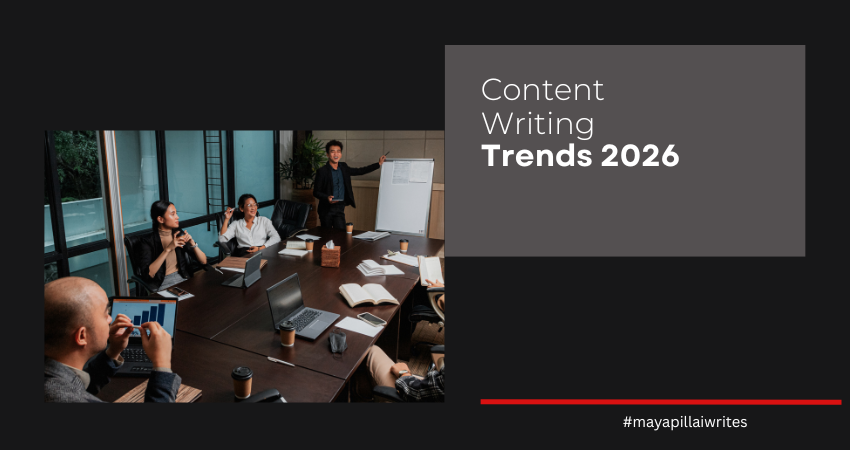
In 2026, content writing is no longer about stuffing keywords or chasing algorithms. The real shift lies in understanding user intent and search intent. These two ideas define how readers find, read, and trust your work. The top content writing trends 2026 focus on writing with purpose, clarity, and empathy while adapting to AI-driven search results and generative summaries. Who This Article Is For This article is for freelance writers, bloggers, content strategists, and digital marketers who want to stay ahead in 2026. If you write blogs, plan content calendars, or manage SEO, this guide will help you understand how intent-driven writing can improve visibility, engagement, and credibility. Reading this will help you learn how to match what people search for with what they actually want to read — the core of future-ready content. The future of content writing in 2026 revolves around understanding user intent, adapting to AI-driven search, and blending creativity with data. Writers who focus on why readers search, not just what they search, will stand out. The Shift: From Keywords to Intent For years, SEO revolved around keywords. Writers optimized headlines and meta tags to match search phrases. But 2026 marks a shift — search intent and user intent now matter more than keyword frequency. Search engines and AI models understand the “why” behind a query. Are users seeking quick information, comparison, or an in-depth answer? Writers who match that intent create content that not only ranks but also gets surfaced in Generative Search Experiences (GSE). If someone searches “best AI writing tools,” their intent might be transactional (ready to buy) or informational (looking to compare). Recognizing this difference changes how you write the intro, tone, and structure. What Are User Intent and Search Intent User intent is the reason someone types a query into a search engine. It answers why they’re searching — to learn, compare, solve, or buy something. Search intent is how that purpose appears in search behavior. It’s what Google or an AI engine interprets when showing results. For example: “What is content writing” shows informational intent — the user wants to understand. “Best freelance content writers near me” shows transactional intent — the user is ready to take action. Understanding both helps writers shape tone, format, and structure. A post written for informational intent should teach clearly. A post for transactional intent should include solutions, pricing, or calls to action. When your content matches intent, it not only ranks higher but also keeps readers on your page longer — which boosts credibility and SEO. 8 Content Trends to Lookout For in 2026 Writing for Intent, Not Just Traffic In 2026, good writing means anticipating reader expectations. Each piece must serve a purpose; solve a problem, answer a question, or guide a decision. Three main types of intent: Informational: Users want to learn (example: “What is Generative Engine Optimization?”). Navigational: They’re finding a brand or website (example: “Maya Pillai Writes blog”). Transactional: They’re ready to take action (example: “Hire a freelance content writer in India”). Before writing, define which intent your post serves. Then structure your headings, tone, and CTAs around it. AI as a Writing Partner AI is an incredible co-writer in 2026, helping writers understand search patterns and intent gaps. It can suggest structure and keywords, but human creativity still leads. Writers use AI tools to analyze which topics match real user needs and then write with empathy and voice. AI helps with clarity; you bring the context. Use it for: Draft outlines from intent-based prompts (“write a guide for beginners” vs “write comparison for experts”). Summaries optimized for voice search or generative snippets. Generative Engine Optimization (GEO) GEO is the evolution of SEO. Instead of ranking high on search pages, you’re aiming to be cited or summarized in AI-powered search responses. To succeed in GEO, content must be clear, structured, and aligned with intent. A simple, human explanation often performs better than keyword-heavy text. When someone asks “how to write for user intent,” AI search tools will quote concise, trustworthy paragraphs that sound conversational. What helps: Direct answers under subheadings Bullet points for clarity Questions as headers for AI comprehension Dual Content Format: Deep vs Quick Readers have split attention. They want instant answers and deeper insights. That means balancing short-form content for discovery with long-form for authority. Short posts capture curiosity. Long-form builds expertise and trust. A content writer who can write both is more valuable than one who focuses only on one format. Create layered content — a quick summary on social media that leads to an in-depth post on your blog. Personalization Based on Intent Personalization now depends on where the user is in their journey, not just demographics. Someone exploring a topic for the first time doesn’t need expert jargon. Write for stages: Awareness: Keep it simple, relatable, and educational. Consideration: Add comparisons, statistics, and credibility. Decision: Include examples, testimonials, or CTAs. This approach improves user engagement and matches search engine expectations for high-intent relevance. Thought Leadership: The Return of the Human Voice In a sea of AI-generated content, an authentic voice stands out. Readers can sense when something is written with experience versus algorithmic filler. Share what you’ve learned. Use real examples. Admit mistakes. That’s how trust builds — especially in niches like content strategy or cybersecurity where credibility matters. Multi-Format Content for Search Diversity 2026 rewards content that exists in multiple forms — articles, videos, podcasts, and carousels. Voice search and visual summaries are driving visibility. Writers need to repurpose intelligently: Blog → audio summary → LinkedIn carousel Long-form → newsletter takeaway → 30-second reel Each version can serve a different user intent. For example, someone scrolling social media might just want a tip, not a full tutorial. Transparency Builds Trust Readers want to know how content is made. Being open about using AI tools or referencing data creates credibility. Include short disclosures like “AI-assisted, human-edited.” Use citations, add author bios, and list your sources. Trust signals now impact ranking and reader
Interview with Ganesh Yadav – Founder & CEO, BrightNok Laundry Services
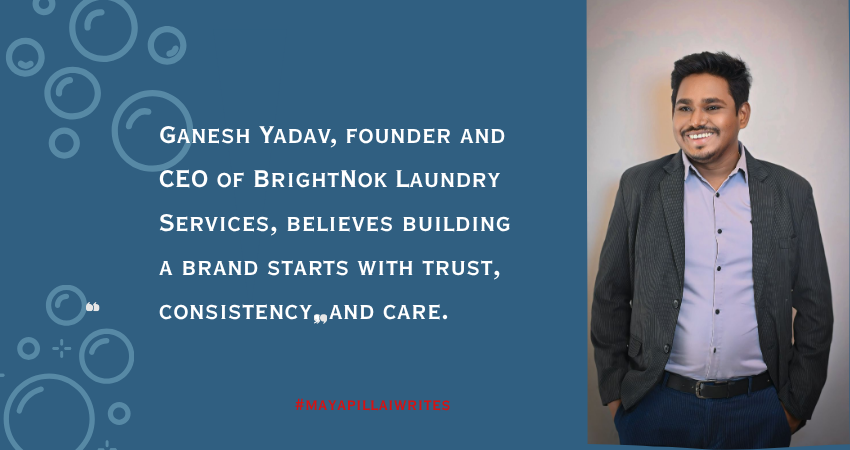
When you think of laundry, innovation isn’t usually the first word that comes to mind. But for Ganesh Yadav, founder and CEO of BrightNok Laundry Services, laundry was never just a chore; it was an opportunity to solve a real problem. Since 2017, BrightNok has quietly changed how thousands of students, professionals, and families handle laundry across India. From doorstep pickups to eco-friendly detergents and even shoe-cleaning services, the brand has redefined what convenience means in everyday life. When I first sat down with Ganesh, I wanted to know what sparked this journey. Laundry isn’t an industry people usually dream about, yet here he was, building something meaningful out of it. I asked him what led him to start BrightNok and what those early days were like. In this honest conversation with me, Ganesh opens up about his journey, what drives him, and how BrightNok plans to bring structure, trust, and sustainability to an often-ignored industry. Q: What inspired you to start BrightNok back in 2017? A: The idea came from something most of us can relate to. No one really likes doing laundry. Back in 2017, I noticed there wasn’t a reliable, tech-driven laundry service that made the process simple and consistent. People could order food or book a cab in minutes, but they still had to deal with piles of clothes every week. I wanted to change that. BrightNok started as a way to save people time while giving them quality they could count on. Q: What was the biggest challenge when you were starting out? A: Earning trust. Laundry is personal, you’re handing someone your clothes, sometimes expensive or sentimental ones. In the beginning, people were skeptical. We had to prove ourselves through every pickup and delivery. It took months of consistency and care to make people see we were serious about quality. Q: What gap did you see in the market that made you believe in this idea? A: I saw a huge gap between what customers expected and what they were getting. Most laundry services were unorganized, with no fixed prices or quality checks. People wanted reliability and convenience but didn’t have options. That’s where BrightNok came in, to bring structure, trust, and comfort into something as ordinary as laundry. As we spoke more, it became clear that BrightNok’s success wasn’t just about clean clothes. It was about understanding people. I wanted to know how Ganesh built a service that feels personal in an industry that’s usually transactional. These were his answers to my queries. Q: BrightNok’s tagline says, “We process laundry as per our customer specifications.” How did that come about? A: It came straight from customer feedback. Everyone has their own laundry preferences. Some like a certain fragrance, others want no starch at all. We realized the best way to stand out was to let people decide how their clothes are cleaned. Once we gave customers that control, everything changed. It made them feel valued, and they started trusting us more. Q: You serve students, families, and working professionals, all with very different needs. How do you manage that? A: By being flexible. Students need affordable and fast service. Professionals care about premium care for office wear. Families want reliability for larger loads. So, we built options for all, express services, subscription plans, and even premium dry-cleaning. Our app makes it easy to schedule and customize, so no one has to compromise. Q: Was there a moment that made you realize BrightNok was truly making a difference? A: Yes. A working mom once told me that BrightNok gave her Sundays back. She used to spend the whole weekend doing laundry, but now she spends that time with her kids. That message meant a lot. It reminded me that we weren’t just washing clothes, we were giving people their time back. The next thing that caught my attention was their shoe-cleaning service. It’s not something you hear about often in India. I was curious about what pushed him to explore this niche and how customers reacted to it. Q: Shoe laundry is an interesting addition. What made you branch into it? A: Customers asked for it. Many told us they didn’t know how to clean their sneakers or formal shoes properly. Good shoes are expensive, and most people end up neglecting them. That’s when we decided to start a dedicated shoe-cleaning service with eco-friendly products and machines designed just for footwear. It’s been a hit ever since. Q: People are usually hesitant to hand over their shoes. How do you build that trust? A: By being transparent. We show customers how we clean, from inspection to finishing. We even share before-and-after pictures. Every pair is handled carefully by trained staff. Once people see the difference, they keep coming back. Q: How does shoe cleaning fit into your main laundry and dry-cleaning services? A: It completes the circle. Clothes, shoes, bags, they’re all part of a person’s presentation. Offering all three under one brand makes life easier for customers. They don’t have to go to different places for different things. It’s simple and saves time. No modern business survives without technology, and BrightNok is no exception. But what impressed me was how Ganesh spoke about sustainability — not as a buzzword, but as a responsibility. I asked him how both these elements shaped the company’s growth. Q: How important is technology for BrightNok? A: It’s the backbone of our business. From the customer app to delivery tracking to internal quality checks, everything runs on technology. It keeps us consistent and transparent. My goal has always been to make doing laundry as easy as ordering food online, and we’re pretty close to that now. Q: You also focus a lot on eco-friendly practices. Was that always part of your plan? A: Always. From day one, I wanted BrightNok to be a brand that’s good for both people and the planet. We use biodegradable detergents, water-efficient machines, and sustainable packaging. For us, it’s not just about
What Not to Write in Listicles
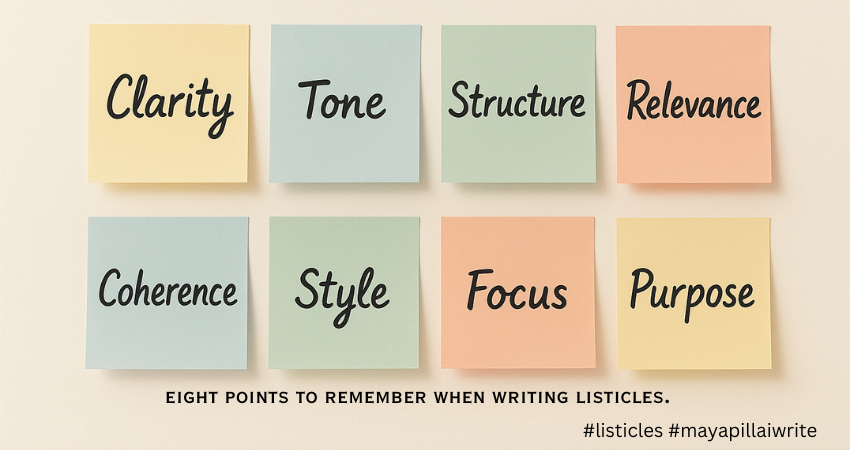
Writing listicles isn’t just about numbering ideas. It’s about structure, clarity, and value. This guide covers eight simple things to remember when writing listicles so your content stays readable, engaging, and relevant — without the fluff or repetition that turns readers away.