9 AI Tools Every Content Creator Should Know About
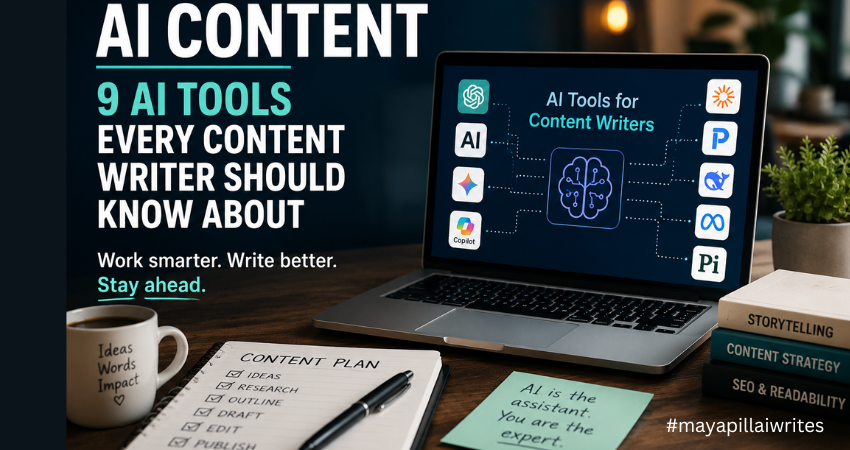
Artificial intelligence has changed the way content is created, researched, and optimized. As a content writer, I’ve seen firsthand how AI content tools have evolved from simple writing assistants into powerful platforms that support research, ideation, editing, and productivity. Despite the concerns surrounding AI, one thing has become increasingly clear: AI is not replacing good writers. Instead, it is becoming part of the modern writer’s toolkit. Whether you’re a freelancer, blogger, copywriter, content marketer, or someone looking to start a writing career, understanding how AI tools work can help you become more productive without sacrificing quality. The key is knowing which tools to use, when to use them, and how to maintain your expertise and voice throughout the content creation process. In this article, I’ll walk through nine AI tools that content writers should know about, compare their strengths, and explain how they can support modern content workflows. The Growing Role of AI in Content Creation Businesses are producing more content than ever before. Websites need blog posts. Brands need newsletters. E-commerce stores need product descriptions. Marketing teams need social media content, case studies, white papers, and landing pages. At the same time, Google continues to prioritize high-quality content that demonstrates Experience, Expertise, Authoritativeness, and Trustworthiness (E-E-A-T). This creates a challenge for writers. We need to produce content consistently while maintaining accuracy, originality, and value. That’s where AI content tools can help. Rather than replacing writers, these tools help reduce time spent on repetitive tasks such as: Research Topic ideation Outlining Editing Content optimization Summarization The most successful writers use AI to improve efficiency while keeping human judgment at the center of the process. Before I discuss the tools on this list, I want to mention the one I use most often. While every tool has its strengths, ChatGPT remains my preferred AI assistant for content creation. Over time, it has become a regular part of my writing workflow, helping me research, brainstorm, structure articles, refine ideas, and even create cover images and infographics for my content. I’ve experimented with several AI tools over the past few years. Some are excellent at research. Others are better suited for long-form writing, technical documentation, or social media content. Each tool serves a different purpose, and I don’t believe there’s a single “perfect” AI platform for every writer. Yet I keep coming back to ChatGPT. Part of the reason is how naturally it fits into my workflow. I don’t simply use it to write articles for me. Instead, I use it to organize thoughts, explore different angles, identify content gaps, and develop stronger outlines before I start writing. One of the biggest challenges writers face is getting started. Sometimes the ideas are there, but they are scattered. ChatGPT helps me bring those ideas together and create a structure that makes the writing process easier. I also appreciate its flexibility. On any given day, I might be working on a cybersecurity article, website copy for a client, a LinkedIn post, or a personal blog. ChatGPT adapts well to different formats, audiences, and writing styles, which makes it useful across multiple projects. Another reason I rely on it is the time it saves. Content creation involves much more than writing. Research, outlines, content briefs, FAQs, title suggestions, meta descriptions, and social media snippets all take time. ChatGPT helps speed up those tasks, allowing me to spend more time on research, storytelling, and editing. Beyond writing, I also use ChatGPT to support the visual side of content creation. For many of my articles, I create custom cover images and simple infographics using AI-generated prompts. Instead of spending hours searching for the right stock image or trying to explain a design concept from scratch, I can describe what I need and quickly generate ideas that match the topic of the article. This has been particularly useful for cybersecurity content, where finding relevant and non-generic visuals can be challenging. I also use it when creating infographics for blog posts, LinkedIn content, and website articles. Whether I need a comparison graphic, a process flow, a timeline, or a feature breakdown, ChatGPT helps me organize the information and create clear visual concepts that are easier for readers to understand. As content becomes increasingly visual, having a tool that assists with both written and visual content makes the entire publishing process more efficient. As someone who writes about cybersecurity and technology, I also find it useful for simplifying complex topics. Technical concepts often need to be explained in a way that’s accessible to everyday readers. ChatGPT helps me break down complicated ideas into clear, understandable language without losing the core message. What I value most, however, is that it feels more like a brainstorming partner than a content generator. I can ask questions, test ideas, challenge assumptions, and explore different perspectives. That collaborative aspect is what keeps me returning to it. That said, AI is still just a tool. Every article requires fact-checking, editing, and human judgment. Personal experience, expertise, and critical thinking cannot be automated. While ChatGPT remains my preferred choice, the reality is that every writer’s needs are different. That’s why it’s worth exploring the wider AI landscape and understanding where each tool can add value to your content creation process. While ChatGPT has become a valuable part of my content workflow, I also believe it’s important to understand how AI platforms handle user data. As writers, we often use AI tools for research, brainstorming, and content development, which means we’re regularly sharing prompts and information with these systems. Before using any AI tool extensively, it’s worth understanding its privacy practices, data handling policies, and security considerations. If you’re interested in learning more, I recently explored the topic in detail in my article, “ChatGPT Privacy in 2026: What Users Should Know.“ AI Content Tools Comparison Table Tool Best For Major Strength Ideal User ChatGPT Content creation Versatility Freelancers and bloggers Claude Long-form writing Large context window Researchers and editors Gemini Research and productivity Google integration Content marketers Perplexity
Why I Stopped Saying “Can You” to ChatGPT (And You Should Too)
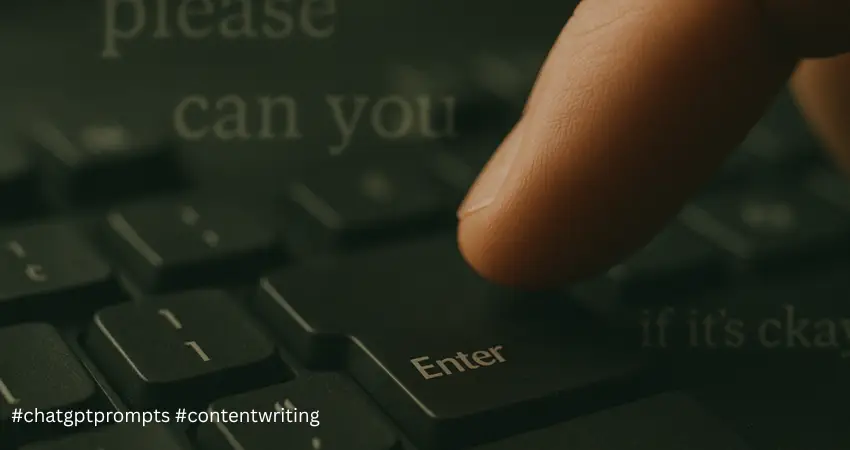
I used to treat ChatGPT like a human. I’d write things like, “Hi ChatGPT, can you please help me write a short blog post?” Or “Would you mind giving me some ideas for social media content?” Sound familiar? It felt natural to be polite. After all, we’re wired to be courteous—even to machines. But here’s what I’ve learned after months of using generative AI tools like ChatGPT, Claude, and Gemini in my daily writing work: Politeness slows things down. Worse, it confuses the AI and leads to vague or irrelevant results. This isn’t just a personal opinion. According to reports, adding unnecessary polite language is also increasing processing costs for AI companies. OpenAI, for example, spends millions of dollars more in server energy because users are inputting long-winded or vague prompts. So if you want sharper, faster, and more accurate results from your AI tools, drop the fluff and get to the point. Key Takeaways Skip the Politeness Avoid phrases like “can you” or “please” — they confuse AI and reduce response accuracy. Be Direct and Specific Use action words like “List,” “Write,” or “Summarize” with clear instructions for better results. Cut the Fluff Drop vague words like “just,” “maybe,” or “a lot” to keep your prompts sharp and focused. Here’s What I Mean Let’s compare a few examples. Less effective prompt: “Hi, can you please summarize this blog post for me in a few points?” This is polite, yes—but it’s also indirect. Better prompt: “Summarize this blog post in 3 bullet points.” Now the AI knows exactly what you want and how to deliver it. Another example: Less effective: “Would it be possible for you to give me some tips on writing better product descriptions?” Better: “Give me 5 tips to write effective product descriptions for an Amazon listing.” See the difference? The second prompt gives direction, structure, and context. That’s what AI thrives on. Why Politeness Hurts Accuracy You might think, “But isn’t it okay to be nice?” Of course it is—in human interactions. But AI doesn’t need social cues to understand you. It needs clarity. Phrases like: Can you Could you Would you mind Please help me Maybe you can …aren’t just unnecessary. They force the AI to guess your intent. That guesswork often results in overly broad, generic, or off-topic replies. Words I’ve Stopped Using in Prompts Here are the ones I actively avoid now, and why: 1. “Can you,” “Could you,” “Would you” These sound polite, but slow down the AI’s understanding. Example to avoid: “Can you suggest a few blog ideas?” Better: “List 5 blog ideas for a skincare brand.” 2. Fillers: “Just,” “Really,” “Basically,” “Kind of” These don’t help the AI make sense of your intent. Example to avoid: “I just need a really quick outline.” Better: “Write a 5-point outline for a cybersecurity article.” 3. Vague terms: “A lot,” “Often,” “Recently” These lack specificity. AI needs exact data or direction. Example to avoid: “Give me recent trends in marketing.” Better: “List 3 digital marketing trends in 2025 for small businesses.” 4. Apologetic tones: “I’m sorry,” “Maybe I’m not clear” AI doesn’t need apologies. It mirrors your language tone. So if you’re unsure, the AI might give uncertain answers too. Skip the insecurity. Focus on the task. What Works Best Through trial and error, I’ve created a mental checklist that helps me write better prompts—and get better output. Here’s what I follow: Use action words: Start with Write, Create, List, Explain, Compare, Define, Summarize Be specific: Tell the AI what, for whom, and how long Set clear structure: Mention bullet points, word limits, tone, or format Example Prompts That Work Let me show you the kind of prompts I now use for my projects and training sessions: ✅ “List 10 content ideas for LinkedIn posts on brand storytelling.” ✅ “Explain what a tone of voice guide is in under 100 words.” ✅ “Write a 4-line Instagram caption for a wellness brand’s launch post.” ✅ “Compare content marketing vs copywriting in a table format.” ✅ “Create a call-to-action for a free eBook on email marketing.” The results? Faster, sharper, and cleaner. To Sum Up If you want to work smarter with AI tools like ChatGPT, treat them like a search engine with conversational skills. Not like a friend who needs social pleasantries. Every word in your prompt is a signal. The clearer the signal, the better the output. So the next time you type “Can you please help me…,” pause. Drop the fluff. Be direct. You will thank your results. Want more content tips and writing strategies like this? Visit mayapillaiwrites.com for fresh blogs, free resources, and real-world writing advice tailored for content creators, freelancers, and businesses.
5 Ways ChatGPT Can Revolutionize Content Writing for Small Businesses and Writers in 2025

Discover how ChatGPT for content creation is transforming the writing landscape for small businesses and writers alike. From generating fresh blog ideas to polishing drafts into perfection, this AI-powered tool saves time, boosts creativity, and delivers professional results. Learn five practical ways ChatGPT can revolutionize your content strategy and help you stay ahead in the competitive world of content marketing.