
Why Long-Tail Keywords Matter in Voice Search SEO
I first noticed this change when I watched my daughter use voice search. She didn’t type a few keywords into Google. Instead, she picked up my phone and asked a complete question, just as she would ask another person. That’s when I realized that that people no longer search the way they used to. With voice assistants like Alexa, Siri, and Google Assistant becoming part of everyday life, the way people search has changed. Instead of typing a few words into a search engine, people ask complete questions and expect quick, accurate answers. This shift has made long-tail keywords in voice search SEO more important than ever. Think about the last time you used voice search. You probably didn’t say, “content writing” or “voice search SEO.” Instead, you asked something like, “How do I optimize my blog for voice search?” or “What are the best content writing tips for beginners?” People don’t speak in keywords. They speak naturally. Search engines have adapted to that behavior, and your content needs to do the same. Long-tail keywords help search engines understand user intent and connect your content with the questions people actually ask. If you want your content to appear in voice search results, AI-powered search, and featured snippets, long-tail keywords should become a key part of your SEO strategy. Therefore, you should be familiar with writing in conversational style so you rank in voice search What Are Long-Tail Keywords? Long-tail keywords are search phrases that contain three or more words. They are more specific than broad keywords and usually reflect a clear question, need, or intention. Although they may receive fewer searches than popular one or two-word keywords, they often attract people who are looking for a particular answer. Take the keyword voice search as an example. It tells you very little about what the user wants. They could be looking for a definition, examples, tools, or optimization techniques. Now compare it with a search such as How do I optimize my website for voice search? The second query leaves little room for guesswork. It tells search engines exactly what information the user expects to find. Short-Tail Keyword Long-Tail Keyword Voice search How do I optimize my website for voice search? Content writing How can I become a freelance content writer? SEO tools What are the best SEO tools for beginners? Antivirus Which antivirus software is best for small businesses? Long-tail keywords give search engines more context. They also help writers create focused content that answers a specific question instead of covering a broad topic without direction. Why Content Writers Should Focus on Long-Tail Keywords Many writers begin keyword research by looking for the highest search volume. While search volume is important, it should never be the only factor when choosing a topic. A better approach is to identify the questions your audience asks most often and build content around those questions. Each question can become a separate article that supports a broader pillar page. Over time, these articles create topical authority and strengthen your website’s overall SEO. For example, a pillar article about voice search optimization could link to supporting articles on conversational content, FAQ optimization, schema markup, voice search mistakes, and long-tail keywords. Each article answers one topic thoroughly while strengthening the others through internal links. This strategy benefits both readers and search engines. Readers find related information more easily, and search engines gain a better understanding of your website’s expertise. Why Voice Search Relies on Long-Tail Keywords Voice search has changed the way people interact with search engines. When people type, they often shorten their searches to save time. A typed search might look like voice search SEO or best laptop. The same person is more likely to ask, How do I improve my website for voice search? or Which laptop is best for graphic designers? when using a voice assistant. This difference matters because voice assistants are designed to understand natural conversations. They don’t simply match individual keywords. They analyze the complete question, understand the context, and identify the user’s intent before providing an answer. As a content writer, your goal should be to match the way people speak rather than the way they type. That doesn’t mean filling your article with random questions. It means anticipating the questions your audience is likely to ask and answering them clearly. When your content reflects natural speech, search engines can understand its relevance more easily, and voice assistants have a better chance of selecting it as a response. Long-Tail Keywords Reveal User Intent Understanding user intent is one of the most important parts of modern SEO. Search engines no longer rank pages simply because they contain a keyword. They want to know whether the page satisfies the reason behind the search. Imagine someone searches for content writing. That search could mean almost anything. The person might be looking for writing services, freelance jobs, online courses, salary information, or examples of good content. Now consider a search such as How do I start content writing with no experience? The intention is obvious. The user wants practical advice for beginners. The same principle applies across every industry. A search for cybersecurity is broad and open to interpretation. A search like How can a small business protect itself from phishing attacks? tells you exactly what the reader wants. Long-tail keywords reduce ambiguity. They help writers create content with a clear purpose, and they help search engines deliver results that closely match the user’s expectations. Long-Tail Keywords Are Easier to Rank For Every website wants to rank for broad keywords such as SEO, marketing, or content writing. Unfortunately, those keywords are also the most competitive. Large websites with years of authority, thousands of backlinks, and extensive content libraries often dominate those search results. Long-tail keywords offer a more realistic opportunity, especially for newer websites and independent bloggers. Instead of competing for voice search, you could target phrases such as How to write conversational content for voice search or Voice search SEO tips
How to Write Conversational Content for Voice Search
The growth of voice-enabled devices has changed the way people search for information online. Consumers no longer rely exclusively on short, keyword-driven searches typed into a search engine. Instead, they speak to their devices in the same way they would speak to another person. This shift has created a greater demand for conversational content, content that reflects natural speech patterns while maintaining accuracy, authority, and clarity. For professional content writers, copywriters, and small business owners, understanding this change is no longer optional. Voice search is influencing how search engines interpret intent, evaluate relevance, and select content for featured snippets and spoken responses. Businesses that continue to write solely for traditional search behavior risk missing opportunities to connect with users who increasingly prefer spoken queries. The challenge for writers is not simply to insert more questions into their content. The challenge is to produce conversational content that sounds natural, addresses user intent directly, and still reflects professional expertise. Why Voice Search Requires a Different Writing Approach Traditional search behavior encouraged writers to optimize for short and often fragmented keywords. A user might type “content marketing tips” or “best accounting software” into a search engine because typing long phrases was inconvenient. Voice search has removed that limitation. Users now ask complete questions such as: “What are the best content marketing strategies for a small business?” “Which accounting software is suitable for freelancers managing multiple clients?” “How can I improve my website’s visibility in voice search results?” These searches reveal far more about user intent than traditional keywords ever could. Search engines have evolved to understand context, relationships between words, and the purpose behind a search query. As a result, content that mirrors natural speech patterns often performs better in voice search environments than content written solely around keyword placement. This is where conversational content becomes particularly valuable. It aligns with the way people ask questions and the way search engines interpret those questions. Understanding What Conversational Content Really Means Many writers mistakenly assume that conversational writing requires an informal tone or excessive use of casual language. In reality, professional conversational content is neither overly formal nor overly casual. A useful way to think about it is this: conversational writing should resemble the way an experienced professional explains a subject to a client or colleague during a meeting. The language should be: Clear and direct. Easy to understand. Free from unnecessary jargon. Structured around the reader’s questions. Supported by examples and practical context. The objective is not to simplify ideas to the point of losing accuracy. The objective is to remove barriers that prevent readers from understanding those ideas quickly. A cybersecurity consultant explaining ransomware to a small business owner does not rely on technical terminology simply to demonstrate expertise. An experienced consultant explains the issue in language that allows the client to understand both the risk and the solution. Content writers should approach voice search in the same manner. Begin With the Questions Your Audience Is Already Asking The foundation of effective conversational content lies in understanding audience language. Many writers begin with keywords and then attempt to build content around them. Voice search often requires the opposite approach. Writers should begin with questions and then identify the keywords embedded within those questions. Several sources provide valuable insight into audience language: Customer emails and inquiries. Frequently asked questions received by sales teams. Customer support conversations. Social media discussions. Industry forums and communities. Google’s “People Also Ask” section. For example, a traditional SEO keyword may be: Freelance writing rates However, a voice search user is more likely to ask: “How much should a freelance writer charge for a 1500-word article?” The second query provides context, intent, and a clear expectation of the information required. Professional writers who study audience questions carefully will naturally produce stronger conversational content because they are responding to genuine concerns rather than hypothetical search terms. Write the Way People Speak, Not the Way Textbooks Read One of the habits many writers struggle to overcome is the tendency to sound overly academic or unnecessarily formal.Consider the following example. Formal corporate language: “Organizations should implement comprehensive cybersecurity frameworks to mitigate vulnerabilities and enhance digital resilience.” Natural professional language: “Businesses should strengthen their cybersecurity practices before attackers can exploit weaknesses in their systems.” Both statements communicate the same idea. The difference is that the second example sounds closer to the language used during a professional consultation or client meeting. Experienced writers understand that authority does not come from complicated vocabulary. Authority comes from clarity, relevance, and accuracy. When developing conversational content, writers should ask themselves whether the sentence sounds like something they would comfortably say during a presentation or workshop. If the answer is no, the sentence may require revision. Use Questions as Structural Elements Within the Article Voice search is fundamentally question-driven. As a result, question-based headings often perform exceptionally well because they align closely with search behavior. Instead of using generic headings such as: Pricing Models Local SEO Content Distribution Consider headings such as: How Should Freelance Writers Price Their Services? How Can Local Businesses Improve Their Visibility in Voice Search? Which Distribution Channels Deliver the Best Results for Long-Form Content? Question-based headings provide several advantages: They mirror real search behavior. They improve topical relevance. They support featured snippet opportunities. They help readers navigate the article more easily. This structure also strengthens conversational content because it creates the feeling of a dialogue between the writer and the reader. Provide the Answer Before Expanding the Discussion One of the defining characteristics of successful voice search content is immediacy. When users ask a question through a voice assistant, they expect an answer quickly. Search engines respond to this expectation by favoring content that addresses the query directly. For example, if the heading asks: What Is Voice Search Optimization? The opening sentence should answer the question immediately. Voice search optimization is the process of creating content that matches the natural language patterns people use when speaking to voice-enabled devices. Once the answer has been established, the writer can introduce examples,
Content Strategy Explained: The Modern Guide for Writers, Freelancers, and Small Businesses

There was a time when publishing regularly was enough. A writer could publish a few blog posts each month, add a handful of keywords, share the articles on social media, and expect some results. Small businesses could post whenever they found the time and still attract attention online.That approach doesn’t work as well anymore. Today, AI can produce articles, emails, social media captions, product descriptions, and website copy in minutes. The internet is filling up with content faster than ever before, which means that creating content is no longer the challenge it once was. The real challenge is creating content that serves a purpose. This is where content strategy becomes important. Content strategy isn’t reserved for large companies with marketing departments and six-figure budgets. In many ways, it matters even more to the freelance writer building a portfolio, the startup founder juggling multiple roles, and the small business owner trying to grow without hiring a full marketing team. Many businesses now rely on a combination of freelancers, AI tools, and lean teams rather than dedicated content departments. At the same time, writers are increasingly expected to contribute far more than words on a page. Clients want help with audience research, topic selection, search intent, content planning, and distribution. The role of the writer is changing along with the expectations placed on content professionals. Businesses are no longer looking only for someone who can write an article. They are looking for someone who understands why that article should exist, who it is meant to help, and what business outcome it should support. For writers willing to develop those skills, that shift represents an opportunity rather than a threat. Writers who understand content strategy can move beyond charging for words and start charging for outcomes. Small businesses that understand content strategy can compete with larger organizations without matching their budgets, headcount, or advertising spend. The rise of AI hasn’t reduced the importance of strategy. If anything, it has enhanced it. AI can help create content faster, but it cannot decide which customer questions deserve attention, which topics support business growth, or which experiences make a business worth trusting. Those decisions still belong to people. This guide was written for writers who want to become more valuable, freelancers who want to offer more than content creation, and small businesses that need every piece of content to work harder. If you’ve ever wondered what content strategy actually means, how it fits into the age of AI, or how to apply it without a marketing department, this guide will walk you through it. Who This Guide Is For This guide is designed for: New content writers who want to understand the thinking behind successful content rather than simply learn how to write articles. Freelance writers who want to offer higher-value services and move beyond charging by the word. Experienced writers who want to move into content strategy or consulting roles. Small business owners who handle their own content because hiring an in-house marketing team isn’t realistic. Startup founders, solopreneurs, and one-person marketing teams trying to make every piece of content count. Professionals trying to understand how content strategy fits into a world increasingly shaped by AI tools and AI search experiences. You don’t need expensive software, a marketing degree, or a large team to build an effective content strategy. What you do need is a clear understanding of your audience, a plan for helping them, and a way to ensure that your content contributes to something larger than filling an editorial calendar. What Is Content Strategy? Ask ten people to define content strategy and you’ll probably hear ten different answers.Some will say it’s SEO. Others will describe it as a content calendar, while some assume it means publishing consistently on LinkedIn or posting a certain number of blog articles every month. Those activities may form part of a content strategy, but they are not the strategy itself.At its simplest, content strategy is the process of planning, creating, distributing, and improving content so that it helps both the audience and the business achieve a specific goal. Every piece of content should have a job to do.That job may be attracting potential customers, building trust, generating leads, educating buyers, answering common questions, or helping someone move closer to making a decision. If content exists simply because there was an empty slot on the publishing calendar, it may keep a website active, but it is unlikely to move the business forward in any meaningful way. One of the most widely accepted definitions comes from content strategist Kristina Halvorson, who described content strategy as:”The creation, publication, and governance of useful, usable content.”It remains one of the clearest definitions available. Useful content solves a genuine problem. Usable content is easy to understand and act upon, while governance ensures that content decisions are guided by a process rather than a series of disconnected publishing efforts. Content Strategy Is Not a Content Calendar One of the biggest misconceptions about content strategy is that it is simply a spreadsheet filled with article titles and publishing dates.However, It isn’t. A content calendar answers operational questions such as what will be published this month, who will create it, when it will go live, and which channels will be used to distribute it. Those questions matter, but they come much later in the process.Content strategy asks larger questions about the audience the business wants to serve, the problems those people are trying to solve, the information they need before they trust a business, and the actions they should take after consuming the content. For example, a calendar may include an article on AI writing tools scheduled for Friday morning. Content strategy asks whether that topic attracts the right audience, answers a meaningful question, and supports a larger objective such as generating leads, building authority, or growing a newsletter audience. This is where many freelancers and small businesses get stuck. The calendar gets filled because something needs to be published. One week the topic is AI because everyone is talking about AI. The following week the focus shifts to SEO
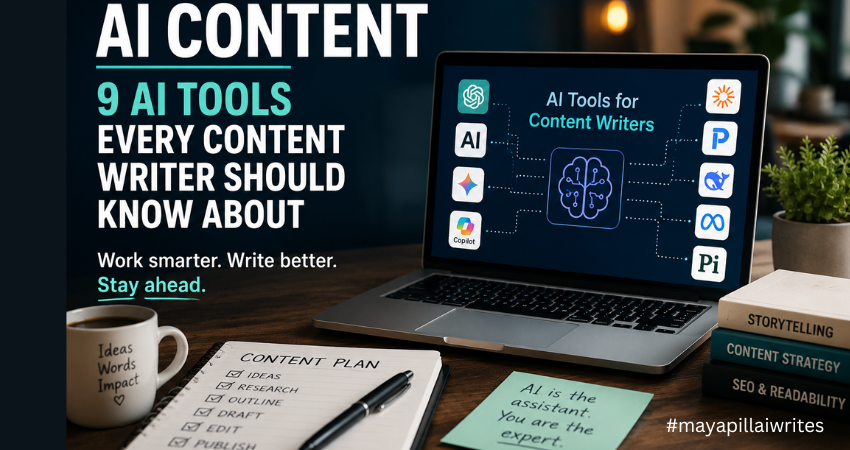
9 AI Tools Every Content Creator Should Know About
Artificial intelligence has changed the way content is created, researched, and optimized. As a content writer, I’ve seen firsthand how AI content tools have evolved from simple writing assistants into powerful platforms that support research, ideation, editing, and productivity. Despite the concerns surrounding AI, one thing has become increasingly clear: AI is not replacing good writers. Instead, it is becoming part of the modern writer’s toolkit. Whether you’re a freelancer, blogger, copywriter, content marketer, or someone looking to start a writing career, understanding how AI tools work can help you become more productive without sacrificing quality. The key is knowing which tools to use, when to use them, and how to maintain your expertise and voice throughout the content creation process. In this article, I’ll walk through nine AI tools that content writers should know about, compare their strengths, and explain how they can support modern content workflows. The Growing Role of AI in Content Creation Businesses are producing more content than ever before. Websites need blog posts. Brands need newsletters. E-commerce stores need product descriptions. Marketing teams need social media content, case studies, white papers, and landing pages. At the same time, Google continues to prioritize high-quality content that demonstrates Experience, Expertise, Authoritativeness, and Trustworthiness (E-E-A-T). This creates a challenge for writers. We need to produce content consistently while maintaining accuracy, originality, and value. That’s where AI content tools can help. Rather than replacing writers, these tools help reduce time spent on repetitive tasks such as: Research Topic ideation Outlining Editing Content optimization Summarization The most successful writers use AI to improve efficiency while keeping human judgment at the center of the process. Before I discuss the tools on this list, I want to mention the one I use most often. While every tool has its strengths, ChatGPT remains my preferred AI assistant for content creation. Over time, it has become a regular part of my writing workflow, helping me research, brainstorm, structure articles, refine ideas, and even create cover images and infographics for my content. I’ve experimented with several AI tools over the past few years. Some are excellent at research. Others are better suited for long-form writing, technical documentation, or social media content. Each tool serves a different purpose, and I don’t believe there’s a single “perfect” AI platform for every writer. Yet I keep coming back to ChatGPT. Part of the reason is how naturally it fits into my workflow. I don’t simply use it to write articles for me. Instead, I use it to organize thoughts, explore different angles, identify content gaps, and develop stronger outlines before I start writing. One of the biggest challenges writers face is getting started. Sometimes the ideas are there, but they are scattered. ChatGPT helps me bring those ideas together and create a structure that makes the writing process easier. I also appreciate its flexibility. On any given day, I might be working on a cybersecurity article, website copy for a client, a LinkedIn post, or a personal blog. ChatGPT adapts well to different formats, audiences, and writing styles, which makes it useful across multiple projects. Another reason I rely on it is the time it saves. Content creation involves much more than writing. Research, outlines, content briefs, FAQs, title suggestions, meta descriptions, and social media snippets all take time. ChatGPT helps speed up those tasks, allowing me to spend more time on research, storytelling, and editing. Beyond writing, I also use ChatGPT to support the visual side of content creation. For many of my articles, I create custom cover images and simple infographics using AI-generated prompts. Instead of spending hours searching for the right stock image or trying to explain a design concept from scratch, I can describe what I need and quickly generate ideas that match the topic of the article. This has been particularly useful for cybersecurity content, where finding relevant and non-generic visuals can be challenging. I also use it when creating infographics for blog posts, LinkedIn content, and website articles. Whether I need a comparison graphic, a process flow, a timeline, or a feature breakdown, ChatGPT helps me organize the information and create clear visual concepts that are easier for readers to understand. As content becomes increasingly visual, having a tool that assists with both written and visual content makes the entire publishing process more efficient. As someone who writes about cybersecurity and technology, I also find it useful for simplifying complex topics. Technical concepts often need to be explained in a way that’s accessible to everyday readers. ChatGPT helps me break down complicated ideas into clear, understandable language without losing the core message. What I value most, however, is that it feels more like a brainstorming partner than a content generator. I can ask questions, test ideas, challenge assumptions, and explore different perspectives. That collaborative aspect is what keeps me returning to it. That said, AI is still just a tool. Every article requires fact-checking, editing, and human judgment. Personal experience, expertise, and critical thinking cannot be automated. While ChatGPT remains my preferred choice, the reality is that every writer’s needs are different. That’s why it’s worth exploring the wider AI landscape and understanding where each tool can add value to your content creation process. While ChatGPT has become a valuable part of my content workflow, I also believe it’s important to understand how AI platforms handle user data. As writers, we often use AI tools for research, brainstorming, and content development, which means we’re regularly sharing prompts and information with these systems. Before using any AI tool extensively, it’s worth understanding its privacy practices, data handling policies, and security considerations. If you’re interested in learning more, I recently explored the topic in detail in my article, “ChatGPT Privacy in 2026: What Users Should Know.“ AI Content Tools Comparison Table Tool Best For Major Strength Ideal User ChatGPT Content creation Versatility Freelancers and bloggers Claude Long-form writing Large context window Researchers and editors Gemini Research and productivity Google integration Content marketers Perplexity
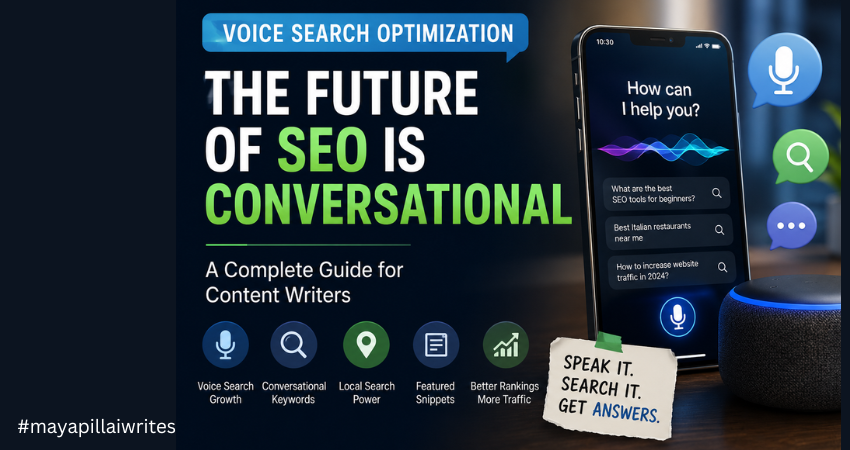
Voice Search Optimization for Content Writers
Search behavior has changed significantly over the last few years. People no longer rely only on typed searches to find information online. Instead, they increasingly use voice assistants and smart devices to ask questions naturally and conversationally. Whether someone is asking for nearby restaurants, product recommendations, weather updates, or detailed explanations, voice search has become part of everyday digital behavior. Devices powered by Amazon Alexa, Apple Siri, and Google Assistant have changed how users interact with search engines. Instead of typing fragmented keywords like “best headphones under 5000,” users now ask complete questions such as, “What are the best wireless headphones under ₹5000 for daily use?” This shift has changed modern SEO. Content writers can no longer rely only on traditional keyword placement and search engine optimization tactics. They now need to understand conversational search behavior, user intent, and natural language patterns. This is where voice search optimization becomes essential. Voice search optimization is not simply another SEO trend. It reflects a broader change in how search engines understand language, context, and user expectations. Writers who adapt early can improve content visibility, user engagement, and search rankings while building stronger topical authority in their niche. This guide explains everything content writers need to know about voice search SEO, including conversational content strategies, long-tail keywords, featured snippets, search intent, mobile optimization, local SEO, and AI-driven search behavior. TL;DR Voice search optimization is changing how content ranks in search engines. Modern voice search SEO focuses more on conversational language, user intent, long-tail keywords, and direct answers instead of traditional keyword-heavy strategies. For content writers, optimizing content for voice search now means creating natural, user-focused, and mobile-friendly content that aligns with how people actually speak and search online. What Is Voice Search Optimization? Voice Search Optimization is the process of creating and structuring content so it performs better for spoken search queries made through voice assistants, smartphones, smart speakers, and AI-powered devices. Traditional SEO mainly focused on short typed queries. Voice search SEO focuses more on conversational phrasing, natural speech patterns, and direct answers. For example, a typed query may look like this: “best SEO tools” A voice search query is more likely to sound like this: “What are the best SEO tools for small businesses?” This difference may appear small, but it changes how search engines process intent and rank content. Modern search engines now rely heavily on natural language processing and semantic search to understand the meaning behind queries rather than simply matching keywords. Because of this, optimizing content for voice search requires writers to think more about user behavior and less about keyword stuffing. Why Voice Search Is Growing Rapidly Voice search adoption continues to grow because of convenience, accessibility, and improvements in AI technology. According to a 2023 study by PwC, 71% of users prefer using voice search for simple tasks. This indicates a major behavioral shift in how people interact with search engines and digital platforms. Several factors are driving this growth. Four important ones are listed below. Smart Devices Have Become Mainstream Voice-enabled devices are now common in homes, workplaces, smartphones, cars, and wearable technology. Users rely on voice assistants for tasks such as: checking weather updates finding nearby businesses setting reminders controlling smart home devices searching for information making online purchases As smart devices continue expanding globally, voice search usage is expected to grow alongside them. Voice Search Is Faster and More Convenient Most people can speak significantly faster than they type on a mobile keyboard. Voice search allows users to multitask while driving, cooking, walking, or working. This convenience makes spoken queries more practical for everyday use. For mobile users especially, voice search reduces friction and improves accessibility. AI and Natural Language Processing Have Improved Search engines now understand conversational queries more accurately than before. Advancements in natural language processing help search systems interpret: user intent context conversational phrasing follow-up questions semantic relationships between words This allows search engines to provide more relevant answers instead of relying only on exact keyword matches. Mobile Usage Continues to Dominate Most voice searches happen on smartphones. Since mobile browsing already dominates internet usage globally, voice search naturally continues to grow within mobile-first experiences. This connection between mobile SEO and voice search optimization makes responsive design and page speed increasingly important. How Voice Search Is Changing SEO Voice search is changing both user behavior and the way search engines understand content. Earlier SEO strategies focused mainly on exact-match keywords and short typed queries. Today, users interact with search engines more conversationally through voice assistants and smart devices. Instead of typing fragmented phrases, people now ask complete questions in natural language. Because of this shift, search engines have become more focused on understanding user intent, context, relevance, and content quality rather than simply matching keywords. Modern voice search SEO now prioritizes conversational content, direct answers, mobile-friendly experiences, and user-focused information that solves queries quickly and clearly. It has also increased the importance of long-tail keywords, featured snippets, local SEO, and natural language optimization. For content writers, this means SEO is no longer just about inserting keywords into articles. It now involves understanding how users speak, what information they expect, and how search engines interpret conversational queries to deliver accurate and relevant results. Conversational Search Has Replaced Fragmented Keywords One of the biggest changes in modern SEO is the shift from fragmented keyword searches to conversational search behavior. Earlier, users typically typed short and incomplete phrases into search engines because search algorithms relied heavily on keyword matching. Searches often looked like this: “cheap hotels Goa” “best laptop students” “SEO company Bangalore” Today, voice assistants and AI-powered search engines understand natural language much better. As a result, users now search in a more conversational and human way. Instead of typing isolated keywords, they ask complete questions such as: “What are the best affordable hotels in Goa for families?” This shift has changed how content should be written and optimized. Search engines are now focused more on understanding context, search intent,
Best Editorial Calendar Tools for a Small Blog Team

In the early days of running a blog, everything feels under control. There are only a few posts in the pipeline. A shared document seems enough. A quick WhatsApp message replaces a status update. Someone says, “I’ll publish it tomorrow,” and everyone trusts that it will happen. Then consistency kicks in. You start publishing regularly. Ideas multiply. Drafts pile up. One post is waiting for edits, another is missing keywords, and someone realizes two writers are working on almost the same topic. Deadlines begin to blur. SEO details get added at the last minute. And suddenly, what once felt simple starts feeling chaotic. This is the point where blogging shifts from a creative hobby to an operational system. And that shift is uncomfortable if you’re not prepared for it. For a blog team of 1 to 10 members, structure isn’t about bureaucracy. It’s about clarity. You don’t need complicated software. You need a tool that keeps everyone aligned without slowing them down. A system that shows what’s planned, what’s in progress, and what’s ready to go live. Before choosing any tool, it’s important to understand why having one changes everything. TL;DR If your blog team is growing and publishing consistently, managing content through chats and shared documents won’t work for long. An editorial calendar tool brings structure, visibility, and accountability to your workflow. It helps track deadlines, avoid duplicate topics, manage SEO details, and keep everyone aligned. The right tool doesn’t need to be complex, it just needs to support consistent publishing without confusion. Why a Tool Is Important for Editorial Calendar Management An editorial calendar tool brings structure to your content process. Without one, planning often lives in scattered emails, chat messages, and memory. That works for a short time. But once publishing becomes consistent, confusion follows. A tool centralizes everything in one place, including topics, deadlines, ownership, and status. Everyone can see what’s being written, what’s under review, and what’s ready to publish. That visibility reduces delays and prevents duplicated effort. It also strengthens accountability. When each post has a clear owner and a defined deadline, responsibility becomes visible. A proper tool makes it easier to track progress, manage revisions, and avoid last-minute stress. For blog teams that care about SEO, it helps ensure keywords, metadata, and internal links aren’t forgotten. Over time, this consistency improves quality and builds authority. A tool doesn’t replace discipline, but it supports it. And for any team that wants reliable publishing, that structure makes a real difference. A proper tool gives you: A centralized publishing schedule Clear ownership of each blog post Visibility into draft, edit, and publish stages Keyword and SEO tracking Better deadline discipline Reduced communication gaps In small teams, confusion spreads quickly because everyone handles multiple roles. A writer may also edit. An editor may also upload to WordPress. Without a structured system, small misses turn into bigger delays. Now let’s look at the top tools for blog-only teams and break down detailed advantages and disadvantages. 1. Notion Notion works well for blog teams that want flexibility and control. You can build a custom editorial calendar with fields for keywords, publish dates, authors, and status updates. It allows you to keep briefs, outlines, and drafts in one place. For small teams that like organizing content their own way, it offers a clean and adaptable structure. It does require discipline to keep everything organized. Advantages Fully customizable databases for blog posts Multiple views including calendar, Kanban, and list Can store content briefs, outlines, and drafts in one place Custom SEO fields such as focus keyword, meta title, internal links Easy collaboration with comments and mentions Affordable for small teams Works well for both planning and documentation Clean interface once structured properly Disadvantages Requires careful setup at the beginning No built-in advanced analytics for performance tracking Can become cluttered if naming conventions are inconsistent Large databases may slow down Limited automation compared to advanced project tools Notion works best when someone on the team maintains structure. 2. Trello Trello uses a simple board system.Trello is ideal for blog teams that prefer a visual workflow. Each blog post moves across columns such as Idea, Draft, Review, and Published. It’s simple to learn and easy to maintain. For teams that don’t want complex dashboards or setup time, Trello keeps things straightforward. However, it may feel limited if you need detailed SEO tracking. Advantages Extremely easy to learn Visual workflow using drag-and-drop cards Quick onboarding for new team members Clear status tracking at a glance Lightweight and not overwhelming Integration options through Power-Ups Good for teams that prefer visual progress tracking Disadvantages Limited SEO field customization unless upgraded No deep reporting or performance dashboards Can feel cluttered as blog volume increases Less suitable for detailed documentation storage Not ideal for managing multiple content categories at scale Trello is strong for straightforward blog workflows without complex requirements. 3. ClickUp ClickUp suits blog teams that are growing and need more structure. It allows custom fields for SEO, clear task ownership, and timeline views. If your blog involves multiple writers, editors, and strict deadlines, ClickUp gives stronger workflow control. It can feel complex at first, but it offers scalability if your content operation expands. Advantages Multiple views including calendar, list, and timeline Custom fields for SEO tracking Task dependencies for structured workflows Built-in documentation Automation options for reminders and status changes Strong reporting dashboards Scales well as blog output increases Workload view for managing writer capacity Disadvantages Steeper learning curve Interface can feel overwhelming for small teams Setup takes time and planning Too many features for very simple blog workflows Paid plans required for advanced features ClickUp suits blog teams closer to 8–10 members who need more control. 4. Asana Asana is helpful when deadlines and accountability are priorities. It clearly assigns tasks and tracks progress through timelines and milestones. For blog teams that follow structured approval processes, it keeps responsibilities visible. While it isn’t built specifically for long-form draft storage, it works well for managing
TL;DR in Content: How to Engage Readers and Rank Better
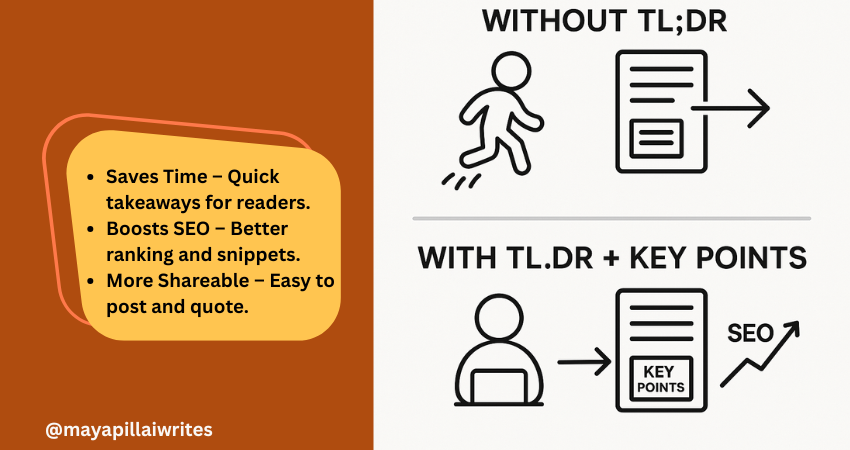
Including a TL;DR in content is no longer optional. Readers skim, AI search engines summarize, and attention spans keep shrinking. A TL;DR(Too Long; Didn’t Read) gives a quick summary that respects your readers’ time and makes your blog easier for AI tools and Google’s Search Generative Experience (SGE) to surface. But a TL;DR alone isn’t enough. Adding Key Points beneath it ensures that both skimmers and detail-seekers get value. In an era where AI decides what parts of your content get shown, these two elements can set your blog/article apart. TL; DR A TL;DR in content is a short summary that captures your article’s main idea. It helps readers, AI tools, and search engines understand your blog quickly. Key Points expand on the TL;DR with detailed highlights, giving both readers and AI more context. Using both together improves readability, SEO performance, AI search visibility, and builds trust with your audience. Key Takeaways A TL;DR isn’t just a convenience — it’s a strategic tool that improves both user experience and how AI-driven search engines interpret your content. Key Points aren’t filler; they strengthen SEO by adding structure, making your blog more likely to rank for related queries and appear in featured snippets. Pairing TL;DR and Key Points bridges the gap between human readers and AI systems, ensuring content is engaging, scannable, and machine-readable at the same time. In long-form blogs, Key Points can double as jump links for better navigation, which is especially important for mobile readers. Respecting reader time with a TL;DR and guiding them with Key Points ultimately builds trust and authority, which pays off in both engagement and search rankings. What is TL;DR in Content? TL;DR is a short summary that captures the core message of your article. Usually placed right after the introduction, it helps readers and AI tools quickly understand what the content is about. Why it’s important now: Readers want speed Most online readers don’t have the patience to go through long paragraphs before deciding if something is worth their time. A TL;DR gives them the headline takeaways immediately, allowing them to judge whether to continue reading. Without it, you risk losing them before they get to your key message. AI favors clarity Search engines and AI-powered tools are built to pick up well-structured summaries. A TL;DR written in simple, direct language makes it easier for these systems to surface your blog in snippets, SGE cards, and chat-based search results. This increases your visibility without extra effort. Boosts visibility Blogs with a TL;DR have a higher chance of being featured in “People Also Ask” boxes or summary snippets. Search engines look for clear, condensed content they can repurpose quickly, and a TL;DR is ready-made for that. Improves shareability Readers who find value in your TL;DR are more likely to copy it into a LinkedIn post, share it in a newsletter, or use it as a quote in their own content. This creates organic backlinks and visibility for your blog. Voice search ready Voice assistants like Alexa and Google Assistant prefer short, straightforward answers. A TL;DR formatted in 2–3 sentences naturally fits the length of a spoken response, which makes your blog more discoverable in voice search results. Mobile-first reading On small screens, people scroll faster and often skim through headlines only. Having a TL;DR upfront ensures your blog’s value is captured in the first screen view, even if the reader doesn’t scroll further. Trust-building By offering a summary upfront, you show readers you respect their time. It also signals confidence in your content — you’re not hiding the main message in walls of text. This creates trust and makes readers more likely to return to your blog. Supports accessibility Not all readers consume content the same way. For people with attention difficulties or those using screen readers, a TL;DR provides a simple entry point that ensures they still get value from your writing. What are Key Points? Key Points are a set of bulleted highlights that expand slightly beyond a TL;DR. While TL;DR gives the big picture, Key Points provide a roadmap of what’s inside the article. Why they’re valuable in the AI era: Act as signposts Many readers jump around instead of reading blogs linearly. Key Points act like a table of contents in miniature, showing readers what the article covers. This keeps them on your page longer because they know exactly what to expect. Strengthen SEO Search engines like Google prioritize structured content. Bullet lists with concise explanations often show up in featured snippets and “zero-click” results. By using Key Points, you give your blog multiple chances to rank for related queries, even if the reader never clicks through. Support AI summaries AI-driven platforms, including Google SGE, scan content for structured data they can repurpose. Well-written Key Points make it easier for these systems to understand your blog’s scope and deliver accurate summaries, increasing your chances of being displayed in answer cards. Increase retention When readers see clear Key Points, they know the content is organized. This makes them more likely to stay on your blog and read further. A messy block of text, in contrast, often leads to higher bounce rates. Add clarity for busy readers Some people want more than a one-line TL;DR but don’t have time for the full article. Key Points give them the middle ground: detailed highlights that still save time. It’s a way of serving both casual readers and more serious ones at the same time. Improve content navigation In long-form blogs, Key Points can be turned into clickable jump links. This is especially helpful for mobile readers, who don’t want to keep scrolling endlessly to find one section. It improves usability and keeps them engaged. Build authority Presenting your highlights clearly at the start shows confidence in your insights. It signals that you know your subject well enough to extract the main lessons upfront, which builds trust with both human readers and AI tools. TL;DR vs Key Points: Why You Need Both You might wonder, “If I already
Why Listicles Work Well

Listicles work well, and I’ve seen that firsthand. When I started using them in my blog posts, I noticed something shift—higher clicks, longer time on page, and more reader interaction. The same content in a standard paragraph format didn’t get the same results. That’s when I realized this format isn’t just convenient. It’s effective. It’s not about being trendy or lazy. It’s about writing in a way people want to read. Times have changed; the attention span of the people are short and competition is everywhere, listicles help your content stand out. Key Takeaways Listicles increase clarity, retention, and engagement. They are SEO-friendly, easy to update, and user-first. Great for both blogs and client content, especially in crowded niches. If you’re new to this format or wondering what exactly qualifies as a listicle, check out this detailed guide on what a listicle is. 9 Benefits of Listicles That Make Them Work So Well Easy to scan People rarely read full blog posts word for word. They scan for key information. Listicles present data in a format where readers can easily find what they need without committing to the entire article. Each point works as a mini-topic, making it easier to digest. Improves readability Readability directly affects user experience and bounce rate. By breaking content into bite-sized segments with clear headers and white space, listicles reduce visual fatigue. This makes it easier for readers to focus and retain information. Drives higher engagement Every list item invites continued reading. A well-crafted listicle encourages scroll behavior, which improves session duration and user interaction. If readers stay longer, they’re more likely to click internal links, comment, or share the post. Enhances SEO performance Search engines favor structured content. Listicles often secure featured snippets because the numbered format aligns with how Google parses direct answers. They also allow for strategic keyword placement without overstuffing. Fits search intent better Listicles align with the way users phrase queries—”top 10 tips for…” or “ways to…” This direct alignment improves relevance, which boosts click-through rates. Users want quick, actionable answers, and listicles deliver just that. Easier to update Unlike narrative posts, updating a listicle is simple. You can add new points, remove outdated ones, or revise sections without disrupting the entire flow. This helps maintain freshness and relevance, both of which impact SEO. Higher shareability Social media users prefer sharing content that’s concise and actionable. Listicles get more traction on platforms like LinkedIn, X (formerly Twitter), and Facebook because they are easy to quote, comment on, or summarize. Builds trust Well-organized content signals authority. When each point is backed with examples, stats, or tools, readers trust the information more. This trust increases the likelihood of return visits and conversions. Works across niches Whether it’s tech, travel, writing, or personal finance, listicles adapt. They can present how-tos, recommendations, mistakes to avoid, or trend roundups with equal efficiency. 10 Psychological Reasons Why Listicles Work Listicles don’t just perform well because of formatting. They tap into how our brains are wired to consume information. Here’s why they connect so strongly with readers: Predictability Knowing how many points to expect gives the brain a roadmap. If a list promises 10 tips, readers feel more confident committing to the article. Progress tracking Each completed point feels like progress. That subtle sense of accomplishment keeps people scrolling through to the end. Chunking of information We process data more efficiently when it’s broken into chunks. Listicles support this by separating ideas into bite-sized segments. Reduced decision fatigue A long article with no structure can feel overwhelming. A numbered list reduces the choices a reader has to make by offering clearly marked options. Cognitive ease The brain prefers simplicity. Listicles use repetition and consistency, making the reading experience smoother and more enjoyable. Anticipation and curiosity Each new item creates a small hook: “What comes next?” That micro-curiosity keeps readers engaged longer. Emotional reward Completing a list gives a small dopamine boost. Readers feel like they’ve “ticked something off,” even when passively consuming content. Visual scanning With numbered points and bold subheads, listicles are easy on the eyes. The design mirrors how people skim content, especially on mobile. Reduced bounce rates Since readers know what to expect and can move through content quickly, they’re less likely to exit mid-scroll. Mental shortcuts People rely on heuristics to make fast decisions. A numbered list feels more credible and authoritative, helping users choose your article over others. There’s a reason we prefer lists over blocks of text. It’s not just style—it’s psychology. Predictability: Knowing there are 7 or 10 items gives a clear mental map. Progress tracking: We feel a sense of accomplishment as we move down the list. Chunking: Our brains process information better in groups. Lists use this to their advantage. This structure plays a key role in retaining attention and improving content recall. Effective listicles usually share three traits: A strong promise in the title Well-researched, actionable points Clean, skimmable layout Whether it’s “5 Security Tools for Small Businesses” or “7 Mistakes to Avoid When Hiring a Writer,” high-performing listicles solve real problems in a focused way. To Sum Up Listicles work well because they make information more accessible. They suit how people read today—fast, distracted, and results-oriented. They’re not about cutting corners; they’re about delivering more value in less time. If you’re looking to increase reach, engagement, and conversions, the listicle format deserves a spot in your content strategy. CTA Want high-performing listicles for your business or client blogs? Let’s collaborate or browse more writing strategies at mayapillaiwrites.com.
Why MayapillaiWrites.com Feels Different (and Better) Than Most Content Writing Agencies

Let’s be real — finding the right content writing agency today feels like looking for clarity in a fog of buzzwords and filler posts. There are thousands of websites promising “SEO-optimised,” “high-converting,” “engaging” content. But most of them sound the same. They use big words with little depth, and deliver content that feels flat, forgettable, or worse — like it was written by a robot. That’s exactly why I created MayapillaiWrites.com — a space where content gets back to what it’s meant to do: connect, inform, and make an impact. Here’s why it feels different from most content writing agencies out there. 1. It’s Not Just About Words. It’s About Voice Anyone can write 800 words and call it a blog. But content that works — the kind that your audience reads, saves, and remembers — is built around your brand’s voice. At MayapillaiWrites.com, I don’t use templates or AI content dumps. I listen to what you want to say, how your audience speaks, and write in a tone that sounds like you. Whether it’s a homepage rewrite, product page, SEO blog, or a founder’s story — it should feel like it was written by someone who knows your business inside-out. Because I take the time to. 2. You Work With a Real Writer — Not a Layered Team Here, there’s no content manager assigning your project to a junior writer you’ll never speak to. You work directly with me — Maya Pillai. I’ve been writing for over 20 years, with a background in computer applications and deep experience in technology, cybersecurity, business storytelling, and SEO. Every piece of content is either written or reviewed by me before it reaches you. It’s personal, not processed. 3. Human-First, AI Search Optimized SEO-Optimized Content That Performs Let’s talk about search engines. Yes, I understand SEO and AI Optimization search — I’ve helped blogs rank, even in competitive niches. But here’s the difference: I never write for just Google. Your content is crafted to: Be found in search Be enjoyed by people Be remembered for your brand voice That’s what real SEO content writing should do — attract, engage, and retain. 4. It’s Not Just for Clients. It’s a Place for Writers, Too I regularly share: Writing tips that come from real-world experience Free resources and templates Insights on freelancing, branding, and storytelling This is an ecosystem, not just a service. 5. No Gimmicks. No Vanity Metrics. Just Content That Works. You won’t find “limited time offers” or “1,000 words in 24 hours” packages here. What you will find is: Writing that’s clear, clean, and compelling Process that’s collaborative Results that last beyond a post going live Because at the end of the day, good content is about clarity. Not clutter. So, Why Choose MayapillaiWrites.com? Here’s the short version: ✅ 20+ years of experience in content and strategy ✅ Direct, one-on-one collaboration ✅ SEO-optimized but human-first writing ✅ Personalised tone and structured storytelling ✅ Content for both businesses and writers ✅ No fluff. Just results. Let’s Make Your Content Matter Whether you’re building your brand, launching a product, or just need someone who can turn your thoughts into words that work — I’m here. 📌 Visit MayapillaiWrites.com 📌 Check out the blog 📌 Or reach out to start a conversation You bring the ideas. I’ll help bring them to life — one line at a time.
Website Homepage Content Writing in 2025
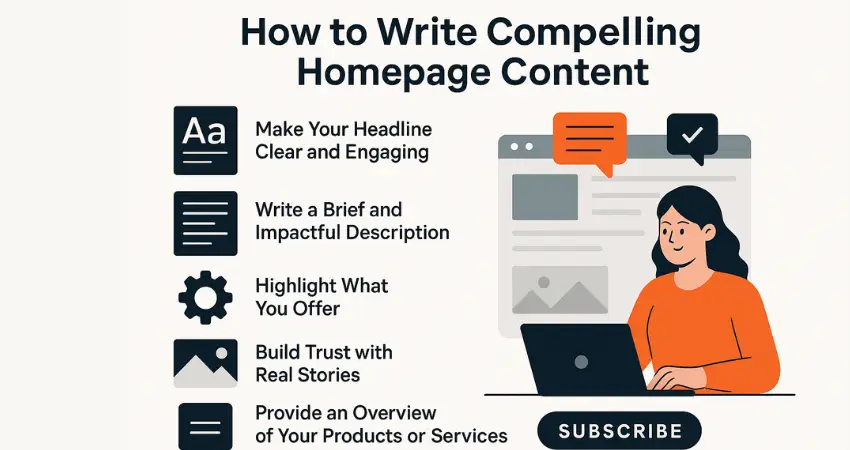
The homepage is often the most visited page on any website. It’s usually the first stop for visitors and sets the tone for how they perceive your brand. If it’s welcoming, clear, and easy to navigate, visitors are more likely to stick around and explore. Interestingly, research shows that how people experience a website (user experience or UX) is the biggest factor that sets a brand apart—even more than the actual product or price. This means having a well-thought-out, user-friendly homepage can really make a difference. Brands put a lot of effort into building trust and keeping customer loyalty. After investing so much in winning and retaining customers, it’s essential to know what will make your brand stand out. According to a marketing report, user experience (UX) has emerged as the top brand differentiator, with 28.6% of more than 1,000 marketing and branding professionals surveyed choosing it over other factors. Not only that, about 34.2% of respondents plan to focus on improving or optimizing UX to set their brand apart. While UX professionals are looking forward to integrating new trends like AI and voice interfaces in the coming years, they also face challenges. UX design has been a tricky area for some time, and many companies still experience a skills gap when it comes to creating effective UX strategies. Unfortunately, many brands find that visitors don’t go beyond the homepage. This often happens because the homepage doesn’t do enough to encourage visitors to explore the rest of the site. That’s why it’s so important to write homepage content that quickly grabs attention, clearly explains who you are, and shows how you can help. By crafting clear and engaging homepage content, you make sure visitors have a positive experience and are more likely to stick around. Let’s look at the key elements that make your homepage truly effective. Creating a homepage that draws people in and keeps them interested is essential. It’s like your website’s front door, the place where visitors decide whether to come in or move on. Here’s how to make your homepage content work for you. How to Writing Compelling Homepage Content Your homepage is the gateway to your brand. It’s the first place visitors land, and often, it’s where they decide whether to stay or move on. A well-crafted homepage not only grabs attention but also clearly communicates who you are, what you offer, and why it matters. Writing compelling homepage content requires a thoughtful balance between clear messaging, engaging visuals, and a strategic call to action. Let’s dive into how you can create a homepage that leaves a lasting impression. 1. Make Your Headline Clear and Engaging Your headline is the first thing people see. It should clearly explain what your brand offers and why it’s worth their time. Keep it simple and direct. Keep it short and to the point. Show what makes you different. Focus on how it helps your audience. A good homepage headline addresses a problem that your audience faces, offers a clear benefit, and keeps it simple. Think of it as a quick way to let visitors know they’re in the right place. For example, start by identifying a common pain point your audience has. Then, make a promise or offer a solution that directly addresses that problem. Finally, keep your wording concise and impactful—often, just a few words are enough to make your message clear. An effective headline follows three key steps: Address a common challenge your audience faces. Offer a solution or make a promise of improvement. Keep the wording simple and impactful, getting your point across without being wordy. A headline that combines these three elements is more likely to grab attention, keep visitors curious, and encourage them to explore your homepage further. Example: “Helping Small Businesses Grow with Proven Strategies.” 2. Write a Brief and Impactful Description After your headline, your description is the next thing visitors should see on your homepage. It’s a quick snapshot that helps them understand who you are and what you do. Since visitors often use this section to judge whether your brand is relevant to them, it’s crucial to make it clear and engaging. To follow the Z pattern and optimize for SEO, structure your description with the following points: Positioning: Place the description near the top of the page where it’s easily noticeable, as studies show visitors take just 2.6 seconds to focus on key areas. Content Clarity: Clearly state who your business serves and how you help. Avoid jargon and keep the language simple. Unique Value: Highlight what makes your brand different from the competition. Keyword Placement: Integrate primary keywords naturally within the description to improve search visibility. Engagement: Use actionable words to encourage readers to explore more. Example: “At [Your Brand], we help small businesses thrive by providing practical tools and resources like invoice generators and SEO tips.” 3. Highlight What You Offer Visitors come to your website because they’re looking for something specific. Usually, they either have a problem that needs solving or a goal they want to achieve—and they believe you can help them get there. That’s why it’s important to clearly showcase the features and benefits of your product or service on your homepage. It’s not just about listing what you offer but also explaining how those features translate into real benefits for your audience. If visitors can’t immediately see what they’ll gain from choosing you, they’re likely to move on to your competitors. Keep in mind that just listing features isn’t enough. You need to make it clear how those features make a difference in their lives or businesses. Benefit-driven content on your homepage can improve conversions by helping visitors see the value right away. Tips: Use icons or images to make points stand out. Clearly explain how each feature benefits the user. Make the content easy to skim. People want to know what’s in it for them. List your key offerings clearly so visitors can see the value right away. 4. Build