

I’ve been writing content for years, and one thing I’ve learned is that writing well takes more than putting words together. I need to understand who I’m writing for, what I want to say, and how to explain it in a way that makes sense to the reader. A piece of writing doesn’t become good just because it has the right keywords, follows a particular structure, or meets a word count.
Publishing content has become much easier over the years, but getting people to read, understand, and trust what we write is still a challenge. I often come across articles that cover the same points, use similar examples, and offer advice that readers have probably seen many times before. Some are technically correct, but they don’t give me much reason to remember them.
I believe the difference often lies in the way a writer approaches a subject. A useful example, an honest observation, or an explanation drawn from experience can make an article more interesting and easier to understand. We don’t need to make every sentence sound impressive. We need to give readers information they can use and make their time worthwhile.
Here are 15 tips I follow and recommend to writers, bloggers, and businesses that want to improve the content they publish.
Table of Contents
Toggle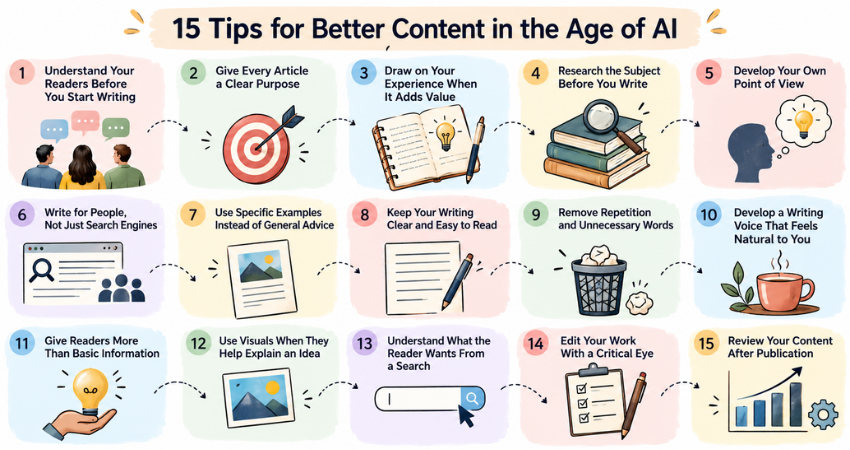
Understand Your Readers Before You Start Writing
Whenever I start working on an article, I try to put myself in the reader's position. What do they already know about the subject? What are they trying to find out? And what information would help them solve their problem? The answers influence everything from the opening paragraph to the examples I choose.

For instance, an article about password security for a small business owner should explain why password reuse is risky, how to create stronger passwords, and what practical steps the business can take. The reader may not need a detailed explanation of encryption algorithms. A technical audience, on the other hand, might expect that level of detail.

Before I begin, I find it useful to ask myself three questions:
Who am I writing for?What problem or question brought the reader to this topic?What should the reader understand or be able to do after reading the article?
These questions help me decide which details deserve attention and which ones I can leave out. They also keep me from adding information simply because I happen to know it. Give Every Article a Clear Purpose
I don't believe every article needs to sell a product or persuade someone to take action. Some articles explain a subject, others help readers compare options, and some offer instructions for completing a task. Whatever the purpose, I want to know why I'm writing the article before I start drafting it.

Take content strategy as an example. I could explain what it means and list its benefits, but that approach might not help someone who wants to create a content strategy for a new blog. That reader needs practical guidance on choosing topics, understanding the audience, planning publications, and reviewing results.

The purpose of an article determines how I organize the information and how much detail I need to include. It also helps me avoid covering too many unrelated ideas in one piece. If I try to answer every possible question about a subject, the article can become difficult to follow.

I usually make a brief note about what I want readers to gain from an article. When I finish the first draft, I return to that note and check whether I've delivered what I promised. This simple step helps me keep the article focused.
Draw on Your Experience When It Adds Value
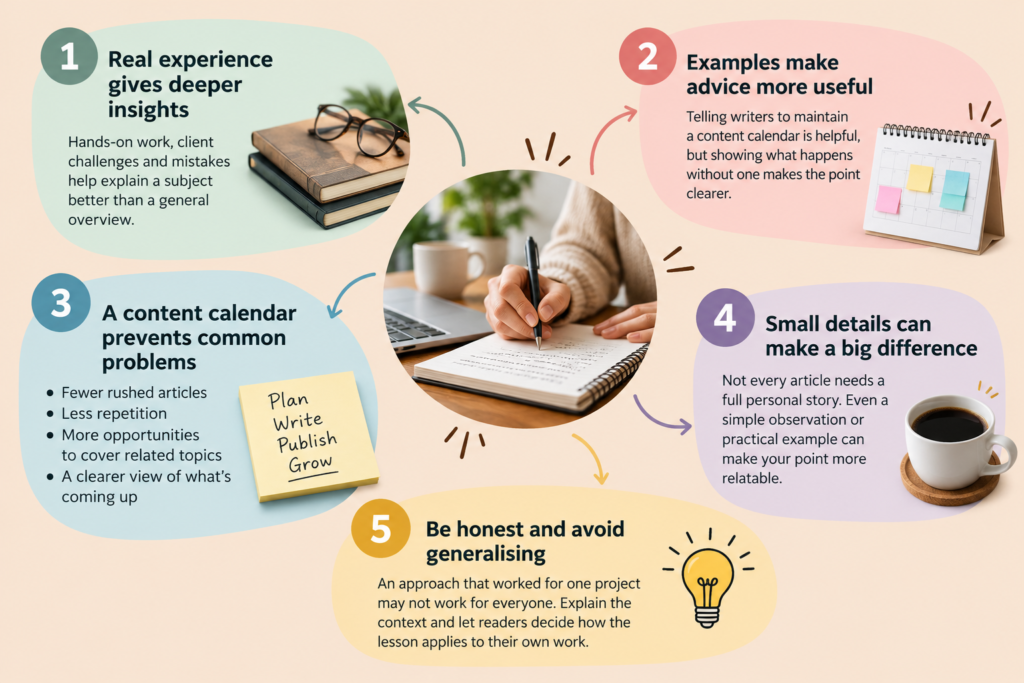
One thing I appreciate in good writing is the presence of real experience. A writer who has worked on a project, dealt with a difficult client, or learned from a mistake can often explain a subject in ways that a general overview cannot. These details help readers understand how an idea works outside a textbook explanation.

For example, I can tell writers to maintain a content calendar, but the advice becomes more useful when I explain what happens without one. An unplanned publishing schedule can lead to rushed articles, repeated topics, and missed opportunities to cover related subjects. A calendar gives the writer a clearer view of what's coming up and where each article fits into the larger plan.

I don't think every article needs a personal story. Sometimes, a small observation or a practical example is enough to make a point. What matters is that the detail adds something to the discussion rather than taking the reader away from the subject.

I also believe we need to be honest about what our experiences tell us. An approach that worked for one client or project may not work in every situation, so I avoid presenting a personal observation as a universal rule. Readers benefit more when we explain the circumstances and let them decide how the lesson applies to their own work.
Research the Subject Before You Write
Even when I'm familiar with a topic, I don't assume that I know everything I need to write about it. I check facts, look for recent developments, and make sure I understand the subject well enough to explain it accurately. This is particularly important when writing about cybersecurity, technology, health, finance, and other subjects where incorrect information can mislead readers.

Suppose I'm writing about a cybersecurity incident. I need to establish what happened, when it happened, which organization was affected, and what the available evidence actually confirms. I shouldn't repeat an unverified claim simply because several websites have published the same information.

I prefer to consult original research, official announcements, government publications, technical documentation, and reputable news sources. When I find an important statistic, I try to trace it to the original report and check what it measures. A number can sound impressive, but it may mean something different from what the article suggests.

Publication dates matter, too. A source may have been reliable when it appeared, but the information could be outdated now. I also distinguish between confirmed facts, expert opinions, and claims that still need verification.

Research takes time, but it gives me a stronger foundation for writing. It also helps me identify what I can confidently explain and where I need to be more careful with my wording.
Develop Your Own Point of View
I've read plenty of articles that explain a subject correctly but leave me with little to remember. They repeat familiar advice without examining it, providing a useful example, or explaining when that advice might not work. I think writers can offer more when they take the time to consider the subject and form a reasoned point of view.

For instance, businesses are often advised to publish more blog posts to improve their online visibility. But I would ask whether publishing more articles will help a business that hasn't identified its audience or understood what those readers need. If the existing content doesn't answer useful questions, increasing the publishing frequency may not solve the problem.

A smaller collection of well-planned articles might be a better starting point. Those articles could answer important customer questions, explain the business's services, and link to related resources. The approach would depend on the business, its audience, and its goals.

Having a point of view doesn't mean disagreeing with everyone or making bold claims to attract attention. It means examining the available information, considering different perspectives, and explaining why I support a particular approach. When the evidence challenges my assumptions, I need to be willing to change my mind. This is one way I can make my writing more useful without simply repeating what other articles have already said.
Write for People, Not Just Search Engines
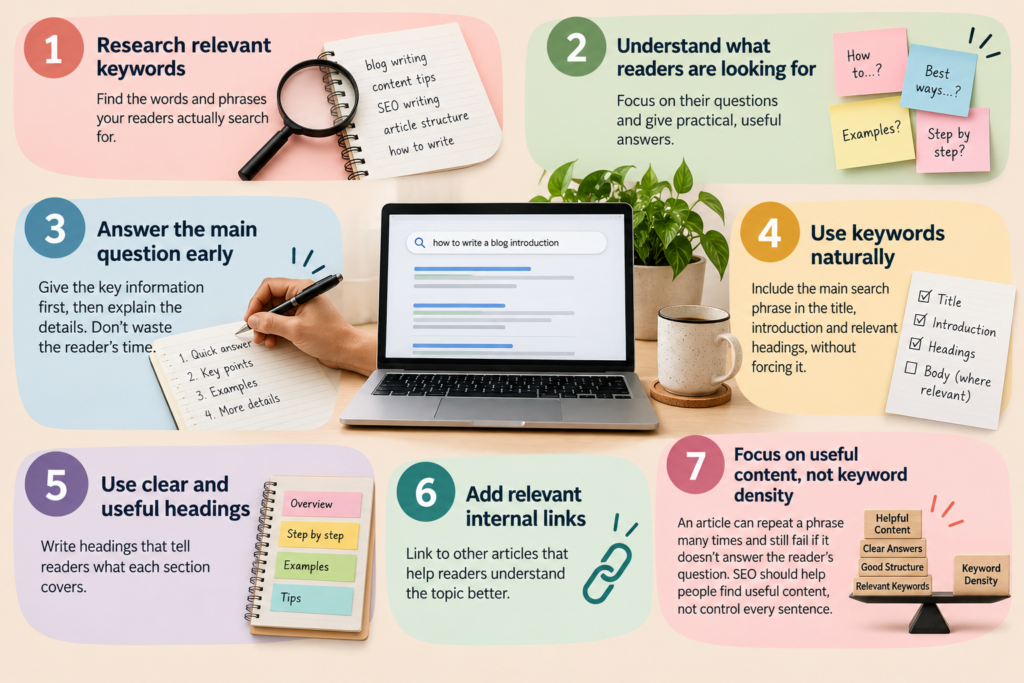
I pay attention to search optimization because I want people to find the content I publish. I research relevant keywords, consider what readers are looking for, and organize articles around their questions. But I don't want the process to make my writing awkward or repetitive.

Imagine someone searching for "how to write a blog introduction." The person probably wants practical advice, perhaps with a few examples. If I spend several paragraphs discussing the history of blogging before explaining how to write an introduction, I haven't respected the reader's time.

I prefer to answer the main question early and then explain the details. I also use keywords where they fit naturally, rather than forcing the same phrase into every section.

When optimizing an article, I pay attention to the following:
Keyword placement: I include the main search phrase where it makes sense, such as in the title, introduction, or relevant headings.Useful headings: I use headings that tell readers what each section covers.Relevant internal links: I connect the article to other pages that help readers understand the subject.Clear answers: I address the main question instead of making readers search through the article for basic information.Natural language: I read the content to check whether the keywords fit the sentences and sound appropriate.
I don't judge an article's quality by keyword density alone. A page can repeat a phrase many times and still fail to answer the question that brought the reader there. Search optimization should help people discover useful content, not determine every sentence I write. Use Specific Examples Instead of General Advice
I find that examples often make the difference between advice that sounds good and advice that people can actually apply. Telling someone to make their content more engaging doesn't explain what they should change or how they should go about it.

A more useful approach is to show the reader what the advice looks like in practice. Instead of writing, "Businesses should create useful blog content," I could explain how a small accounting firm might publish an article about the documents freelancers need to prepare before filing their taxes. The article could include a checklist, explain common mistakes, and help readers understand what to do next.

This example gives the reader a clearer picture of what useful content looks like. It also shows how a business can answer a customer's question while demonstrating its knowledge of the subject.

I use examples to explain abstract ideas, demonstrate a process, and help readers connect general advice to their own circumstances. When a topic is complicated, a simple example can sometimes communicate the idea more effectively than several paragraphs of explanation.

I do take care not to invent client experiences or present imaginary results as real case studies. If I use a hypothetical situation, I make that clear. If I describe an actual project, I stick to details I can support.
Keep Your Writing Clear and Easy to Read
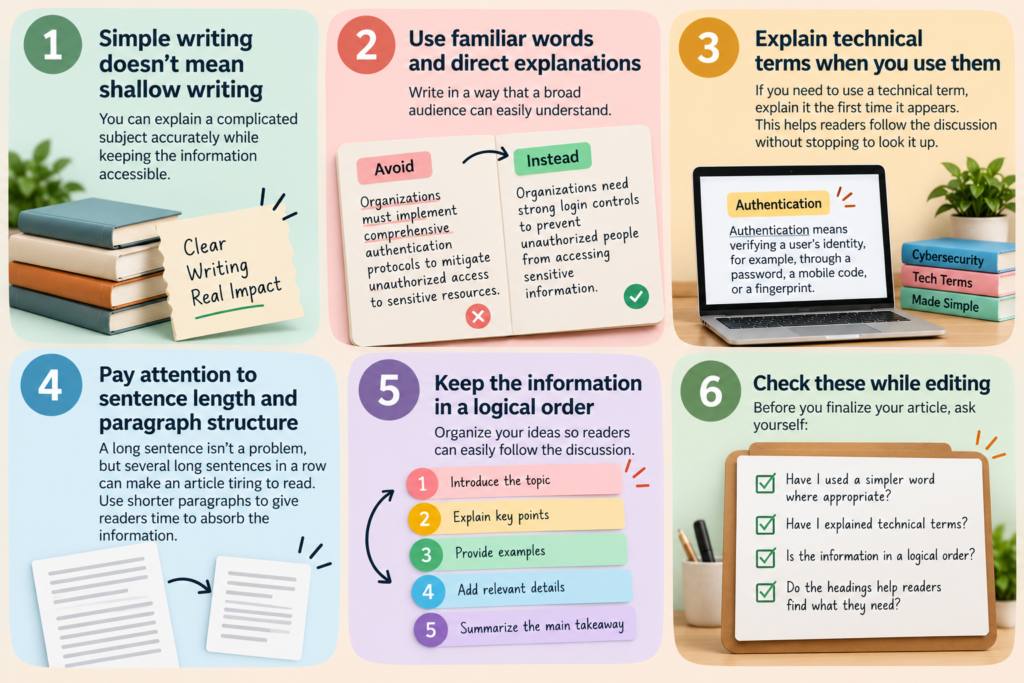
I don't believe simple writing means shallow writing. A writer can explain a complicated subject accurately without making every sentence difficult to understand. The aim is to make the information accessible while preserving the details that matter.

When I write for a broad audience, I prefer familiar words and direct explanations. If I need to use a technical term, I explain it when it first appears. This helps readers follow the discussion without having to stop and look up every unfamiliar expression.

For example, instead of writing, "Organizations must implement comprehensive authentication protocols to mitigate unauthorized access to sensitive resources," I could write, "Organizations need strong login controls to prevent unauthorized people from accessing sensitive information." If the article needs to explain specific authentication methods, I can introduce those details in the next paragraph.

I also pay attention to sentence length and paragraph structure. A long sentence isn't necessarily a problem, but several long sentences in a row can make an article tiring to read. Breaking an explanation into smaller paragraphs gives readers time to absorb the information.

While editing, I ask myself whether I've used a simpler word where appropriate, explained technical terms, and organized the information in a logical order. I also check whether the headings help readers find what they need.

The goal isn't to make every sentence short. It's to make the writing flow naturally and help readers understand the subject without unnecessary effort.
Remove Repetition and Unnecessary Words
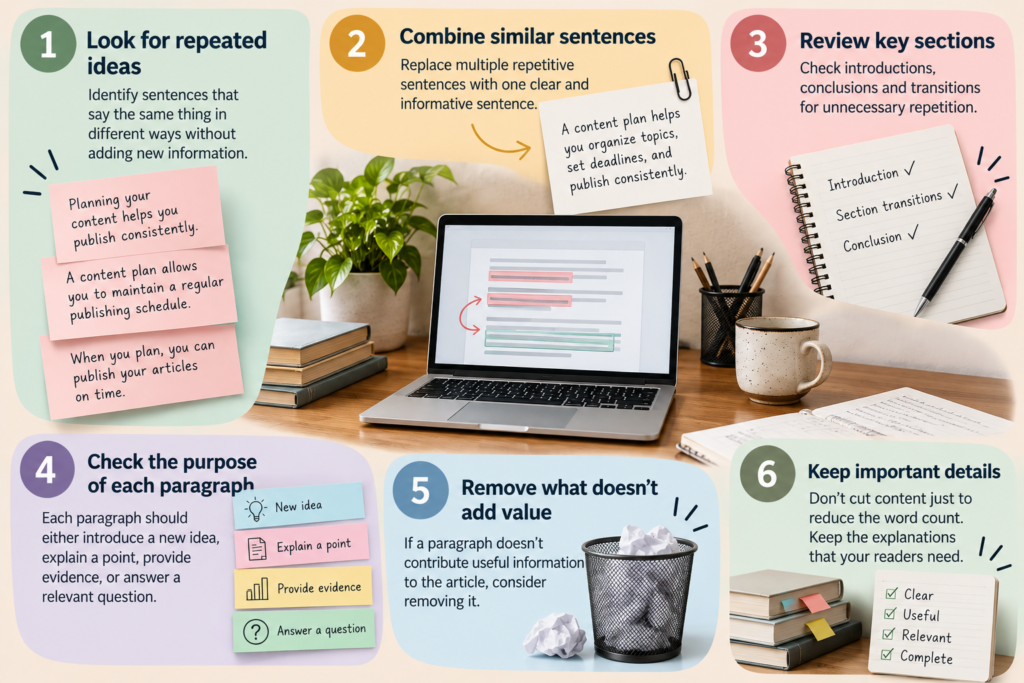
When I edit an article, I look for sentences that repeat an idea without adding anything new. This often happens when writers try to reach a word count or make an article appear more comprehensive than it really is.

Consider this example: "Planning your content helps you publish consistently. A content plan allows you to maintain a regular publishing schedule. When you plan, you can publish your articles on time." The three sentences communicate almost the same idea.

I could replace them with a more direct sentence: "A content plan helps you organize topics, set deadlines, and publish consistently." The revised version is shorter, but it also tells the reader more about what the plan actually does.

I use a similar approach when reviewing introductions, conclusions, and section transitions. Sometimes, I find that I've explained a point clearly in one section and then repeated it in the next. In other cases, a paragraph contains a general statement that doesn't support the main argument.

When editing, I check whether each paragraph introduces a new idea, explains a point, provides evidence, or answers a relevant question. If it doesn't contribute anything useful, I consider removing it.

I don't cut words just to shorten the article. Some ideas need a detailed explanation, and removing too much can leave readers with unanswered questions. I focus on removing repetition while keeping the information the reader needs.
Develop a Writing Voice That Feels Natural to You
I believe a writer's voice develops over time. It comes from the words we choose, the way we explain ideas, the examples we use, and the subjects we care about. It doesn't require a complicated vocabulary or a clever phrase in every paragraph.

When I write for my own website, I want readers to feel that they're learning from someone who understands the subject and respects their time. I prefer direct explanations, practical examples, and an honest tone. I don't want to make a simple point sound complicated just to make the writing appear sophisticated.

That doesn't mean I use the same tone for every assignment. A cybersecurity article may need a more formal approach than a personal essay, while a beginner's guide may require more explanation than an article for experienced professionals. I adjust the language to suit the audience without losing the qualities that make my writing recognizable.

Reading other writers helps me learn new techniques, but I don't think copying their style is the answer. I pay attention to what works, then find ways to use those lessons in my own writing.

One useful habit is to read a paragraph aloud. If it sounds unnatural or unlike something I'd normally say, I revise it. I also watch for phrases that sound impressive but don't express a clear idea.

Over time, these small choices help me develop a voice that feels consistent without making every article sound the same.
Give Readers More Than Basic Information
When I write an informational article, I try to go beyond definitions and general explanations. A reader who searches for content strategy may already know that it involves planning and publishing content. What they need is a clearer understanding of how to put the idea into practice.

I can make the article more useful by explaining why content strategy matters, how to develop one, what mistakes to avoid, and how to measure its effectiveness. If I'm writing for beginners, I can also explain the steps in the order they should follow them.

I find it useful to ask a few questions while reviewing an article:
Have I explained why the subject matters?Have I shown readers how to apply the information?Have I included examples where they would help?Have I explained any important limitations?Have I answered the questions a beginner is likely to ask?
These questions help me identify gaps in the explanation. If I recommend a particular approach, for example, I should explain when it works and whether there are circumstances where another approach might be better.

I don't believe every article needs to be exhaustive. A short article can be useful if it answers a specific question well. But when I promise readers a complete guide, I need to provide enough detail to support that promise.

The aim is to give readers more than a collection of facts. I want them to finish the article with a clearer understanding of the subject and a better idea of what to do next.
Use Visuals When They Help Explain an Idea
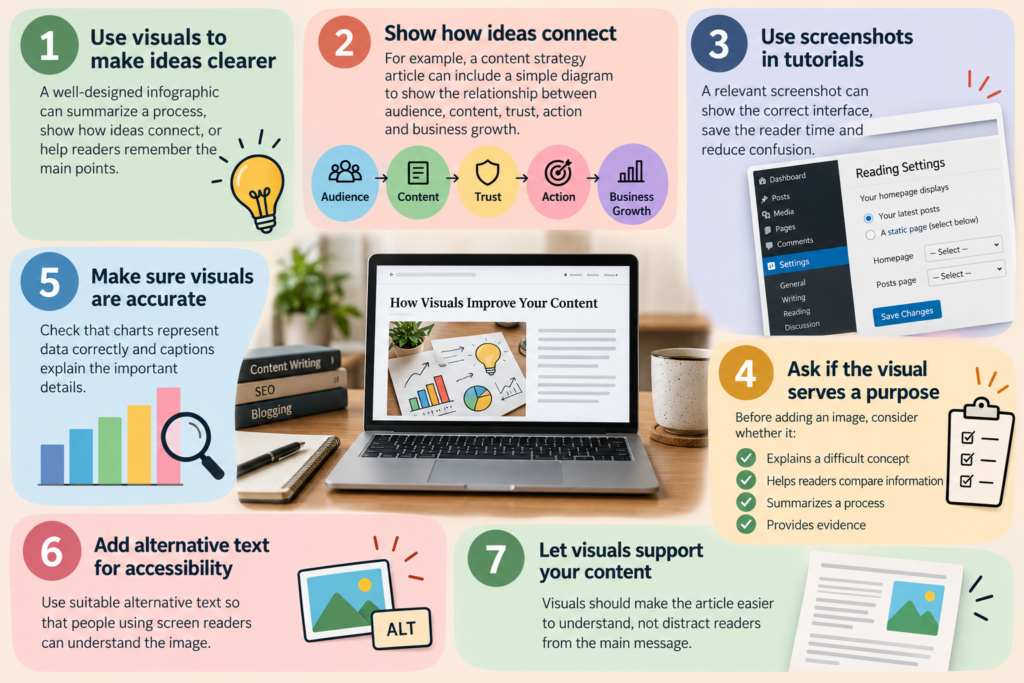
I like using visuals when they make an article easier to understand. A well-designed infographic can summarize a process, show how ideas connect, or help readers remember the main points. A screenshot can be even more useful when I'm explaining how to complete a task on a website.

For example, an article about content strategy could include a simple diagram showing the relationship between audience, content, trust, action, and business growth. The visual gives readers a quick overview, while the surrounding text explains what each stage means and how the stages relate to one another.

I also find screenshots helpful in tutorials. If I'm explaining how to change a WordPress setting, a relevant screenshot can save the reader time and reduce confusion. The image needs to show the correct interface and support the instructions in the article.

Before adding a visual, I consider whether it serves a clear purpose. Does it explain a difficult concept, help readers compare information, summarize a process, or provide evidence? If it doesn't do any of these things, I may not need it.

I also check that charts represent data accurately, captions explain important details, and images have suitable alternative text for people using screen readers. When an image contains essential information, I make sure the article explains that information in words, too.

Visuals should make the content easier to understand, not distract readers from what I'm trying to explain.
Understand What the Reader Wants From a Search
When planning an article, I consider why someone would search for the topic in the first place. A person searching for "what is content strategy" probably wants a definition and an overview. Someone searching for "how to create a content calendar" needs instructions, while a person searching for "best content calendar tools" may want to compare products before making a decision.

These searches relate to the same subject, but they require different answers. If I treat them all as requests for a general introduction, I may miss what the reader actually needs.

I use search intent to decide the type of article I should write and how to organize it. A beginner's guide may start with a definition and explain the basics before moving to practical steps. A comparison article needs clear evaluation criteria and an explanation of the differences between the available options.

Before finalizing an outline, I consider what the reader already knows, what information they need first, and which questions the article should answer. I also review existing search results to see how other pages approach the subject and identify areas where I can offer a more useful explanation.

I don't treat the highest-ranking articles as templates to copy. They help me understand what readers may expect, but I still need to decide how to answer the question accurately and clearly.

Understanding search intent helps me create content that meets a reader's needs instead of forcing every topic into the same format.
Edit Your Work With a Critical Eye
I consider editing an essential part of writing because the first draft rarely contains the clearest version of my ideas. When I finish a draft, I review it from the reader's perspective and look for places where the explanation could be clearer, more accurate, or easier to follow.

I check whether the introduction gives readers a reason to continue, whether the headings reflect the content, and whether each section contributes to the main subject. I also look for repeated ideas, vague statements, awkward transitions, and claims that need supporting evidence.

My editing checklist includes the following:
Accuracy: Have I checked the facts, figures, and references?Clarity: Can readers understand what I'm trying to say?Structure: Does each section follow naturally from the previous one?Relevance: Does every section serve the article's purpose?Grammar: Have I corrected spelling, punctuation, and sentence errors?Tone: Does the writing sound natural and suit the intended audience?
I find it helpful to step away from a draft before editing it. Even a short break can help me notice problems I missed while writing. Reading the article aloud can also reveal sentences that sound stiff or difficult to follow.

When I use a writing tool to check grammar or improve a sentence, I review the suggestions rather than accepting every change. A suggested rewrite may correct a grammatical problem but alter the meaning or remove a detail I intended to keep.

For me, editing isn't just about correcting mistakes. It's about making sure the article communicates what I intended and gives readers a clear, reliable explanation.
Review Your Content After Publication
I don't consider the work finished when an article goes live. Publishing makes the content available to readers, but I still need to understand whether it serves its purpose and whether I can improve it.

For a search-focused article, I may review impressions, clicks, search queries, and the pages visitors open next. For a business blog, I may also look at inquiries, newsletter sign-ups, or other actions that matter to the business.

These numbers need context. A low number of clicks doesn't automatically mean an article is poor. The page may target a narrow subject, compete with established websites, or need a clearer title. High traffic doesn't necessarily mean readers found the information useful, either.

I also pay attention to reader questions and comments. They can reveal gaps in an article or suggest topics worth covering in the future. Sometimes, updating an existing article is more useful than publishing a new one.

When reviewing an older article, I consider whether I need to correct outdated information, add a missing explanation, improve the headings, or link to related content on my website. I also check whether the article still answers the question it was originally written to address.

I see content as something that can improve over time. Each published article allows me to learn what works, identify what needs attention, and make better decisions about future topics.
To Sum Up
After years of writing, I've come to value clarity, accuracy, and usefulness more than complicated language or impressive word counts. A good article doesn't have to cover everything about a subject, but it should answer its main question, explain the important details, and give readers something they can use.

I also believe writers need to remain curious. We should question our assumptions, check our facts, learn from our mistakes, and pay attention to how people respond to our work. These habits help us improve, regardless of the subject we write about or the tools we use.

The way people discover information will continue to change, but readers will still need clear explanations, reliable information, and practical advice. As writers, we have a responsibility to give them content that respects their time and helps them make sense of a subject.

When I sit down to write, I remind myself that someone has chosen to spend time reading my work. I owe that reader an honest effort, which means understanding the subject, explaining it clearly, and taking responsibility for what I publish.

For me, better content isn't about writing more or trying to sound impressive. It's about giving readers a good reason to read, learn, and return for more.
Frequently Asked Questions
What makes content good in the age of AI?

Good content answers readers' questions clearly, provides accurate information, and offers practical value. I believe personal experience, original insights, relevant examples, and a natural writing style help make an article more useful and memorable.

How can I make my content stand out from similar articles?

I focus on understanding the reader's needs and offering something beyond general advice. Personal observations, specific examples, reliable research, and a clear point of view can help make an article more useful than one that simply repeats familiar information.

How important is SEO when writing content?

SEO helps readers find your content through search engines. I recommend using relevant keywords, clear headings, useful internal links, and a structure that matches search intent. But I don't believe keywords should take priority over readability or the reader's needs.

How can I make my writing sound more natural?

I recommend using familiar words, varying sentence lengths, and writing in a tone that feels comfortable and genuine. I also read my drafts aloud to identify awkward sentences, repeated ideas, and phrases that don't sound like something I'd naturally say.

 How often should I update my blog content?

I review older articles when information changes, search performance declines, or readers need answers that the original article doesn't provide. There's no fixed schedule for every blog. I prefer to prioritize articles that need factual updates, clearer explanations, or more useful information.